How Do You Use ATR MT4 Technical Indicator?
Average True Range Indicator
Developed by J. Welles Wilder
ATR forex indicator is a measure of forex volatility - ATR forex indicator measures the range of forex price movement for a particular forex price period. The ATR forex indicator is a directionless forex indicator and it does not determine the direction of the trend.
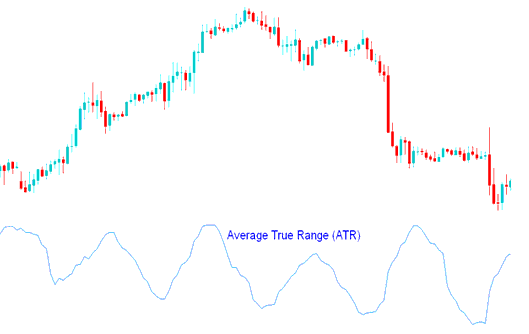
How to Add MT4 ATR Technical Indicator in MetaTrader 4 Charts
How Do You Use MT4 ATR Indicator?
High ATR forex indicator values signal market bottoms after a sell off.
How Do You Use MT4 ATR Indicator?
Low ATR forex indicator values signal extended periods of range sideways forex price movement - Forex Range, such as those found at forex market tops and forex price consolidation periods. Low ATR forex indicator values are typical for periods of sideways movement of long duration which happen at the top of the forex market and during a consolidation.
Calculation of ATR Indicator
ATR forex technical indicator is calculated using the following:
- Difference between the current forex price high and the current forex price low
- Difference between the previous closing forex price and the current forex price high
- Difference between the previous closing forex price and the current forex price low
The final average is calculated by adding these values and calculating the average.
How to Generate Buy & Sell Signals
ATR forex indicator can be interpreted using the same principles as other forex volatility indicators.
Possible forex trend change signal - The higher the ATR forex indicator value - the higher the probability of a forex trend change;
Measure of forex trend momentum - The lower the ATR forex indicator value - the weaker the forex trend movement.
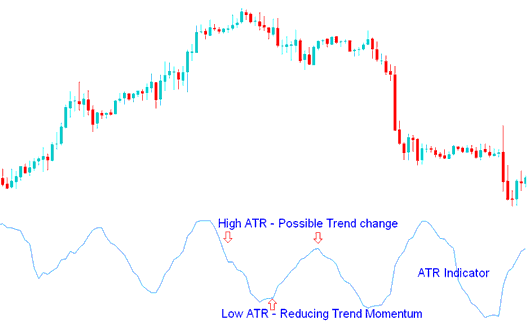
How Do You Use MT4 ATR Technical Indicator?
How to Add MT4 ATR Technical Indicator in MetaTrader 4 Charts
Step 1: Open MT4 Software Navigator Window
Open MetaTrader 4 Navigator window as shown below: Go to 'View' menu (click), then select 'Navigator' window (click), or From Standard Toolbar click the 'Navigator' button or press keyboard MT4 shortcut keys 'Ctrl+N'
On MT4 Navigator window, select "Indicators", by Double Clicking
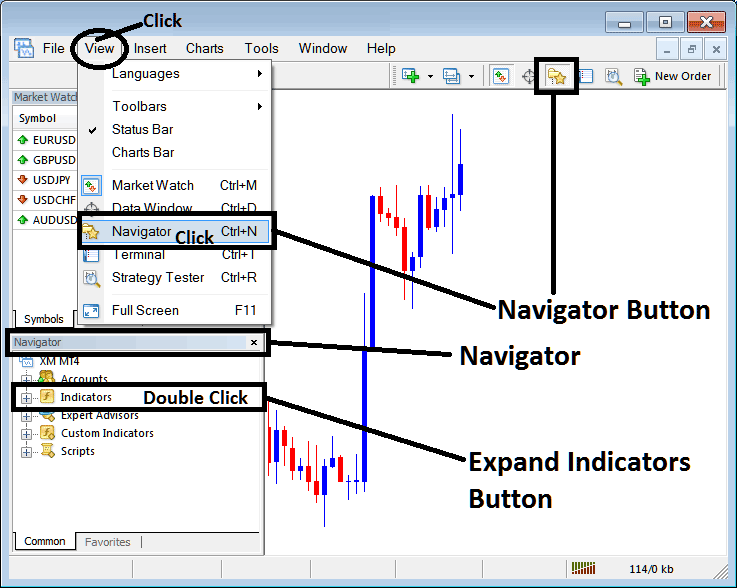
How Do You Use MT4 ATR Technical Indicator?
How to Add ATR MT4 Indicator
Expand the menu by clicking the expand button (+) or double click the 'indicators' menu, after this the button will appear as (-) and it will then display a list of MT4 indicators as shown below - choose the ATR forex technical indicator from this list of MT4 indicators so that you can add the ATR MT4 indicator on the MT4 forex chart.
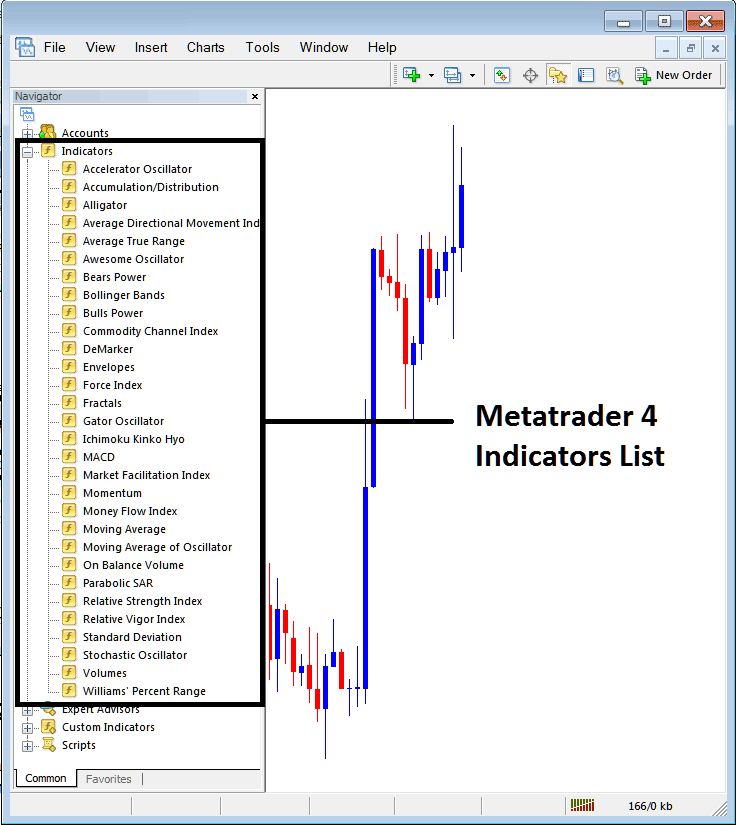
How Do You Use MT4 ATR Technical Indicator?
How Install and Add Custom ATR Indicator on MetaTrader 4?
If the MT4 indicator that you want to add on the MT4 charts is a custom MetaTrader 4 indicator - for example if the ATR indicator that you want to add is a custom MT4 indicator you will need to first add this custom ATR MT4 indicator on the MT4 platform and then compile this custom ATR forex technical indicator so that this newly added ATR MT4 forex custom indicator appears on the custom technical indicators list on the MetaTrader 4 platform.
To learn how to add ATR indicators on MT4 platform - how do you add ATR forex indicator window to MT4 platform? - how do you add ATR forex custom indicator on MT4 platform? - How to add a custom ATR custom forex indicator on MetaTrader 4.
How Do You Use MT4 ATR Technical Indicator?




