How Do You Use ADX MetaTrader 4 Technical Indicator?
ADX Indicator Technical Analysis & ADX Buy and Sell Signals
Developed by J. Welles Wilder
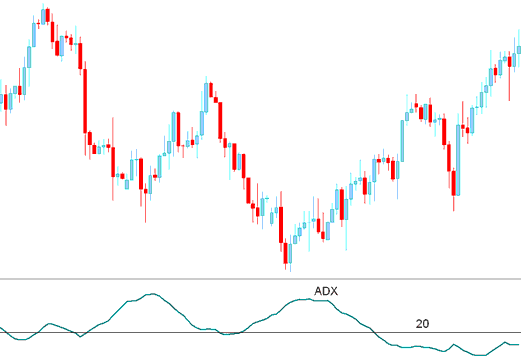
ADX indicator a momentum forex indicator used to determine the strength of a forex trend: ADX indicator is derived from the DMI - Directional Movement Index which has 2 lines.
+DI - Positive Directional Movement Index
–DI - Negative Directional Movement Index
ADX indicator is calculated by subtracting these two values and applying a smoothing function.
How to Add MetaTrader 4 ADX Indicator on MetaTrader 4 Charts
The ADX indicator is not a directional forex technical indicator but a measure of the strength of the forex trend which has a scale of Zero to 100.
The higher the ADX indicator value the stronger the forex trend.
ADX indicator value of below 20 signals that the forex market is not trending but moving in a range sideways movement.
ADX indicator value of above 20 confirms a buy signal or sell signal and indicates a new forex trend is emerging.
ADX indicator values above 30 signifies a strong forex trending market.
When ADX indicator turns down from above 30 - it signals that the current forex trend is losing momentum.
Directional Movement Index Technical Indicator
Since the ADX alone is a directionless indicator it's combined with the DMI index to figure out the direction of the trend.
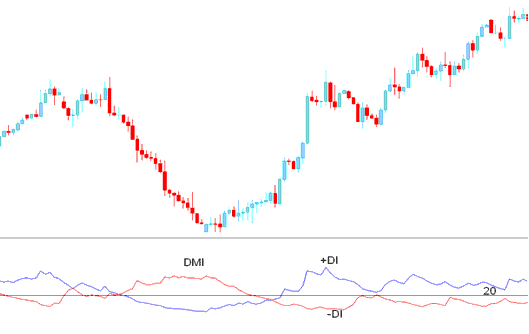
ADX FXTechnical Indicator & DMI Index
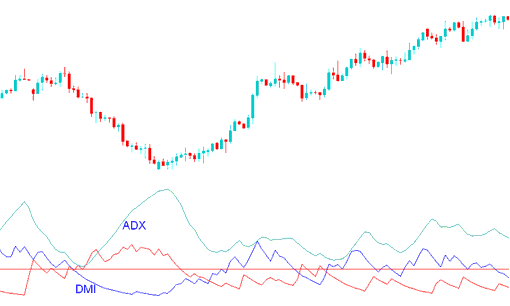
When the ADX indicator is combined with DMI index a trader can determine the direction of the trend and then use the this ADX indicator to determine the momentum of the prevailing forex trend direction.
How to Generate Buy and Sell Signals
Buy Forex Signal
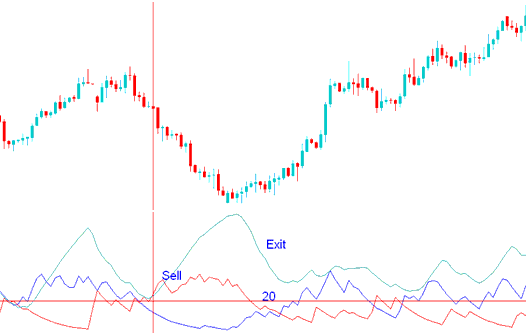
A forex buy trading signal is generated when the +DI is above –DI, and the ADX indicator is above 20
The Exit forex trading signal is generated when the ADX indicator turns down from above 30.
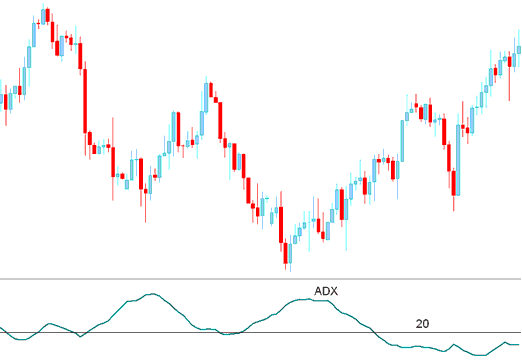
How Do You Use MetaTrader 4 ADX Technical Indicator?
Sell Forex Signal
A forex sell trading signal is generated when the –DI is above +DI, and the ADX indicator is above 20
The Exit forex trading signal is generated when the ADX indicator turns down from above 30.
How Do You Use MetaTrader 4 ADX Technical Indicator?
How to Add MetaTrader 4 ADX Indicator on MetaTrader 4 Charts
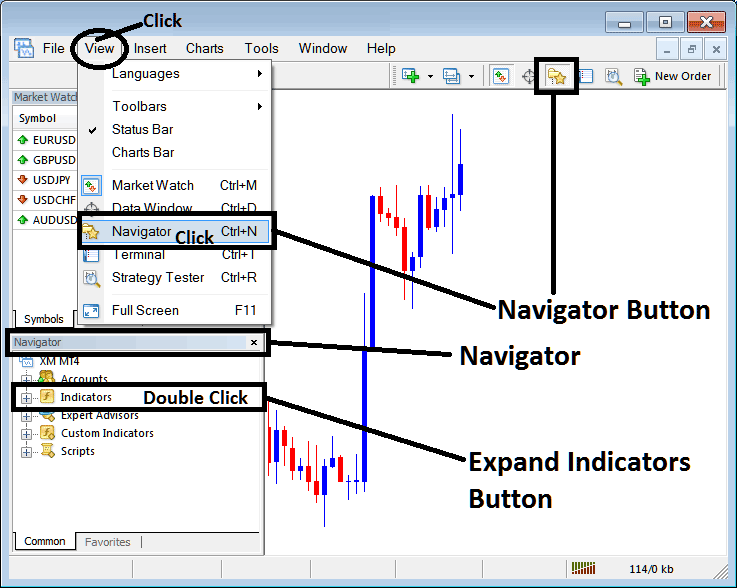
Step 1: Open MT4 Platform Navigator Panel
Open MT4 Navigator window as shown below: Go to "View" menu (click), then select "Navigator" window (click), or From Standard Tool Bar click the "Navigator" button or press keyboard MetaTrader 4 shortcut keys "Ctrl+N"
On MT4 Navigator window, select "Indicators", by Double Clicking
How Do You Use MetaTrader 4 ADX Technical Indicator?
How to Add ADX MetaTrader 4 Indicator
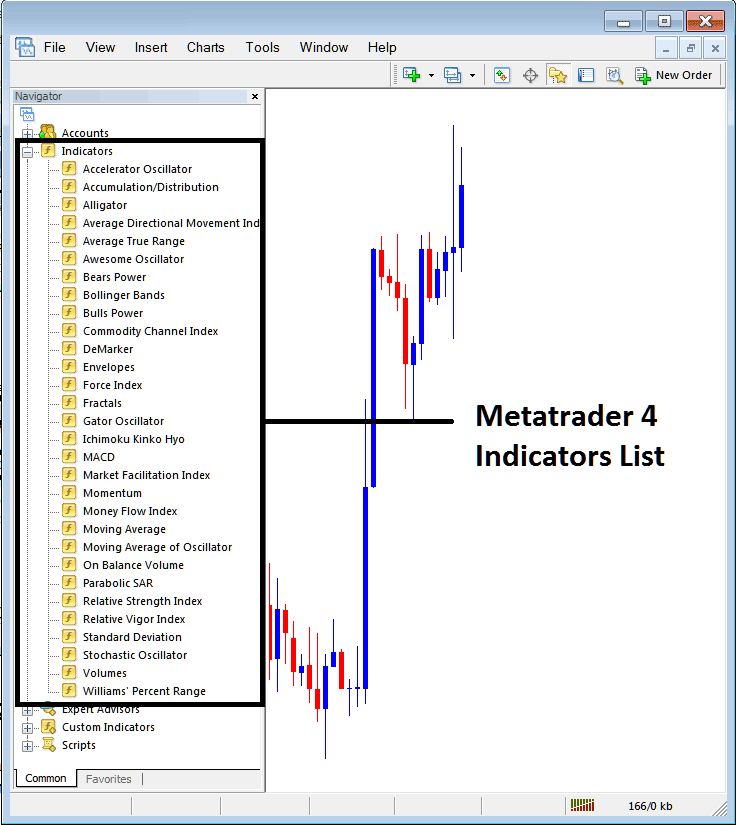
Expand the menu by clicking the expand button (+) or double click the "indicators" menu, after this the button will appear as (-) and it will then display a list of MetaTrader 4 indicators as shown below - choose the ADX technical indicator from this list of MetaTrader 4 indicators so that you can add the ADX MetaTrader 4 indicator on the MetaTrader 4 forex chart.
How Do You Use MetaTrader 4 ADX Technical Indicator?
How Install and Add Custom ADX Indicator on MetaTrader 4?
If the MetaTrader 4 indicator that you want to add on the MetaTrader 4 charts is a custom MT4 indicator - for example if the ADX indicator that you want to add is a custom MetaTrader 4 indicator you will need to first add this custom ADX MetaTrader 4 indicator on the MetaTrader 4 platform and then compile this custom ADX technical indicator so that this newly added ADX MetaTrader 4 forex custom indicator appears on the custom technical indicators list on the MetaTrader 4 software.
To learn how to add ADX indicators on MT4 platform - how do you add ADX indicator window to MT4 platform? - how do you add ADX forex custom indicator on MT4 platform? - How to add a custom ADX custom forex indicator on MetaTrader 4.
How Do You Use MetaTrader 4 ADX Technical Indicator?




