How Do You Use Inertia MetaTrader 4 Technical Indicator?
Inertia Indicator Technical Analysis Buy & Sell Signals
Developed by Donald Dorsey & was originally used to trade Stocks & Commodities market, before forex traders took it & started trading the forex market using this indicator.
Dorsey chose to name it "Inertia" because of his interpretation of the market trend. He claimed that a forex market trend is the overall result of inertia and thus it takes more momentum for a trending market to reverse its direction than to continue moving in the same direction. Therefore, a Forex trend is the measurement of market inertia. This is an oscillator that uses the scale of zero to a hundred. Signals are generated using the 50 level center line crossover method.
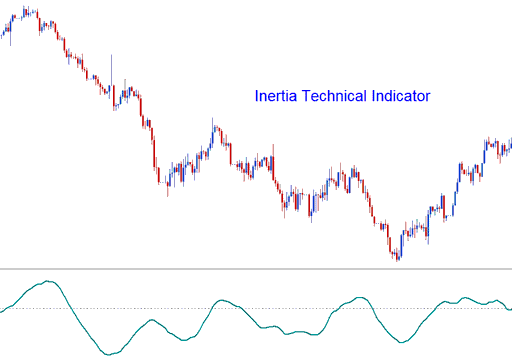
How to Add MetaTrader 4 Inertia Indicator on MetaTrader 4 Forex Charts - How Do You Add MetaTrader 4 Inertia Indicator?
In physics, the term Inertia is defined in terms of mass and direction of motion. Using the standard forex technical analysis - the direction of movement of the forex trend can easily be defined. However, the mass cannot be easily defined. Dorsey claimed that the volatility of a financial instrument may be the simplest and the most accurate measurement of inertia. This technical analysis theory led to the use of the Relative Volatility Index (RVI) - as the basis used as a forex trend indicator. Therefore Inertia indicator is comprised of - RVI that is smoothed by a linear regression.
How to Generate Buy and Sell Signals
When it comes to trading the forex market using Inertia indicator - the forex trading signals generated are simple to interpret. Below are explanations of two forex trading examples illustrated using forex charts showing how buy signals & sell signals are generated using Inertia indicator.
Buy Forex Signal
If the Inertia indicator is above 50 level - positive inertia is indicated - this defines the long term forex trend as upward forex trend as long as the Inertia indicator remains above 50 center level. When Inertia indicator crosses to levels below 50 then this forex trading signal is analyzed as an exit forex trading signal. The forex chart below shows an example of how a forex buy trading signal is generated using Inertia indicator.
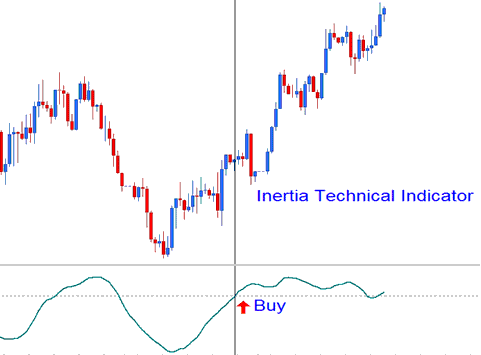
Inertia Indicator Forex Upwards Trend
Sell Forex Signal
If the Inertia indicator is below 50 level - negative inertia is indicated - this defines the long term forex trend as downward forex trend as long as the Inertia indicator remains below 50 center level. If Inertia indicator goes above 50 level mark then this forex trading signal is analyzed as an exit forex trading signal. The forex chart below shows how a forex sell trading signal generated by the Inertia indicator.
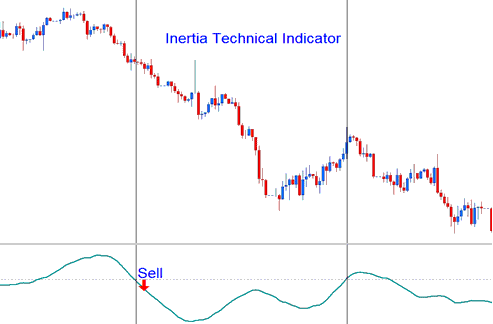
Inertia Indicator Forex Downward Trend
How to Add MetaTrader 4 Inertia Indicator on MetaTrader 4 Charts
Step 1: Open MetaTrader 4 Software Navigator Window Panel
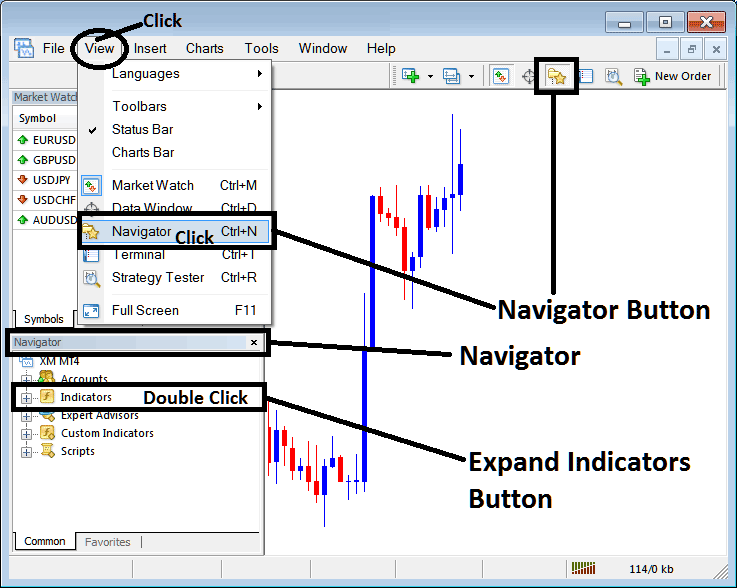
Open MT4 Navigator window as shown below: Go to "View" menu (click), then select "Navigator" window (click), or From Standard Tool Bar click the "Navigator" button or press keyboard MetaTrader 4 shortcut keys "Ctrl+N"
On MT4 Navigator window, select "Indicators", by Double Clicking
How Do You Use MetaTrader 4 Inertia Technical Indicator?
How to Add Inertia MetaTrader 4 Indicator
Expand the menu by clicking the expand button (+) or double click the "indicators" menu, after this the button will appear as (-) and it will then display a list of MetaTrader 4 indicators as shown below - choose the Inertia technical indicator from this list of MetaTrader 4 indicators so that you can add the Inertia MetaTrader 4 indicator on the MetaTrader 4 forex chart.
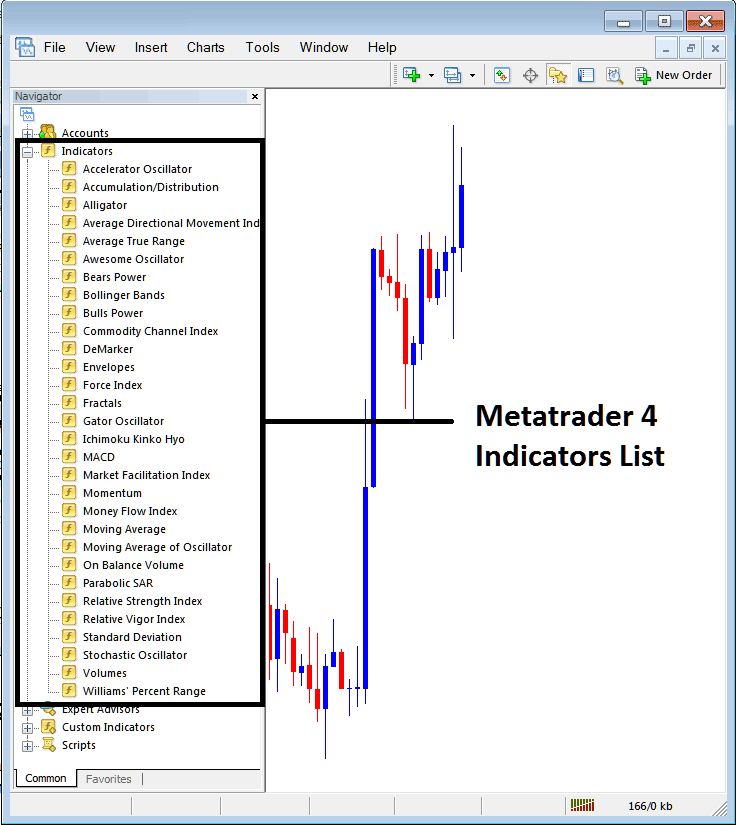
How Do You Use MetaTrader 4 Inertia Technical Indicator?
How Install and Add Custom Inertia Indicator on MetaTrader 4?
If the MetaTrader 4 indicator that you want to add on the MetaTrader 4 charts is a custom MT4 indicator - for example if the Inertia indicator that you want to add is a custom MetaTrader 4 indicator you will need to first add this custom Inertia MetaTrader 4 indicator on the MetaTrader 4 platform and then compile this custom Inertia technical indicator so that this newly added Inertia MetaTrader 4 forex custom indicator appears on the custom technical indicators list on the MetaTrader 4 software.
To learn how to add Inertia indicators on MT4 platform - how do you add Inertia indicator window to MT4 platform? - how do you add Inertia forex custom indicator on MT4 platform? - How to add a custom Inertia custom forex indicator on MetaTrader 4.
How Do You Use MetaTrader 4 Inertia Technical Indicator?




