How Do You Use Fractals MT4 Technical Indicator?
Chaos Fractals Indicator Analysis Buy & Sell Signals
Created by Bill Williams
A fractal is formed by three forex price bars
A fractal is used to detect the forex market bottom or the forex market top.
Up Fractal - defined as a middle bar with two lower price highs on each side (A- shaped fractal)
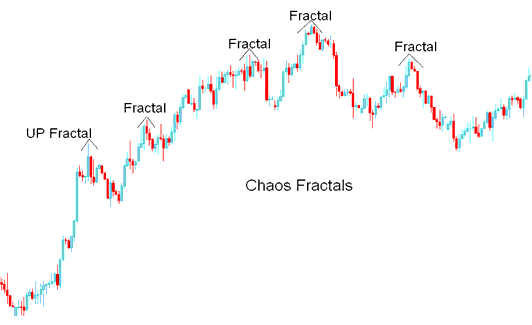
How to Add MT4 Fractals Technical Indicator in MetaTrader 4 Charts
Down Fractal - defined as a middle bar with two higher price lows on each side (V-shaped factal)
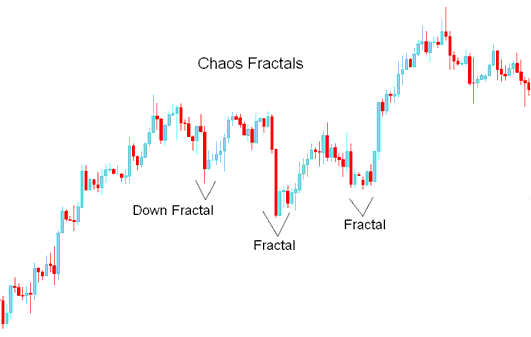
How to Add MT4 Fractals Technical Indicator in MetaTrader 4 Charts
How to Generate Buy & Sell Signals
Break Out Signals
The break out forex trading method of using fractals forex indicator is used to initiate forex trades and open forex trades based on the direction of a forex price breakout either above or below most recent fractal.
Buy Forex Signal
If forex price breaks out above the most recent Forex Up Fractal - this forex trading signal is analyzed as a forex buy trading signal.
Stop loss orders should be placed below the lowest low of the most recent Forex Down Fractal or second most recent Down Fractal.
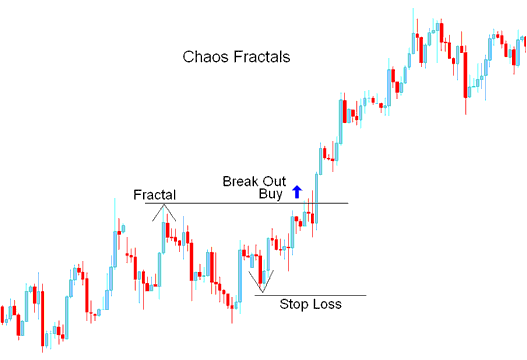
Fractals Buy Forex Signal - How Do You Use MT4 Fractals Indicator?
Sell Forex Signal
If forex price breaks out below the most recent Forex Down Fractal - this forex trading signal is analyzed as a forex sell trading signal.
Stop loss orders should be placed above the highest high of the most recent Forex Up Fractal or second most recent Up Fractal.
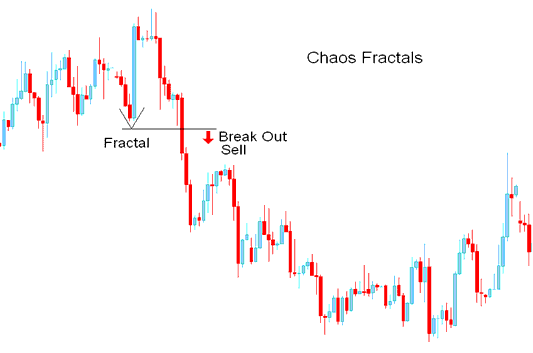
Fractals Sell Forex Signal
How to Add MT4 Fractals Technical Indicator in MetaTrader 4 Charts
Step 1: Open MT4 Software Navigator Window
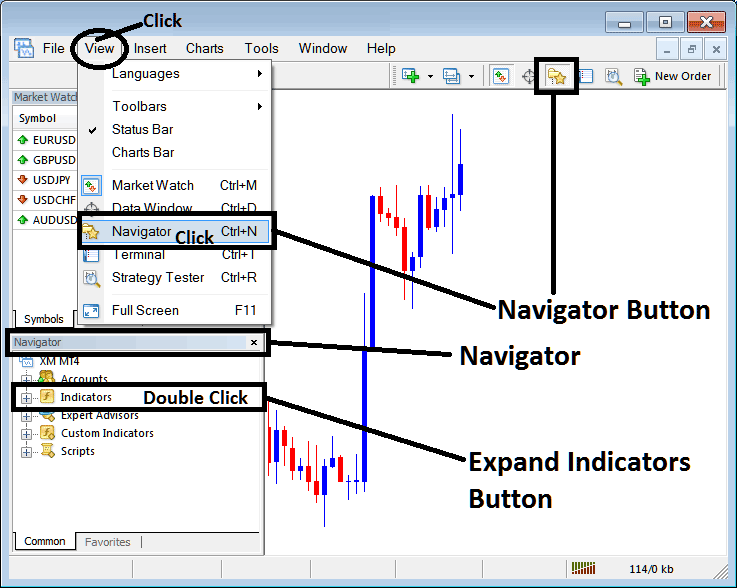
Open MetaTrader 4 Navigator window as shown below: Go to 'View' menu (click), then select 'Navigator' window (click), or From Standard Toolbar click the 'Navigator' button or press keyboard MT4 shortcut keys 'Ctrl+N'
On MT4 Navigator window, select "Indicators", by Double Clicking
How Do You Use MT4 Fractals Technical Indicator?
How to Add Fractals MT4 Indicator
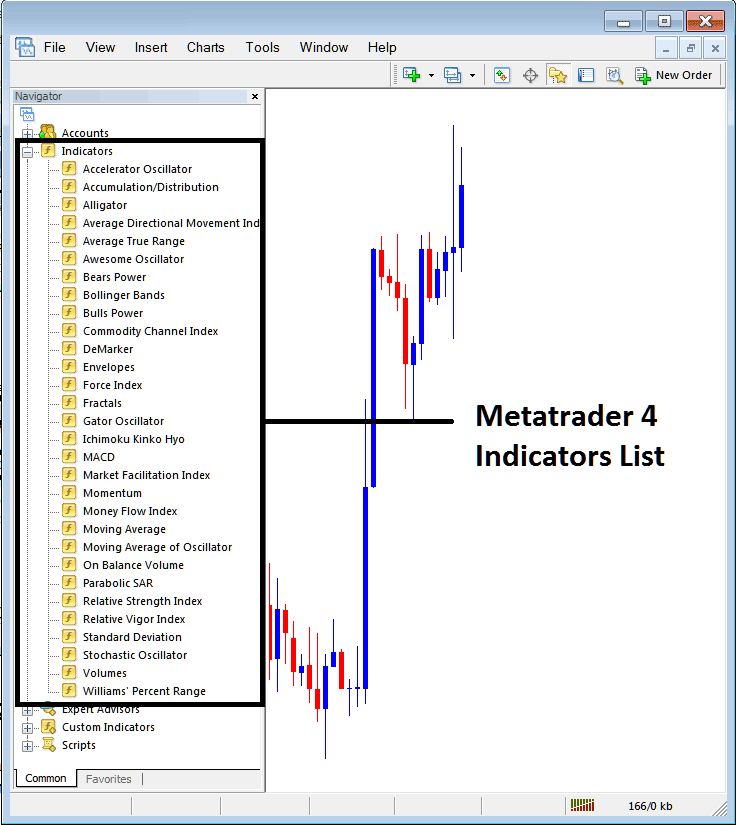
Expand the menu by clicking the expand button (+) or double click the 'indicators' menu, after this the button will appear as (-) and it will then display a list of MT4 indicators as shown below - choose the Fractals forex technical indicator from this list of MT4 indicators so that you can add the Fractals MT4 indicator on the MT4 forex chart.
How Do You Use MT4 Fractals Technical Indicator?
How Install and Add Custom Fractals Indicator on MetaTrader 4?
If the MT4 indicator that you want to add on the MT4 charts is a custom MetaTrader 4 indicator - for example if the Fractals indicator that you want to add is a custom MT4 indicator you will need to first add this custom Fractals MT4 indicator on the MT4 platform and then compile this custom Fractals forex technical indicator so that this newly added Fractals MT4 forex custom indicator appears on the custom technical indicators list on the MetaTrader 4 platform.
To learn how to add Fractals indicators on MT4 platform - how do you add Fractals forex indicator window to MT4 platform? - how do you add Fractals forex custom indicator on MT4 platform? - How to add a custom Fractals custom forex indicator on MetaTrader 4.
How Do You Use MT4 Fractals Technical Indicator?




