How Do You Use Gann HiLo Activator MetaTrader 4 Technical Indicator?
Gann HiLo Activator Technical Indicator Technical Analysis Buy & Sell Signals
Created by Robert Krausz.
Gann HiLo Activator indicator is drawn over the forex price chart.
This Gann HiLo Activator indicator is basically a simple forex moving average of the previous three forex price periods highs or lows drawn based in relation to HiLo Activator.
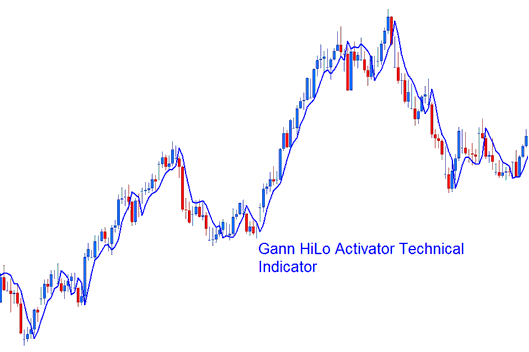
How to Add MetaTrader 4 Gann HiLo Activator Indicator on MetaTrader 4 Charts
How to Generate Buy and Sell Signals
Buy Forex Signal - When forex price is above the Gann HiLo Activator indicator it shows that the forex trend is bullish and moving upward and only buy forex trades should be opened. In a bullish forex upward trend Gann HiLo Activator indicator uses the previous forex price periods lows for calculations.
Sell Forex Signal - When the forex price is below the Gann HiLo Activator indicator it shows that the forex trend is a bearish downward forex trend and only sell forex trades should be opened. In a bearish forex downward trend Gann HiLo Activator indicator uses the previous forex price periods highs for calculations.
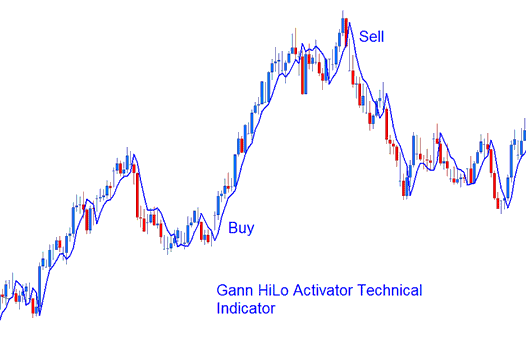
Gann HiLo Activator
The Gann HiLo Activator indicator should be used in combination with the Gann Swing indicator & Gann Trend indicator to form a trading system methodology - commonly referred to as the "New Gann Swing Chartist Plan". Within this forex trading method the Gann HiLo Activator indicator can be used as an entry forex trading signal or exit forex trading signal.
How to Add MetaTrader 4 Gann HiLo Activator Indicator on MetaTrader 4 Charts
Step 1: Open MT4 Platform Navigator Panel
Open MT4 Navigator window as shown below: Go to "View" menu (click), then select "Navigator" window (click), or From Standard Tool Bar click the "Navigator" button or press keyboard MetaTrader 4 shortcut keys "Ctrl+N"
On MT4 Navigator window, select "Indicators", by Double Clicking
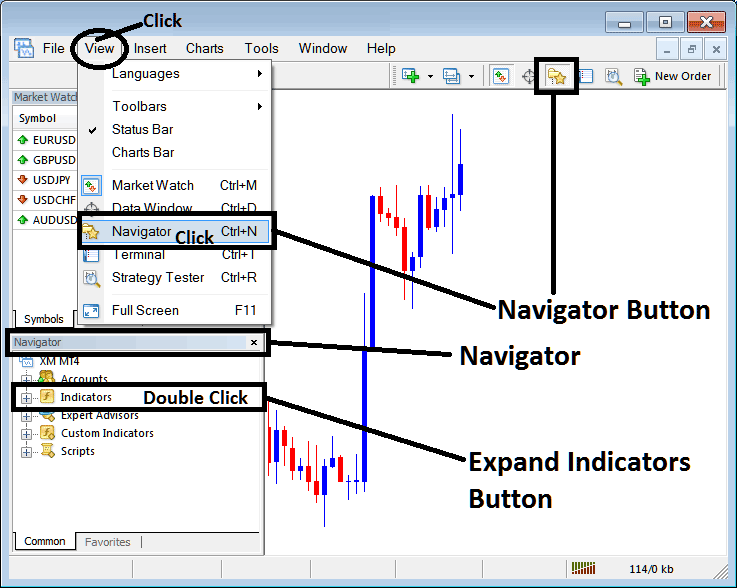
How Do You Use MetaTrader 4 Gann HiLo Activator Technical Indicator?
How to Add Gann HiLo Activator MetaTrader 4 Indicator
Expand the menu by clicking the expand button (+) or double click the "indicators" menu, after this the button will appear as (-) and it will then display a list of MetaTrader 4 indicators as shown below - choose the Gann HiLo Activator technical indicator from this list of MetaTrader 4 indicators so that you can add the Gann HiLo Activator MetaTrader 4 indicator on the MetaTrader 4 forex chart.
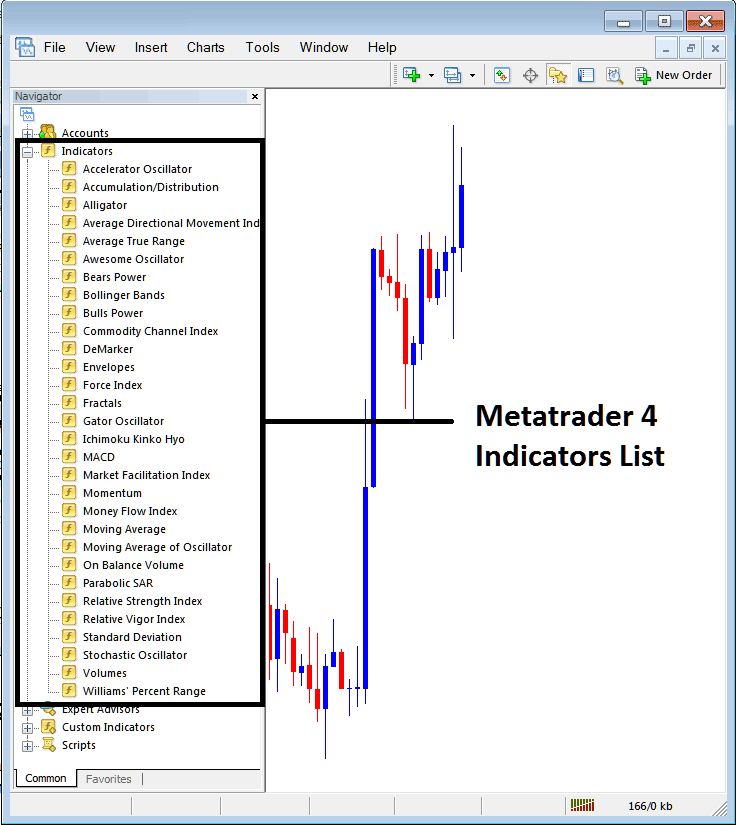
How Do You Use MetaTrader 4 Gann HiLo Activator Technical Indicator?
How to Install and Place Custom Gann HiLo Activator Indicator MT4
If the MetaTrader 4 indicator that you want to add on the MetaTrader 4 charts is a custom MT4 indicator - for example if the Gann HiLo Activator indicator that you want to add is a custom MetaTrader 4 indicator you will need to first add this custom Gann HiLo Activator MetaTrader 4 indicator on the MetaTrader 4 platform and then compile this custom Gann HiLo Activator technical indicator so that this newly added Gann HiLo Activator MetaTrader 4 forex custom indicator appears on the custom technical indicators list on the MetaTrader 4 software.
To learn how to add Gann HiLo Activator indicators on MT4 platform - how do you add Gann HiLo Activator indicator window to MT4 platform? - how do you add Gann HiLo Activator forex custom indicator on MT4 platform? - How to add a custom Gann HiLo Activator custom forex indicator on MetaTrader 4.
How Do You Use MetaTrader 4 Gann HiLo Activator Technical Indicator?




