How Do You Use Hull Moving Average MT5 Technical Indicator?
Hull Moving Average Technical Indicator Technical Analysis & Buy & Sell Signals
Developed by Alan Hull.
Hull Moving Average technical indicator looks exactly like the common forex moving average indicator. Hull Moving Average technical indicator is an extremely fast moving and smooth moving average. Hull Moving Average technical indicator main objective is to remove the lag - Hull Moving Average technical indicator almost eliminates lag completely and manages to improve the smoothing of the Hull Moving Average technical indicator at the same time.
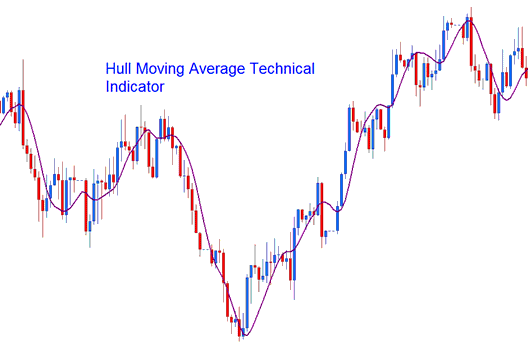
How to Add MT5 Hull Moving Average Technical Indicator on MetaTrader 5 Charts
How to Generate Buy and Sell Signals
Hull Moving Average technical indicator can be used to trade forex instead of the traditional Moving Average technical indicator. Technical analysis of Hull Moving Average technical indicator is the same as that of the conventional Moving Average indicator.
The Hull Moving Average technical indicator uses the Moving Average Price, Moving Average Periods and Moving Average Type inputs to calculate how to draw this forex technical indicator. Hull Moving Average technical indicator values are parameterized to allow a trader full customization of the Hull Moving Average indicator.
How to Add MT5 Hull Moving Average Technical Indicator on MetaTrader 5 Charts
Step 1: Open MetaTrader 5 Platform Navigator Panel
Open MetaTrader 5 Navigator window as shown below: Go to "View" menu (click), then select "Navigator" window (click), or From Standard Tool Bar click the "Navigator" button or press keyboard MT5 shortcut keys "Ctrl+N"
On MT5 Navigator window, select "Indicators", by Double Clicking
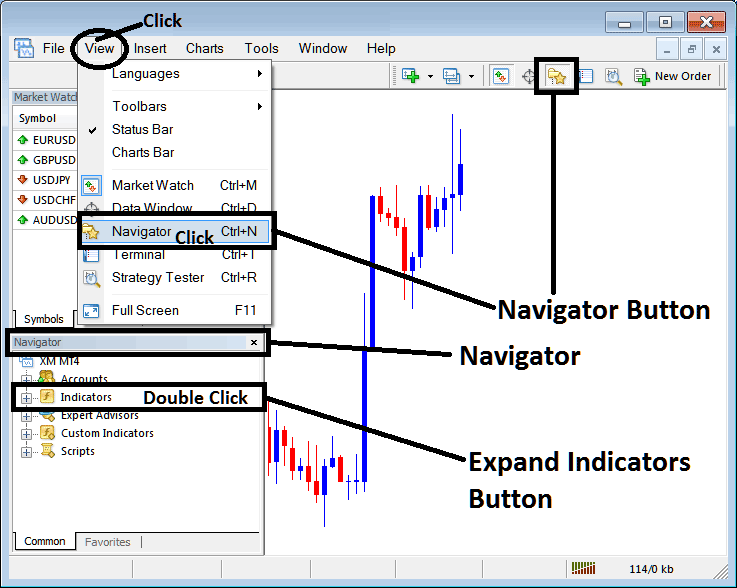
How Do You Use MT5 Hull Moving Average Indicator?
How to Add Hull Moving Average MT5 Indicator
Expand the menu by clicking the expand button (+) or double click the "indicators" menu, after this the button will appear as (-) and will now display a list of MT5 technical indicators as shown below - choose the Hull Moving Average indicator from this list of MT5 technical indicators so that you can add the Hull Moving Average MT5 technical indicator on the MT5 forex chart.
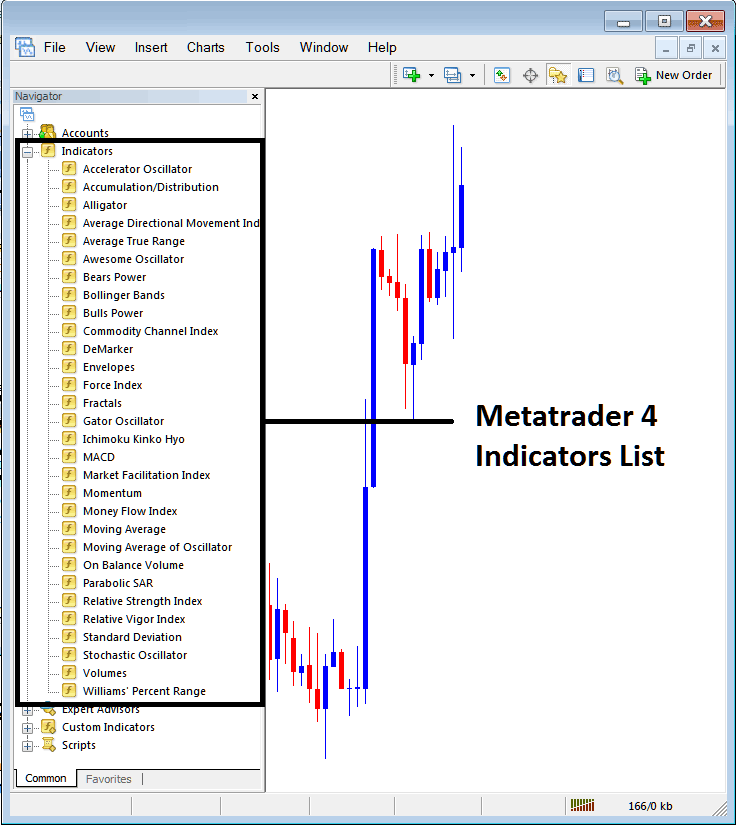
How Do You Use MT5 Hull Moving Average Indicator?
to Install Custom Hull Moving Average Technical Indicator MetaTrader 5
If the MT5 indicator that you want to add on the MT5 charts is a custom MT5 indicator - for example if the Hull Moving Average technical indicator that you want to add is a custom MT5 indicator you will need to first add this custom Hull Moving Average MT5 technical indicator on the MT5 platform and then compile this custom Hull Moving Average indicator so that this newly added Hull Moving Average MT5 forex custom indicator appears on the custom forex indicators list on the MT5 platform.
To learn how to add Hull Moving Average indicators in MT5 - how do you add Hull Moving Average indicator window to MT5 platform? - how do you add Hull Moving Average forex custom indicator on MetaTrader 5? - How to add a custom Hull Moving Average custom technical indicator on MetaTrader 5.
How Do You Use MT5 Hull Moving Average Indicator?




