How Do You Use Coppock Curve MT5 Technical Indicator?
Coppock Curve Technical Indicator Technical Analysis & Coppock Curve Buy & Sell Signals
Created by Edwin Sedgwick Coppock
Coppock Curve technical indicator technical analysis.
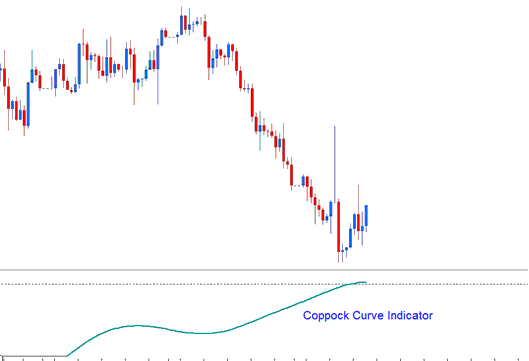
How to Add MT5 Coppock Curve Indicator on MetaTrader 5 Charts
The principle behind Coppock Curve technical indicator is the psychology of forex trading, based on the market theory that human habit is predictable. And the forex price movement always oscillates in a zigzag manner.
The principle of adaptation-level applies to how the forex price reacts at certain levels - forex prices will react in the same way or same pattern as those same patterns observed historically.
How to Generate Buy and Sell Signals
The moving average indicator in forex trading is the simplest form of an adaptation-level, the forex price will oscillate around the moving average. This forms the basis of this indicator, which is a longer term oscillator based on this adaptation-levels (moving average), but is used in a different way.
Oscillators forex technical indicators usually begin by calculating a percentage change of the current forex price from some previous selected forex price point - where the previous forex price point used is the reference point (adaptation-level).
Edwin Coppock reasoned that the forex market participants' emotional state could be quantified and analyzed by summing up the percent changes over the recent past to get a general sense of the forex market's longer term forex trend momentum.
For example, If we compare forex prices relative to a week ago and we see that this day the market is up 6% compared to a week ago, last day it was up 5% over a week ago, and 4%, 3% and 2% respectively the days before that, then we may determine that the forex market trend is gaining momentum.
Forex signals can also be generated using the Coppock Curve technical indicator to trade forex market trend reversals from extreme forex price levels. Looking for divergence forex trading setups & forex trend line breaks may also be combined to confirm the forex trading signals generated by this Coppock Curve indicator.
Implementation of Coppock Curve Technical Indicator
Coppock Curve technical indicator has a zero line reference point - but this reference point does not represent the adaptation-level but it is only a used as reference point only for generating buy and forex trading sell signals.
How to Add MT5 Coppock Curve Indicator on MetaTrader 5 Charts
Step 1: Open MetaTrader 5 Software Navigator Window Panel
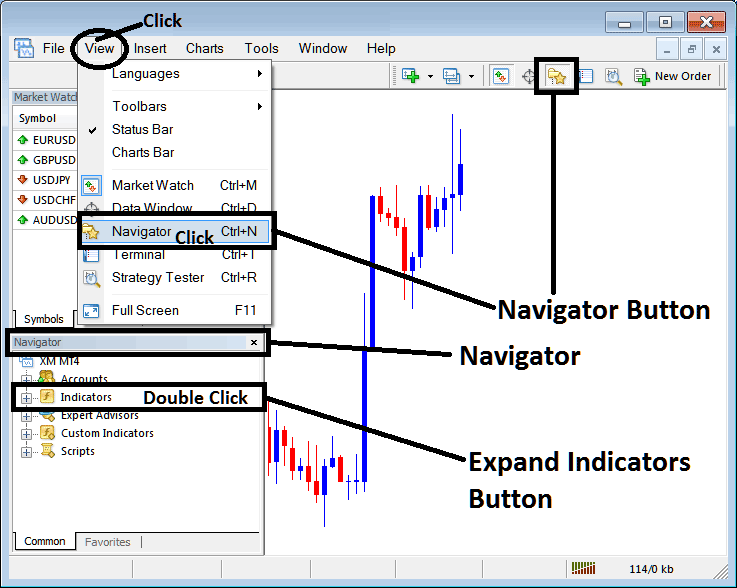
Open MetaTrader 5 Navigator window as shown below: Go to "View" menu (click), then select "Navigator" window (click), or From Standard Tool Bar click the "Navigator" button or press keyboard MT5 shortcut keys "Ctrl+N"
On MT5 Navigator window, select "Indicators", by Double Clicking
How Do You Use MT5 Coppock Curve Indicator?
How to Add Coppock Curve MT5 Indicator
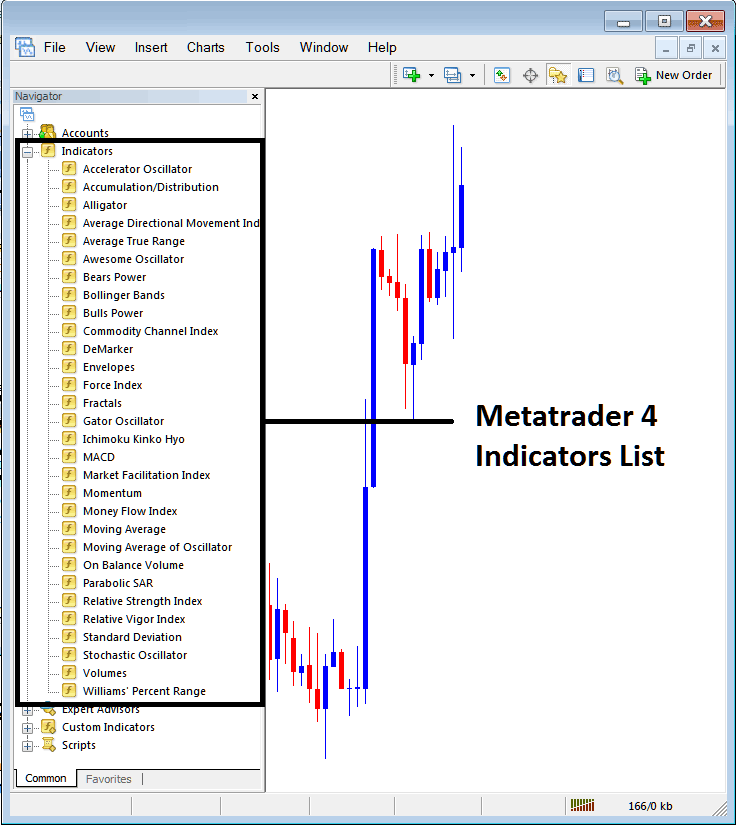
Expand the menu by clicking the expand button (+) or double click the "indicators" menu, after this the button will appear as (-) and will now display a list of MT5 technical indicators as shown below - choose the Coppock Curve indicator from this list of MT5 technical indicators so that you can add the Coppock Curve MT5 technical indicator on the MT5 forex chart.
How Do You Use MT5 Coppock Curve Indicator?
How to Install Coppock Curve Indicator MetaTrader 5
If the MT5 indicator that you want to add on the MT5 charts is a custom MT5 indicator - for example if the Coppock Curve technical indicator that you want to add is a custom MT5 indicator you will need to first add this custom Coppock Curve MT5 technical indicator on the MT5 platform and then compile this custom Coppock Curve indicator so that this newly added Coppock Curve MT5 forex custom indicator appears on the custom forex indicators list on the MT5 platform.
To learn how to add Coppock Curve indicators in MT5 - how do you add Coppock Curve indicator window to MT5 platform? - how do you add Coppock Curve forex custom indicator on MetaTrader 5? - How to add a custom Coppock Curve custom technical indicator on MetaTrader 5.
How Do You Use MT5 Coppock Curve Indicator?




