MT4 Commodities Platform Guide
The MetaTrader 4 Navigator window panel is mainly used to navigate the most widely used areas of MT4 software. These areas are:
- Accounts: Demo and Live Accounts
- Indicators
- Expert Advisors: A list of automated commodities bots within this MT4 commodities trading platform
- Custom Indicators:
- Scripts: Scripts are used to execute some tasks on MetaTrader 4
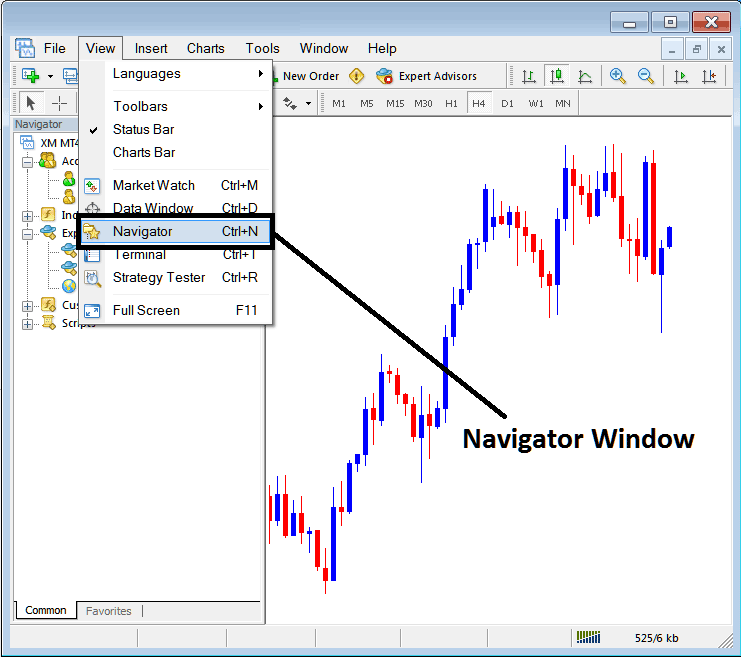
As a trader once you have selected the Navigator Button the following navigator window will appear on your MT4.
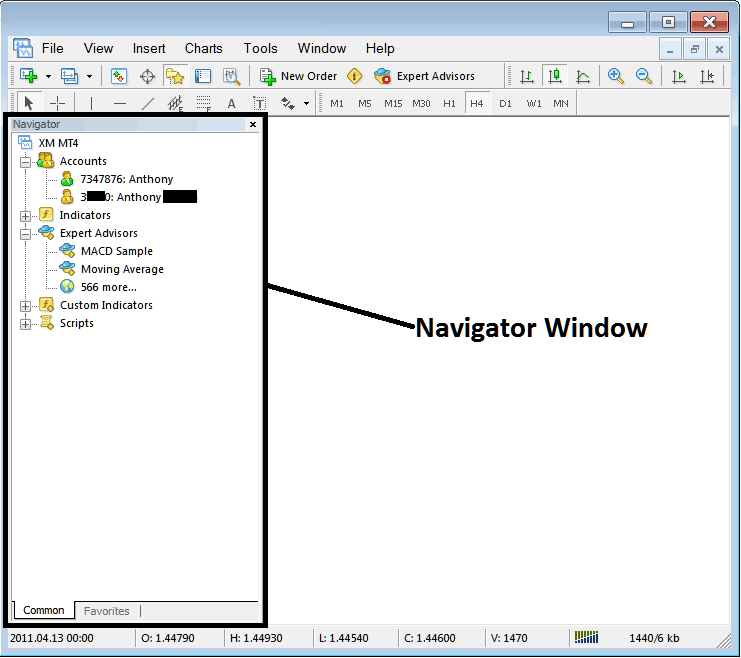
MT4 Navigator
The First menu option on Navigator list is Accounts tab. To view accounts tab, you can click expand button (marked as +), and a list of your saved accounts will appear. Every time you sign in with a new account the details will be saved under this 'Accounts Tab'.
By double-clicking on any account you can activate the login & sign in to that account. You can switch from one account to the other using this commodities trading accounts tab.
The example shown below shows two accounts recorded under this tab, a demo commodity trading account marked as a green cartoon and a Live account marked as a commodity cartoon. From this commodities trading accounts tab, a trader can switch between any of this 2 accounts by double-clicking on any one of them.
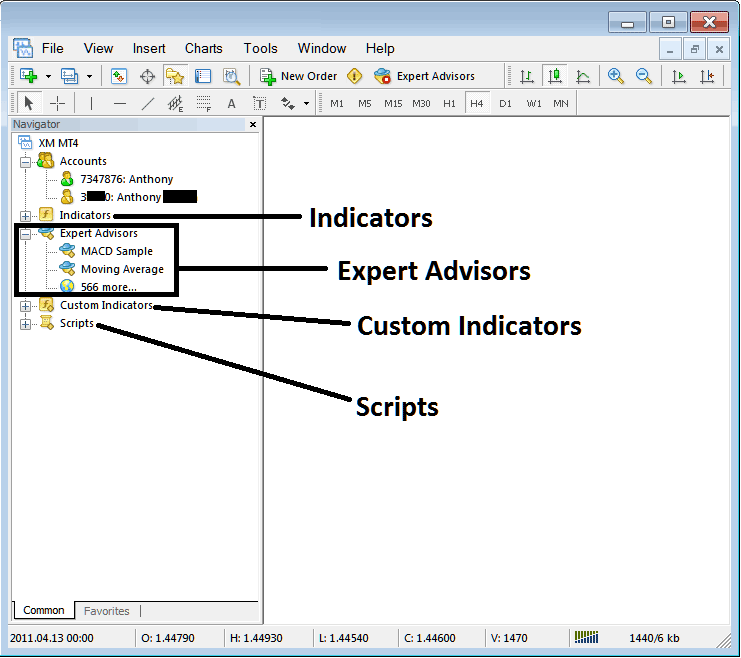
MT4 Navigation Menu
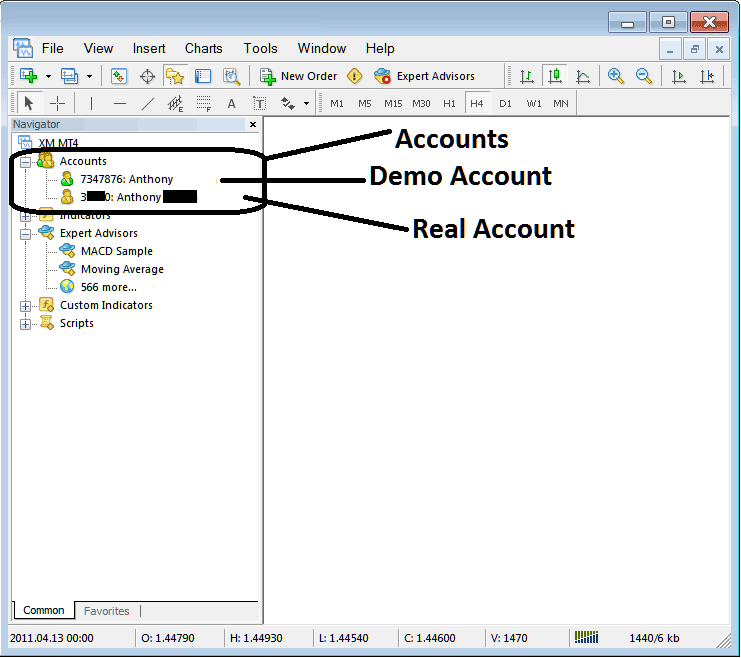
- Indicators
- Expert Advisors: A list of automated commodities bots within this MT4 commodities trading platform
- Custom Indicators:
- Scripts: Scripts are used to execute some tasks on MetaTrader 4
The above are shown below on screenshot, to view more option under each of these, traders click the expand button "+ button", this will illustrate more options, to hide, just click the " - button". For examples the 'Expert Advisors' option below has been expanded.
These tutorials will be covered in more details later, but for now as a trader the following brief introduction about each will do.
Technical Indicators: Technical Indicators are technical analysis tools used in trading and placed on Commodities Trading chart, these tools are used to generate buy & sell signals.
Expert Advisors: Automated bots that are used to place trades by generating buy & sell signal automatically using programs which are coded using the MQL4 coding language.
Custom Technical Indicators: A custom indicator includes an indicator that you've modified or downloaded from the internet & then installed it on your MT4 software, this technical indicator will be listed here as a "custom technical indicator"
Scripts: This is a function used to perform a certain task, for examples if you open five trades and want to close all of them at once you can attach a 'script close' on your chart thereby closing all open trades at once (However, you need to set up some setting on the MetaTrader to allow scripts execution trading, that is a topic for later.)
Navigator will be one of your mainly used panel when trading, to access it using a short-cut, press 'Ctrl+N' button on your keyboard to display or hide it.




