Best Commodities Indicators for Commodity Trading MetaTrader 4
On MT4 commodities trading platform charts menu in the MT4 Commodity Trading Software, the first option is Charts Menu. The commodity indicators list is illustrated and shown below: however it is grayed out meaning that as a trader for now you cannot use this button key, so the question is how to activate? - The button key is illustrated and shown below:
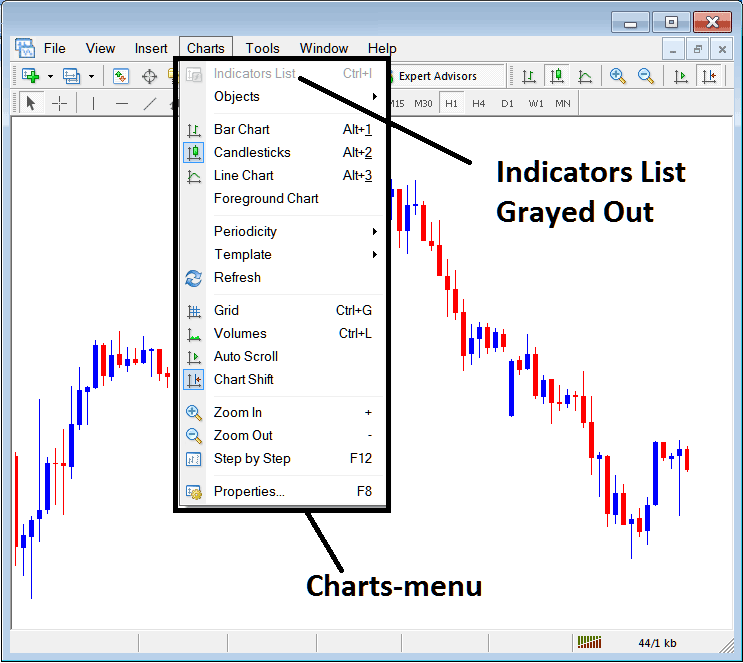
How to Add Indicators to MetaTrader 4 Commodity Trading Chart Indicators Course
This Commodity Trading Chart Technical Indicators list will be activated once some technical indicators are placed on the commodities trading chart, from the commodities trading example shown below the Commodity Trading Chart Technical Indicators list button key has been activated as displayed below once the moving average and RSI Commodity Trading Indicators have been added on the commodity charts as shown below:
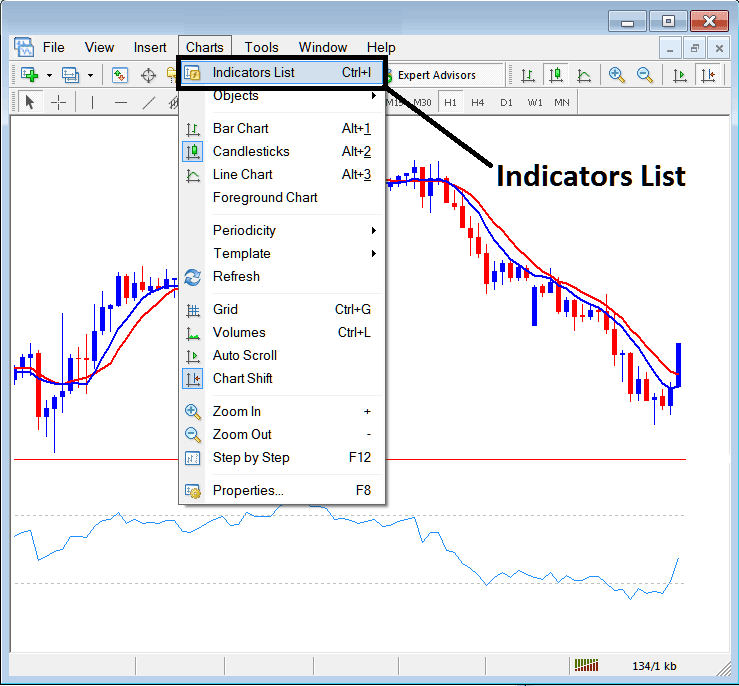
This option in MT4 platform is used to list all the MetaTrader 4 technical indicators that have been placed on the commodities trading chart. For example once you click the above button a popup window will appear listing all the commodity indicators placed on the chart - Commodity Indicators Collection on MT4 Commodities Trading Chart.
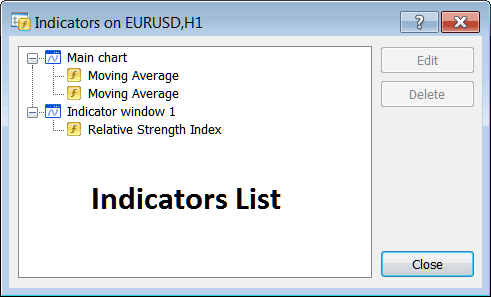
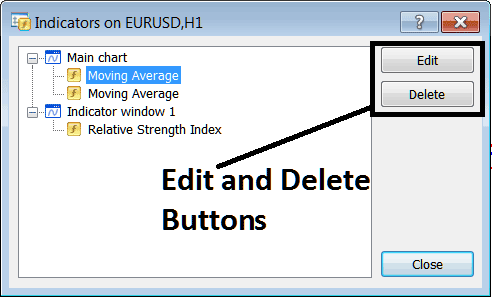
As a trader you can choose any of the technical indicators listed here on this Commodity Indicators Collection and either edit the MetaTrader 4 indicator or delete the MetaTrader 4 indicator. To edit or delete choose a single indicator and click the "Edit" or "Delete" button key.
To Edit a MT4 Indicator, once you click edit button key, then the following popup window will appear:
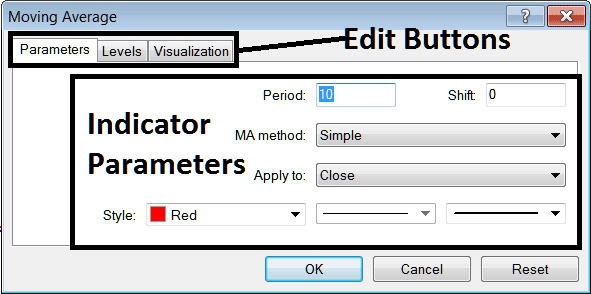
From the above Edit Buttons
- Parameters Button - Edit parameters of an MetaTrader 4 technical indicator such as color, line width, calculation method, and the number of commodity price periods used to calculate the MetaTrader 4 indicator settings.
- Levels Button Key - Add a level, for example add overbought level at 80% & oversold level at 20% on RSI, by selecting the "levels" button, then selecting the point 80 and click add, & repeat for point 20. (First Select The RSI indicator to edit its settings)
- Visualization Button Key - Specify on which commodities trading chart time frame the MetaTrader 4 technical indicator will popup on.
The second button key is for "Delete", if you want to delete one commodity indicator or many of them at once, just choose the one you want to delete and then press this button key.
Commodity Trading MT4 Indicators - Commodity Indicators Lesson - How to Add Indicators to MetaTrader 4




