How Do You Use Ultimate Oscillator MT5 Technical Indicator?
Ultimate Oscillator Technical Indicator Technical Analysis Buy & Sell Signals
Ultimate Oscillator technical indicator is an oscillator forex technical indicator that aims at striking a balance between leading forex signals and lagging forex signals given by the common forex technical indicators.
- Leading forex technical indicators - some forex technical indicators lead the market and give forex trading signals earlier than the optimum time
- Lagging forex technical indicators - some forex technical indicators lag the market so far that half of the forex price move is over before a forex trading signal is generated.
This is the balance that the Ultimate Oscillator technical indicator aims to strike - not to lead the forex price too much or lag the forex price too much - this way the Ultimate Oscillator technical indicator will always give a forex trading signal at the ultimate time and thus its name.
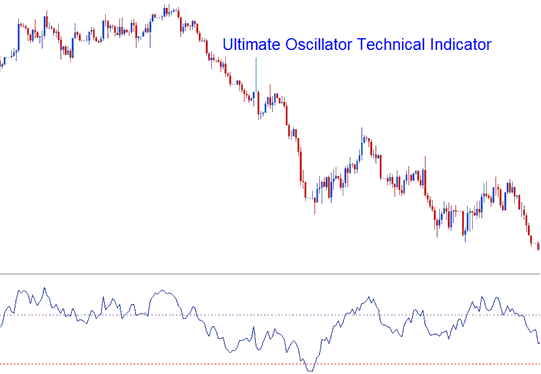
How to Add MT5 Ultimate Oscillator Indicator on MetaTrader 5 Charts
Ultimate Oscillator technical indicator uses 3 different n-number of forex price periods and calculates the combined weighted sums of forex price move from these forex price periods and draws these values on a scale ranging from 0 to 100. Ultimate Oscillator technical indicator values above 70 are considered to be overbought levels while Ultimate Oscillator technical indicator values below 30 are considered to be oversold levels.
The time periods used to calculate the ultimate oscillator are 7 forex price periods (short term forex trend), 14 forex price periods (intermediate term forex trend) and 28 forex price periods (long term forex trend).
How to Generate Buy and Sell Signals
Ultimate Oscillator technical indicator can be used in generating buy signals & sell signals using various forex technical analysis methods.
Center line Forex Crossover Signals
Buy Forex Signal - Ultimate Oscillator technical indicator values above 50 center line level are interpreted as a forex trading buy signal
Sell Forex Signal - Ultimate Oscillator technical indicator values below 50 center line level are interpreted as a forex trading sell signal
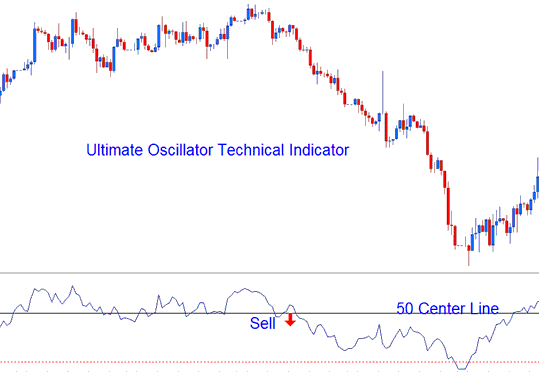
Bearish Sell Forex Signal
Overbought/Oversold Levels on Technical Indicator
Overbought Levels - Ultimate Oscillator technical indicator values above 70 - interpreted as sell signal
Oversold Levels - Ultimate Oscillator technical indicator values below 30 - interpreted as buy signal
Divergence Forex Trading
The Ultimate Oscillator technical indicator can also be used to trade divergence forex trading signals - below is Ultimate Oscillator technical indicator example of a forex classic bearish divergence trading signal.
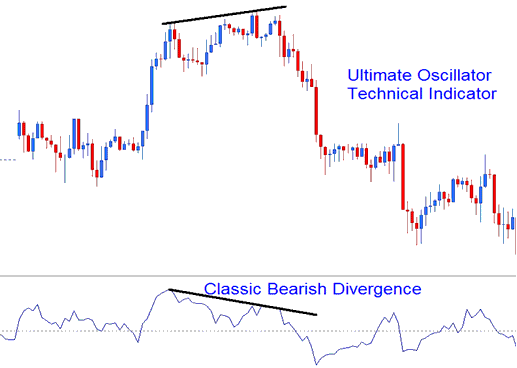
Analysis of MT5 Indicator Ultimate Oscillator Trading Indicator
How to Add MT5 Ultimate Oscillator Indicator on MetaTrader 5 Charts
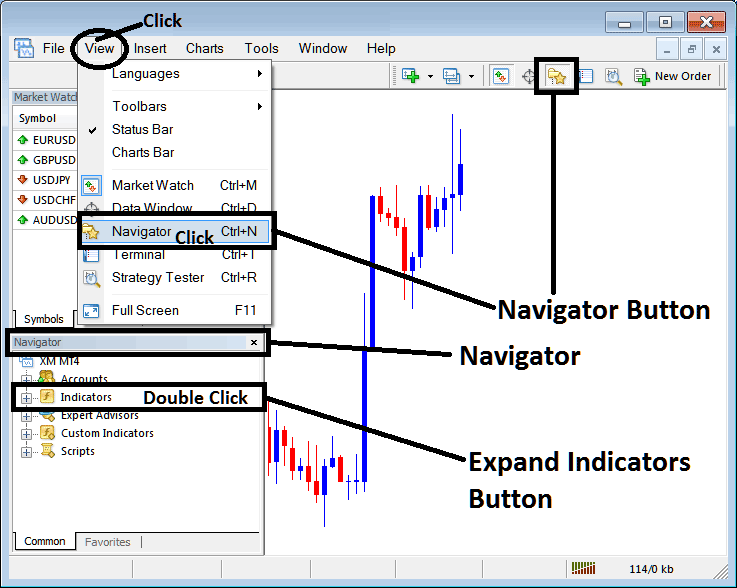
Step 1: Open MetaTrader 5 Software Navigator Window Panel
Open MetaTrader 5 Navigator window as shown below: Go to "View" menu (click), then select "Navigator" window (click), or From Standard Tool Bar click the "Navigator" button or press keyboard MT5 shortcut keys "Ctrl+N"
On MT5 Navigator window, select "Indicators", by Double Clicking
How Do You Use MT5 Ultimate Oscillator Indicator?
How to Add Ultimate Oscillator MT5 Indicator
Expand the menu by clicking the expand button (+) or double click the "indicators" menu, after this the button will appear as (-) and will now display a list of MT5 technical indicators as shown below - choose the Ultimate Oscillator indicator from this list of MT5 technical indicators so that you can add the Ultimate Oscillator MT5 technical indicator on the MT5 forex chart.
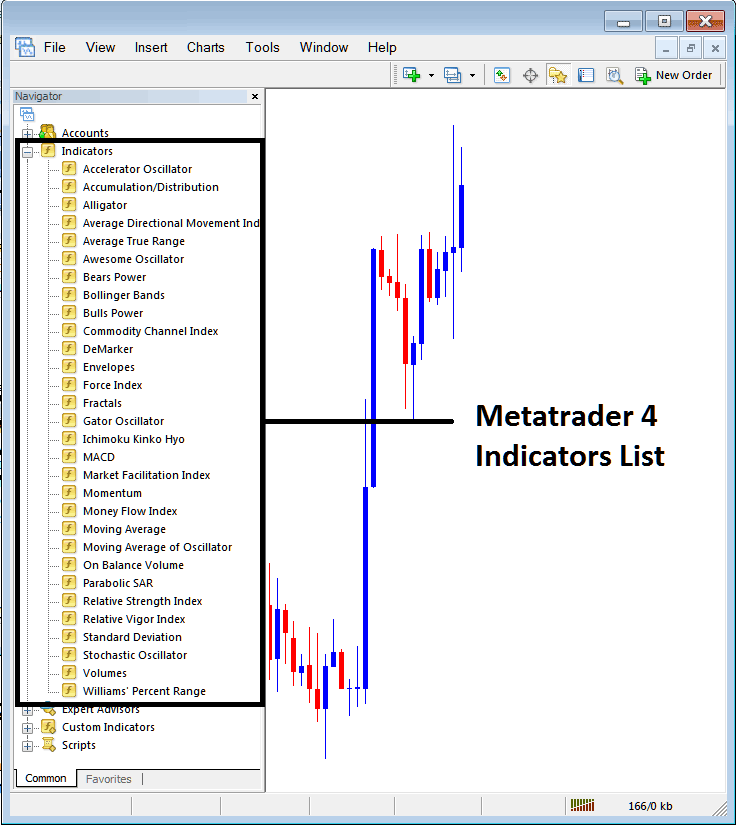
How Do You Use MT5 Ultimate Oscillator Indicator?
How Install and Add Custom Ultimate Oscillator Indicator on MetaTrader 5?
If the MT5 indicator that you want to add on the MT5 charts is a custom MT5 indicator - for example if the Ultimate Oscillator technical indicator that you want to add is a custom MT5 indicator you will need to first add this custom Ultimate Oscillator MT5 technical indicator on the MT5 platform and then compile this custom Ultimate Oscillator indicator so that this newly added Ultimate Oscillator MT5 forex custom indicator appears on the custom forex indicators list on the MT5 platform.
To learn how to add Ultimate Oscillator indicators in MT5 - how do you add Ultimate Oscillator indicator window to MT5 platform? - how do you add Ultimate Oscillator forex custom indicator on MetaTrader 5? - How to add a custom Ultimate Oscillator custom technical indicator on MetaTrader 5.
How Do You Use MT5 Ultimate Oscillator Indicator?




