Place Bears Power Indicator on Gold Chart MT5 XAUUSD Platform
MetaTrader 5 XAUUSD Platform - Bears Power Gold Indicator on the Chart on the MT5 XAUUSD Platform. For Technical Analysis: Gold MetaTrader 5 Technical Indicator Technical analysis of xauusd Bears Power.
How to Place MT5 Indicators in MT5 Gold Charts
Step 1: Open The Platform Navigator Window
Open Navigator window as illustrated and shown below - Go to 'View' menu (then click), then select ' MT5 Navigator ' window (click), or From the Standard Tool Bar click the 'MT5 Navigator' button or press short cut keyboard keys 'Ctrl+N'
On the MT5 Navigator window, choose "Technical Indicators", (Double Click)
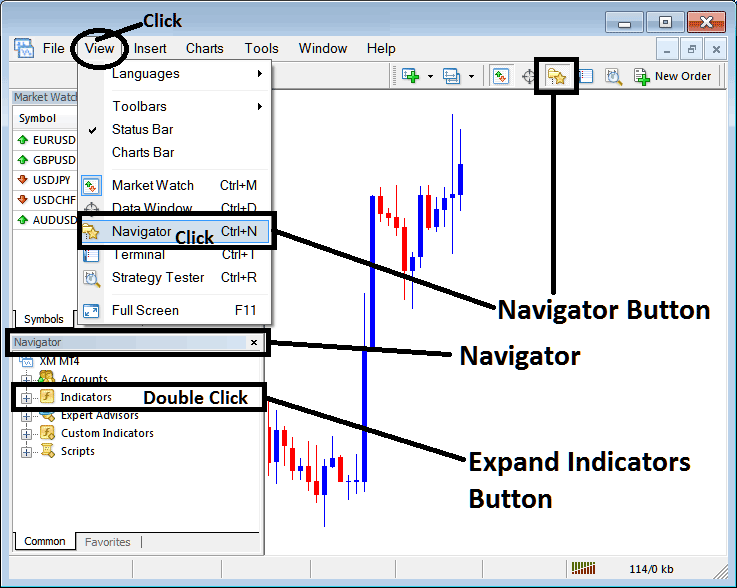
Step 2: Expand MT5 Indicators Menu on the Navigator
Expand MetaTrader 5 technical indicator window menu by clicking the expand button marker (+) or double click the 'indicators' menu, after this the MT5 button will appear as (-) and will now display a list as shown below.
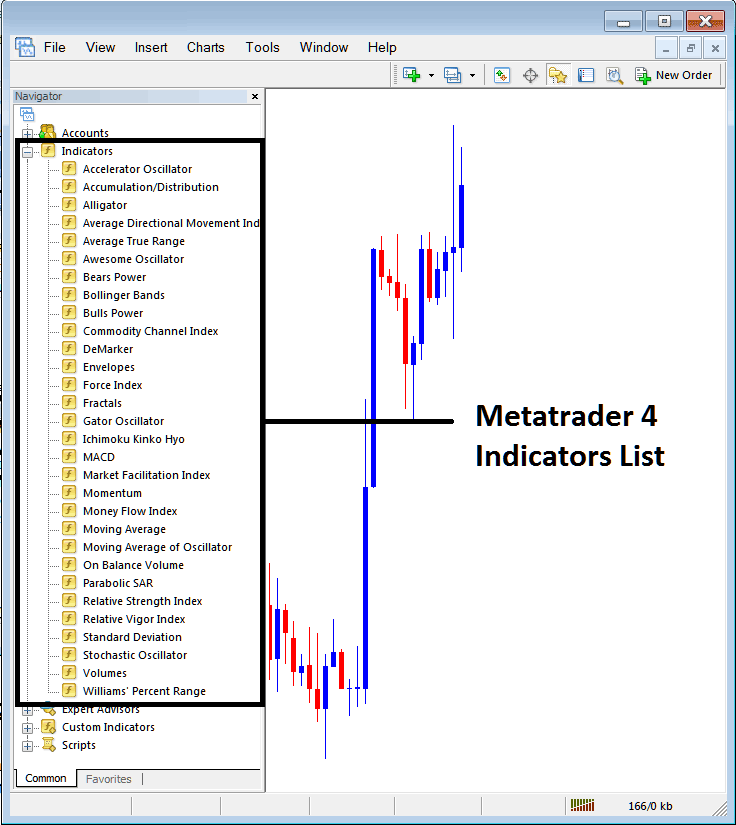
From the Above panel you can then add any MetaTrader 5 indicator you want in MetaTrader 5 gold chart.
Placing Bears Power on a XAUUSD Trading Chart
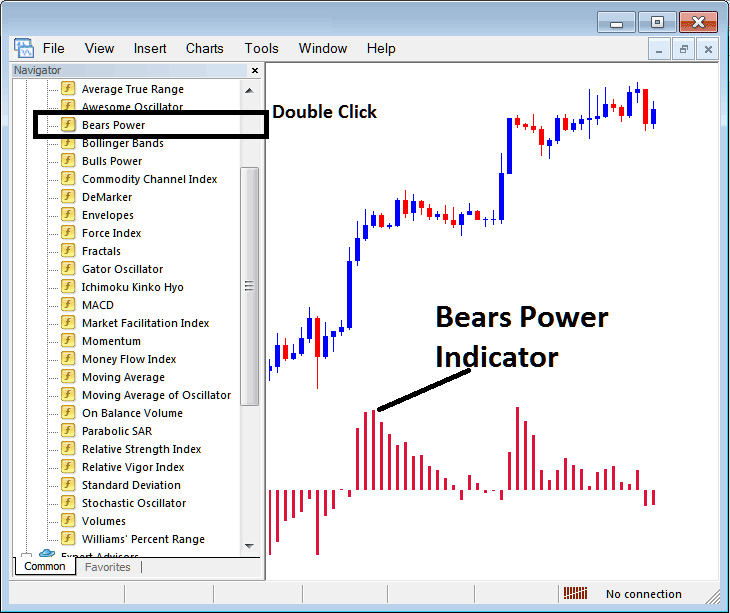
Step 1: Select the Bears Power button on the MT5 list of technical indicators as shown below:
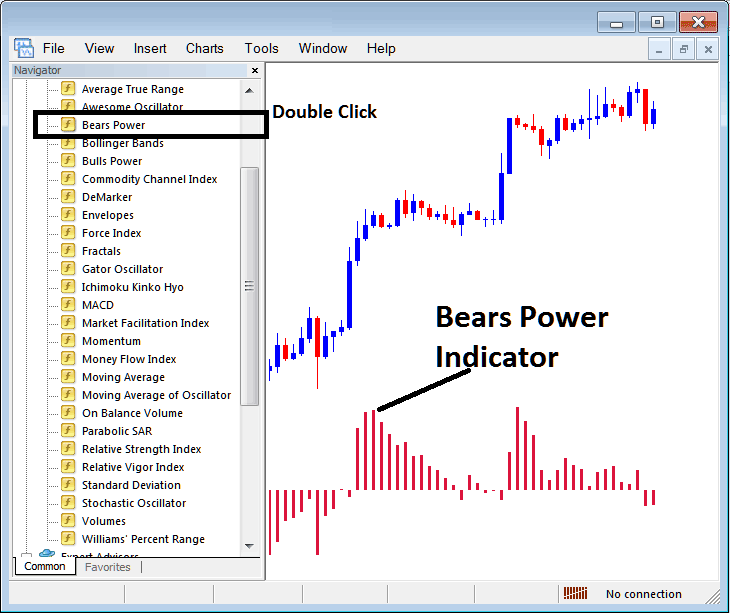
Step 2: Double click the Bears Power Button Key, & click okay to place the Indicator on the chart as illustrated & shown below:
Edit Gold Technical Indicator Settings
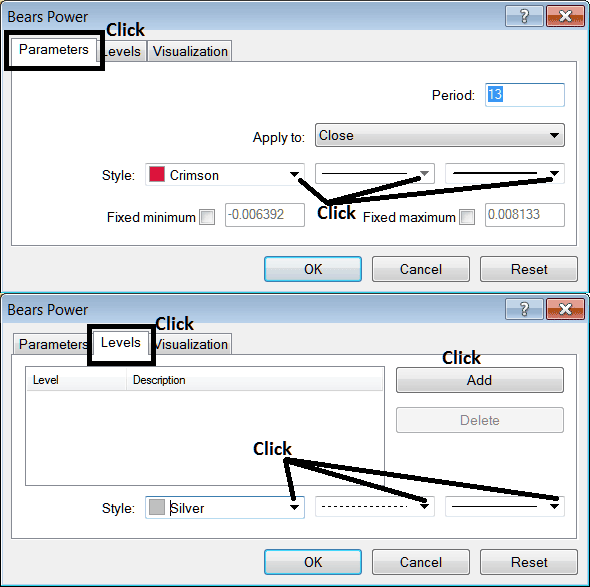
To Adjust Setting, right click on the Trading Indicator, select properties settings and then edit properties using popup menu that appears & then click ok button key after you change settings.
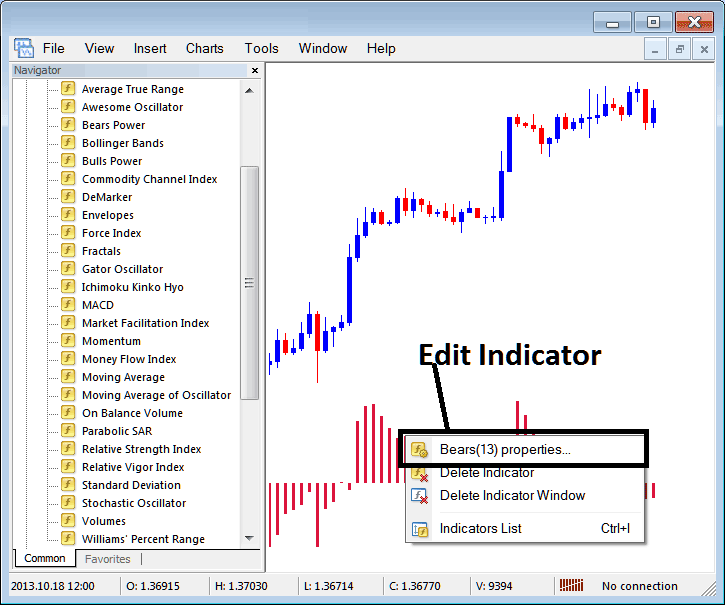
The following pop up window appears & Bears Power settings can be edited from this popup window.