MT5 XAUUSD Platform
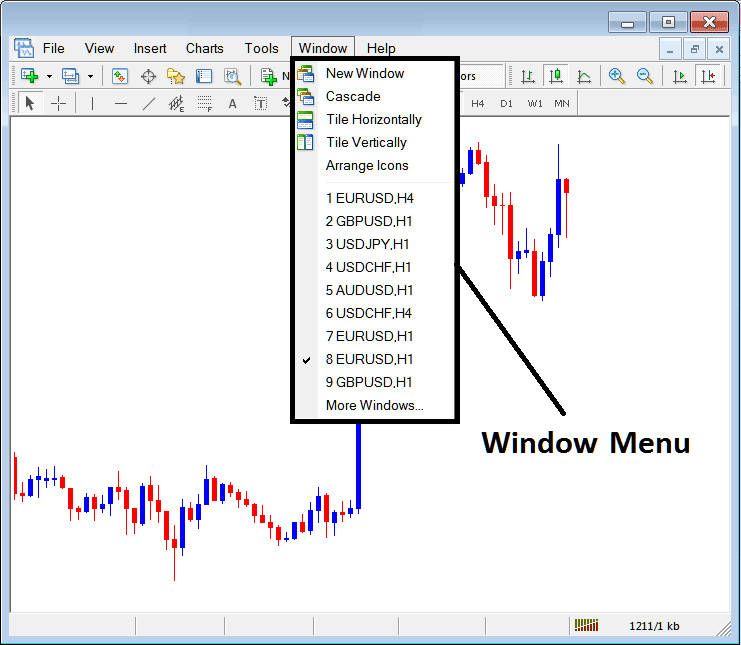
The window menu in MT5 platform is where you access any of the open charts: listed here & can also be accessed from here: furthermore, you can open a new chart, arrange and rearrange, Tile Horizontally, Tile Vertically or even arrange them as Icons.
New Window
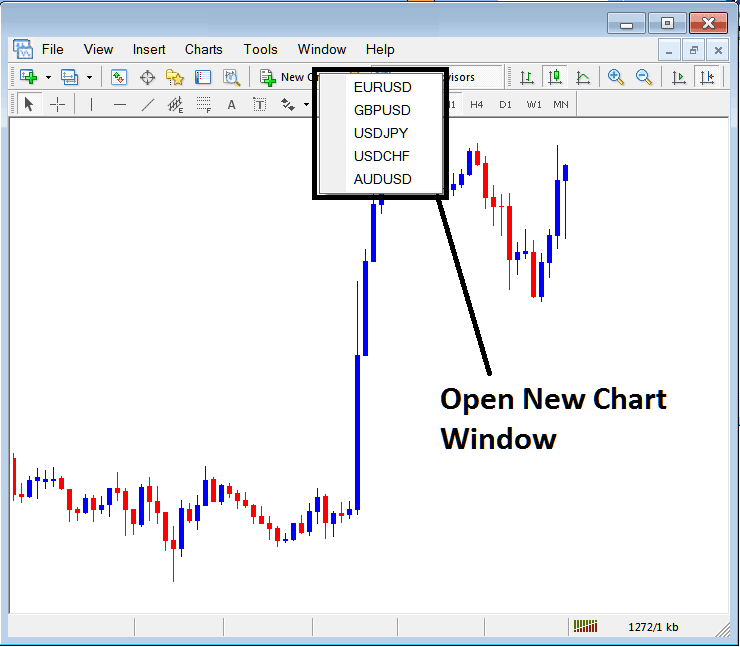
The new window option is the first item on this menu and is used to open new trading charts, by clicking this menu it will show list of MT5 symbols that one can trade with. Clicking any of the xauusd instrument below will display a new xauusd.
Cascade Windows
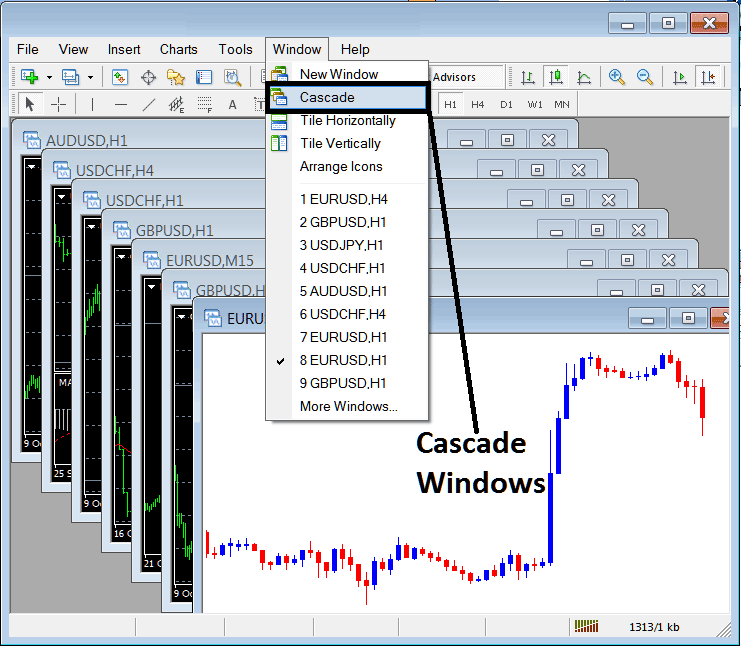
To arrange windows in a cascaded format, use cascade button key which is the second option on menu. An example of cascaded arrangement is illustrated & shown below.
Tile Horizontally XAUUSD Trading Charts
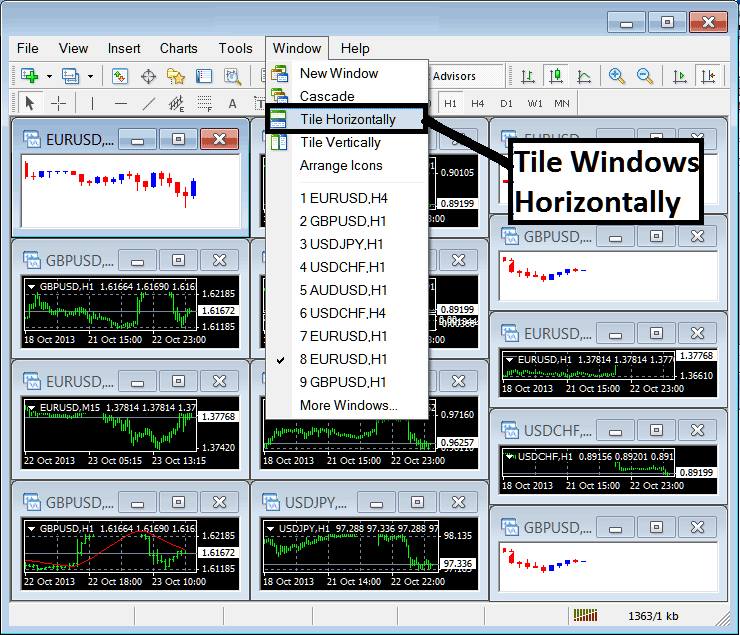
The third option is Tile Horizontally Gold Trading Charts & this option will arrange all the charts horizontally as shown in the gold trading example shown below.
Tile Vertically XAUUSD Charts
The fourth option in the panel menu is Tile Vertically Gold Trading Charts & this option will arrange all the charts vertically as shown in the gold trading example shown below.
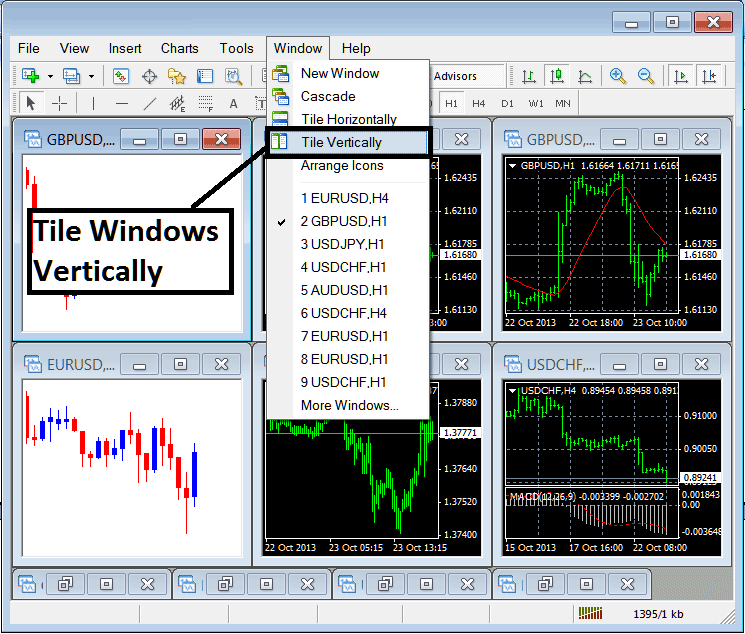
Arrange Icons
The fifth option is the arrange icons option which will arrange all charts as icons as illustrated and shown on gold trading example shown below.
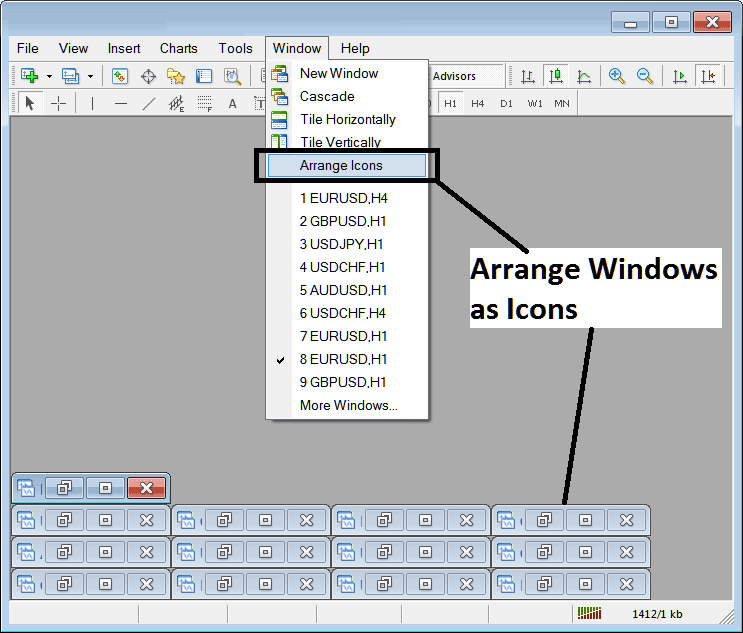
Open XAUUSD Trading Charts List
The next items are shown as a list of the xauusd represented, the chart currently on the workspace is checked on the left as shown below:
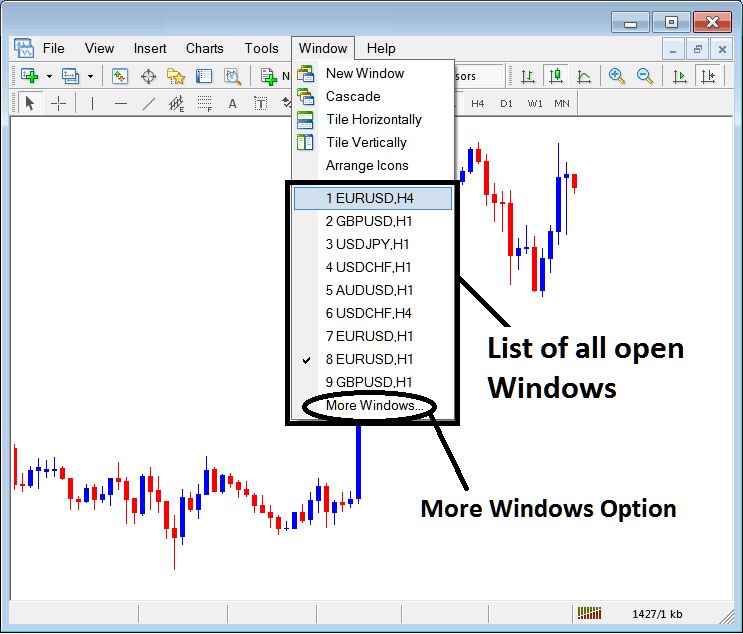
The more windows option shown above can also be used to show a list of other opened xauusd that are not on the list numbered from 1 to 9. By clicking this more option the following popup will appear within the MT5 XAUUSD Platform and a trader can select any xauusd instrument from this popup.
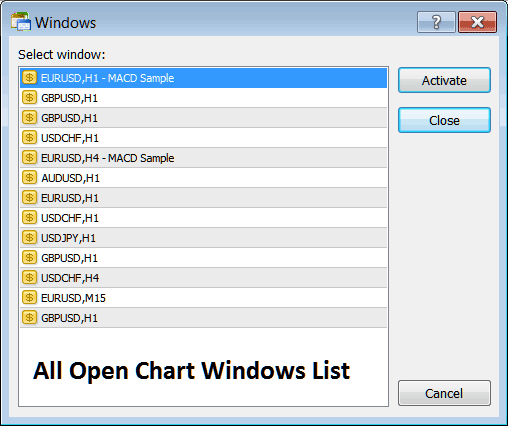
To display any of the above listed xauusd just click the 'Activate' button to the right of this popup.




