Line Studies Toolbar Menu on MetaTrader 5
Sometimes traders will say "oh, I can't find Fibonacci expansion tool on my MetaTrader 5 where can I get it?"
The thing is that all these line studies are located on the line studies tool bar: however, by default not all are set to display, therefore a trader must know where to get these trading tools that are not shown by default on the MetaTrader 5 XAUUSD Platform. So how can a trader add a tool, to the line studies MT5 toolbar shown below?
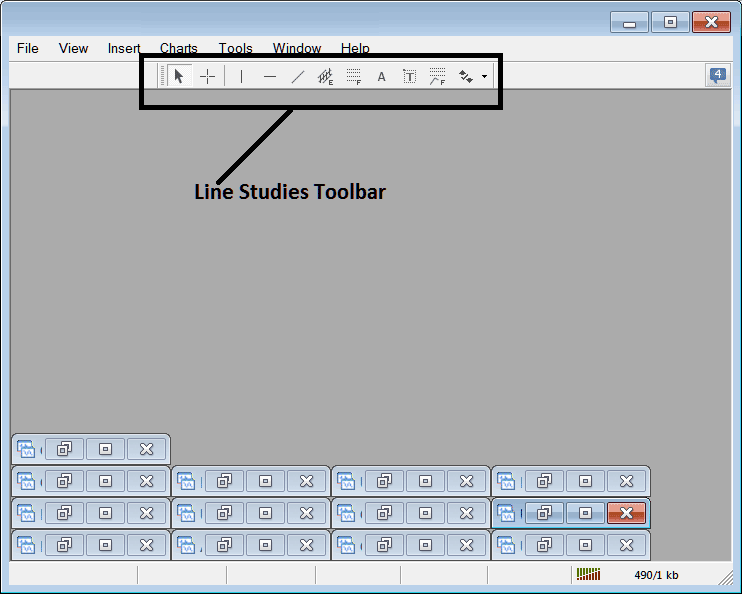
Customize a Toolbar on Gold Trading Software
To add a tool not listed above a trader has to follow these steps
- Right-Click at MetaTrader 5 toolbar button key to the left of this(Looks like a stack of coins)as displayed below
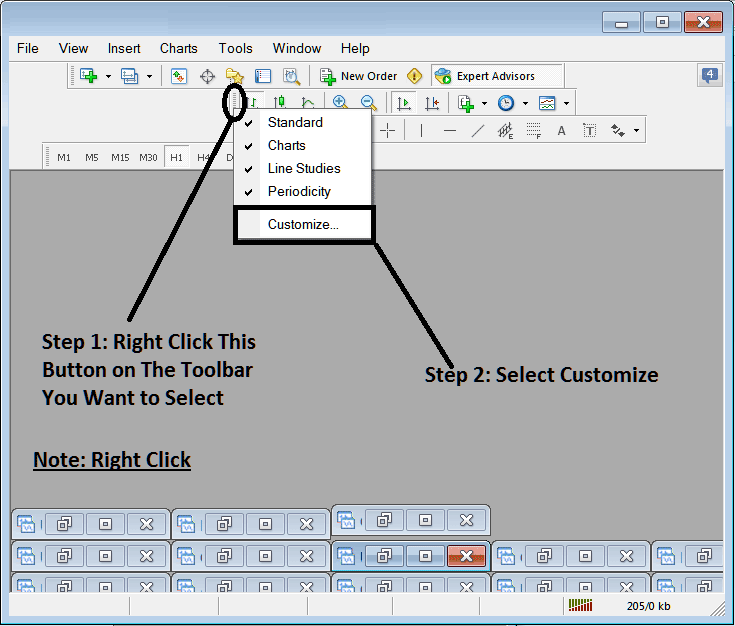
3. Click customize 4. Add all Tools
Following customize pop up will appear:
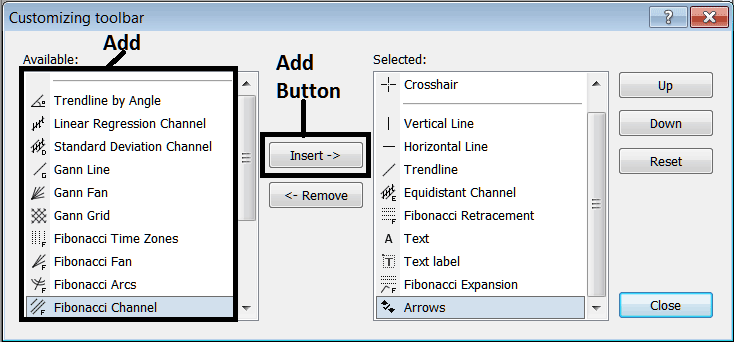
Choose all the tools from the left panel & add them: After adding this will look like:
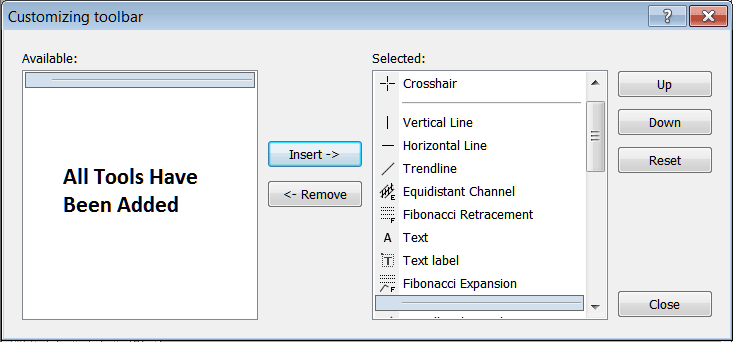
The MetaTrader 5 tool bar will now look like:
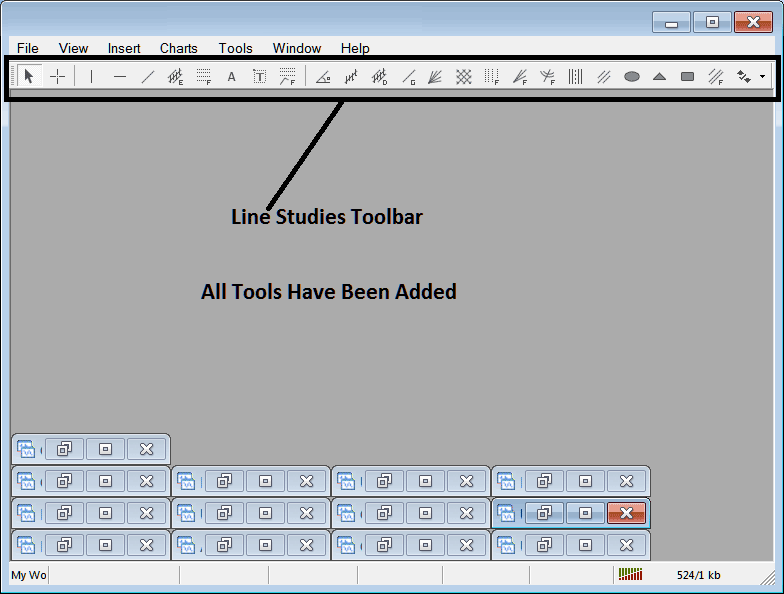
Explanations of Each Tool
The following is the explanation of each tool on this toolbar.

1: Choose mouse as cursor, change mouse to the default cursor
2: Select Cross-Hair cursor, a type of cursor that maps coordinates to the axis of the charts
3: Draw a vertical line
4: Draw a Horizontal line
5: Draw a xauusd trend line
6: Equidistant Channel
7: Fib Retracement
8: Text button
9: Text Label Button Key
10: Fibo Expansion
11: xauusd trend by Angle
12: Linear Regression Channel
13:Standard Deviation Channel
14: Gann Lines
15: Gann Fan
16: Gann Grid
17: Fibonacci Time zones
18: Fibo Fan
19: Fibo Arc
20: Cycle Lines
21: Andrew's Pitchfork
22: Insert Ellipse
23: Insert Triangle
24: Insert Rectangle
25: Fibonacci Channels
26: Draw Arrows
How to Remove Tools from XAUUSD Trading Platform
As a trader you'll not require all these button keys and you can hide some of them by clicking on the customize button key, then select some of the items on the right window and then select hide.
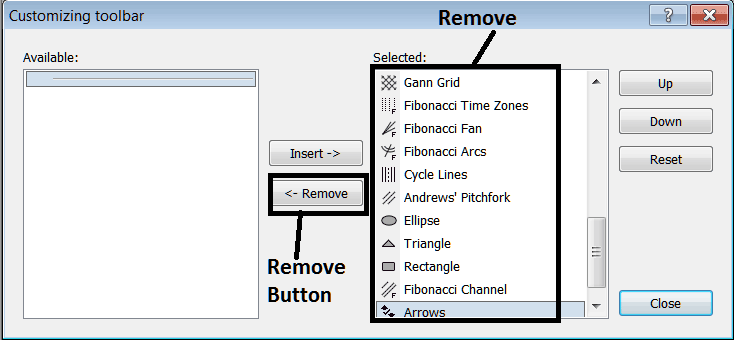
Remove the above tools by clicking on them and then clicking the remove button key, so as to save space on your MetaTrader 5 XAUUSD Platform workspace.




