How to Add MT5 Chande Trendscore Indicator in MetaTrader 5 Charts
Step 1: Open MetaTrader 5 Software Navigator Window Panel
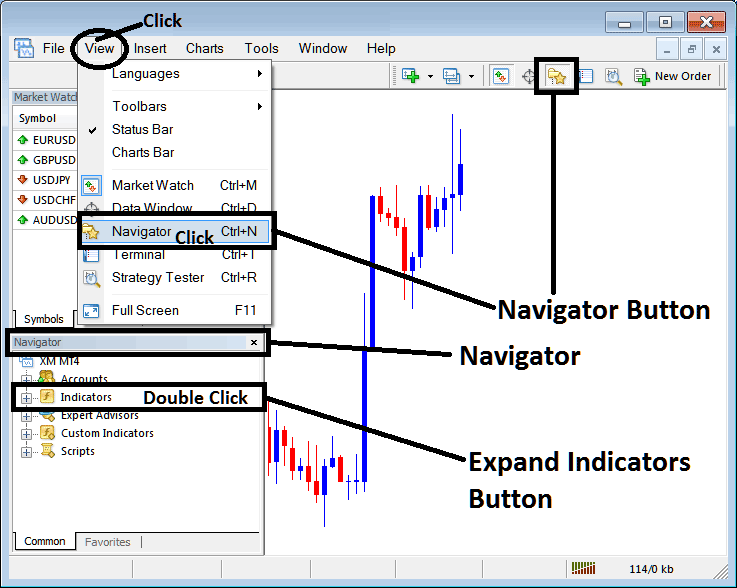
Open MetaTrader 5 Navigator window as explained on the MT5 example below: Go to "View" menu (click), then choose the "Navigator" window (click), or From Standard Tool Bar click the "Navigator" button or press keyboard MT5 shortcut keys "Ctrl+N"
On MT5 Navigator window, select "Indicators", by Double Clicking
How Do You Use MT5 Chande Trendscore Technical Indicator in MT5?
How to Add Chande Trendscore MT5 Indicator
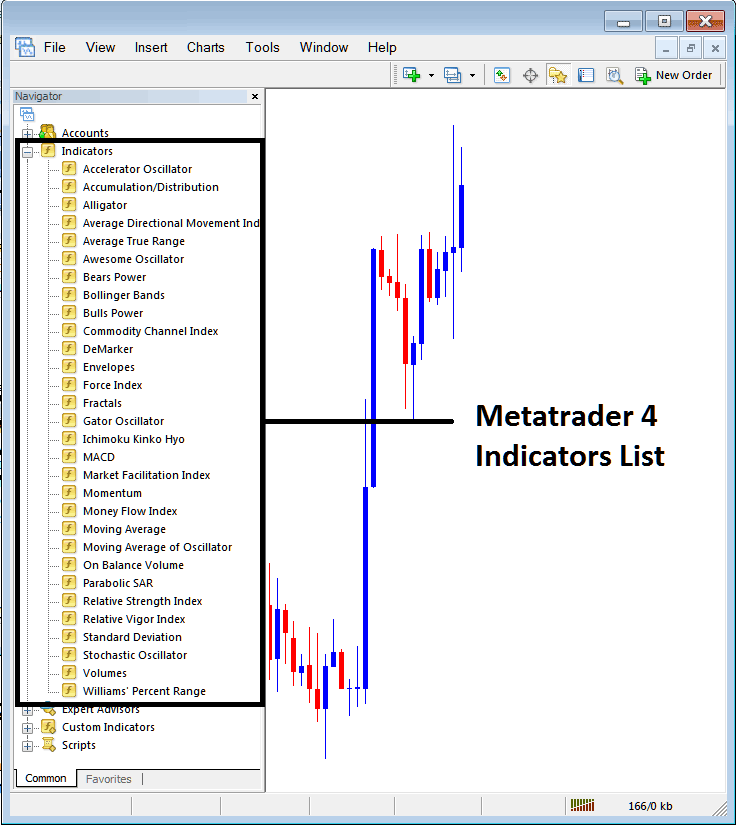
Expand the menu by clicking the expand button (+) or double click the "indicators" menu, after this the button will be displayed as (-) and will now display MT5 indicators list as explained on the MT5 example below - select the Chande Trendscore forex technical indicator from this list of MT5 indicators so that you can add the Chande Trendscore MT5 technical indicator on the MT5 forex chart.
How Do You Use MT5 Chande Trendscore Technical Indicator in MT5?
How to Place Forex Custom Chande Trendscore Indicator on MT5
If the MT5 indicator that you want to add on the MT5 charts is a custom MT5 technical indicator - for example if the Chande Trendscore indicator that you want to add is a custom MT5 technical indicator you will need to first add this custom Chande Trendscore MT5 technical indicator on the MT5 platform & then compile custom Chande Trendscore forex technical indicator so that the newly added Chande Trendscore MT5 custom indicator pops up on the list of custom technical indicators on the MT5 platform.
To learn how to add Chande Trendscore indicators on MT5 platform - how do you add Chande Trendscore indicator window to MT5 platform? - how do you add Chande Trendscore forex custom indicator on MT5 platform? - How to add custom Chande Trendscore custom forex indicator on MT5.
How Do You Use Chande Trendscore MT5 Indicator?
Chande Trendscore Technical Indicator Technical Analysis Buy & Sell Signals
Developed by Tushar Chande
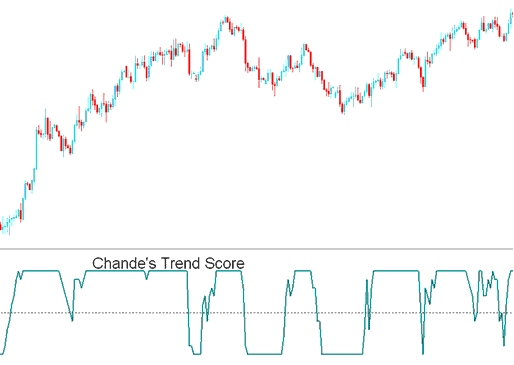
Chande Trendscore forex indicator analyzes and makes a quantitative and qualitative determination of the forex trend direction and strength of the forex trend by comparing the current closing forex price to the previous closing forex prices over the last 20 forex price periods.
Chande Trendscore forex indicator is an oscillator forex indicator - Chande Trendscore forex indicator oscillates between +10 and -10 with zero center line mark being the midpoint.
How to Add MetaTrader 5 Chande Trendscore Indicator in MetaTrader 5 Charts
How to Generate Buy and Sell Signals
Forex Buy Signal
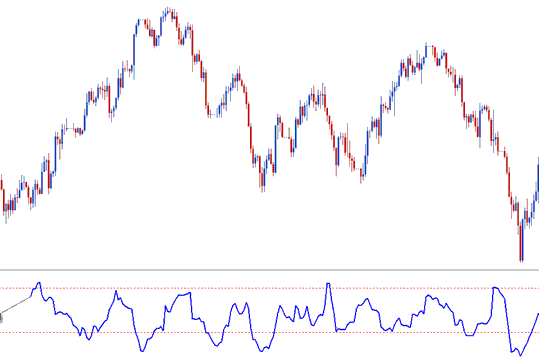
Chande Trendscore forex indicator value above zero signals an upwards forex trend of varying strength
Chande Trendscore forex indicator value of +10 indicates a strong upwards forex trending market
Buy Trading Forex Signal
Forex Trading Sell Signal
Chande Trendscore forex indicator value of below zero signals a downwards forex trend of varying strength
Chande Trendscore forex indicator value of -10 indicates a strong downwards forex trending market
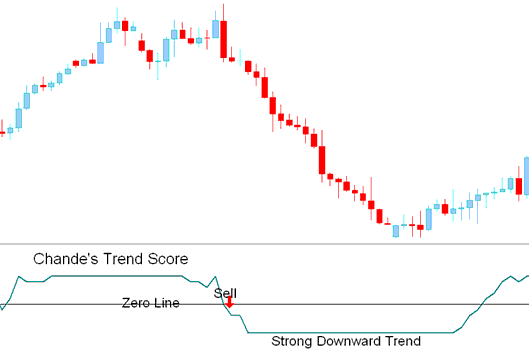
Sell Trading Forex Signal
How Do You Use MT5 Chande Trendscore Technical Indicator in MT5?
