Commodity Trading Account for Beginner Traders Demo Account Opening
Beginner commodities traders can open a commodity trading demo account on the MT4 commodities trading platform. To open a new demo commodities trading account for practice commodity trading, a beginner trader can do this directly from their MT4 commodities trading platform - on MT4 platform, at the top left corner: click File button key then click the "Open an Account" button as shown below.
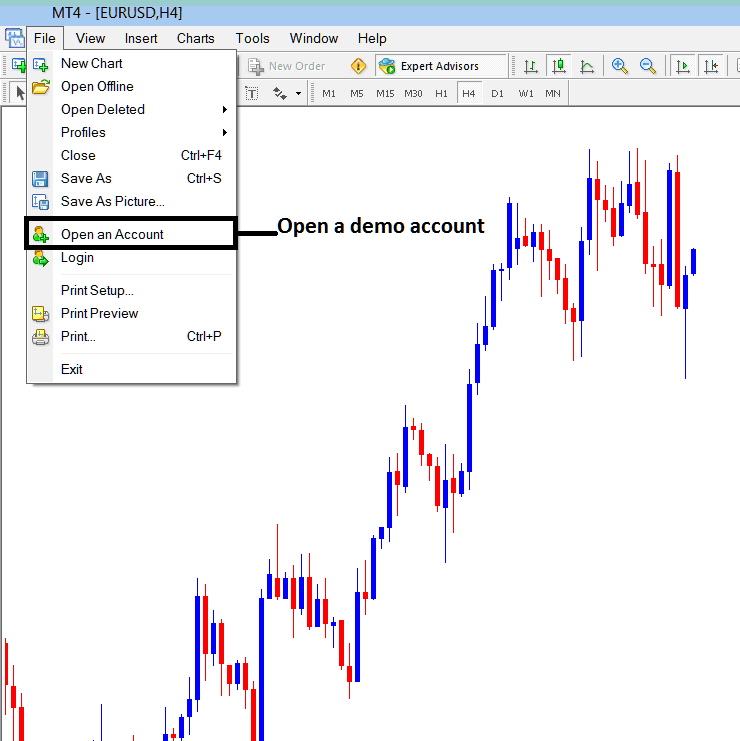
Opening Commodity Demo Trading Account MetaTrader 4 Commodity Software
Once you click this Commodity practice trading account opening account link you'll be taken to your commodities broker website where you can register for practice commodities trading account details of a Commodity Trading practice account - Commodity Trading for Beginner Traders.
The next step is to fill the following commodity trading sign up account registration forms displayed below, the required data is:
- Your first name
- Last name
- Country
- City or town
- Phone number
- E-mail address.
After filling these commodity trading register details on the form below, click the register demo commodity trading account button.
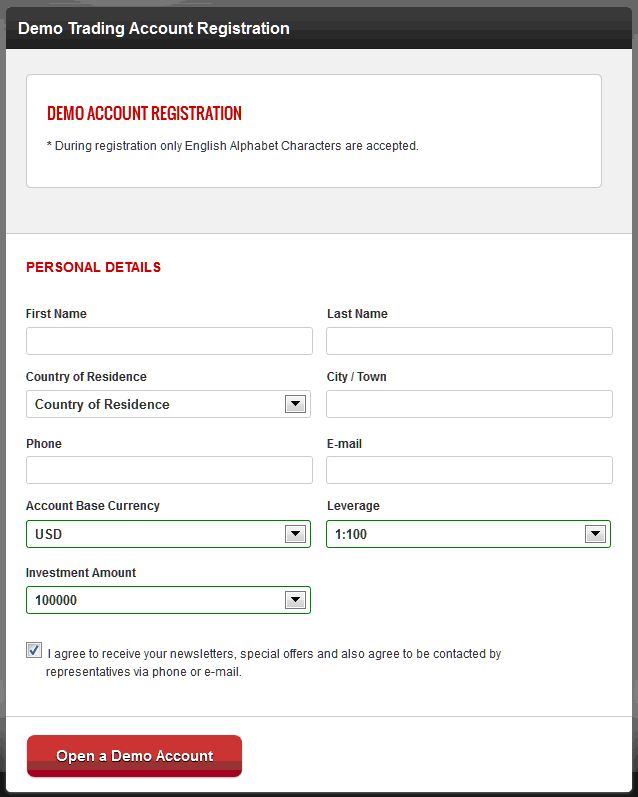
Demo Account Opening Registration - opening Commodity Demo Account
Once you fill the commodity trading opening demo commodities trading account form and complete this step, you will then receive account registration confirmation details of your online commodity trading demo login and password registration details as shown below. A copy of these commodity trading account sign up registration details will also be sent to your e mail address.
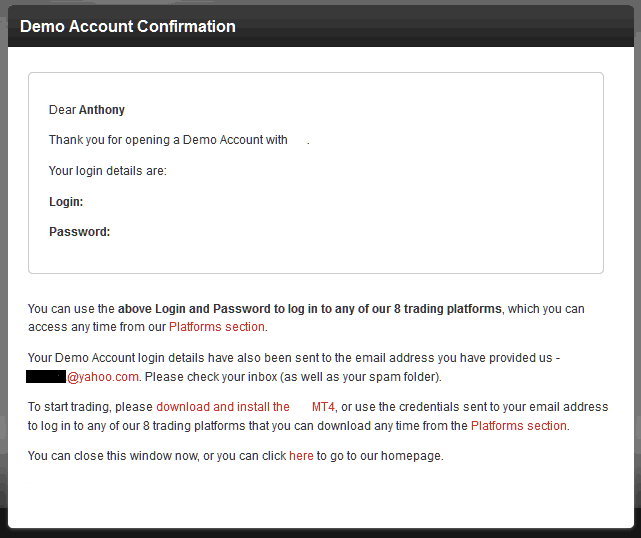
MetaTrader Commodity Trading Register Practice Account Registration Confirmation
Account sign up sign-up details of the free commodities trading practice account you just opened are sent as an e mail will appear in your inbox as displayed on the image below.
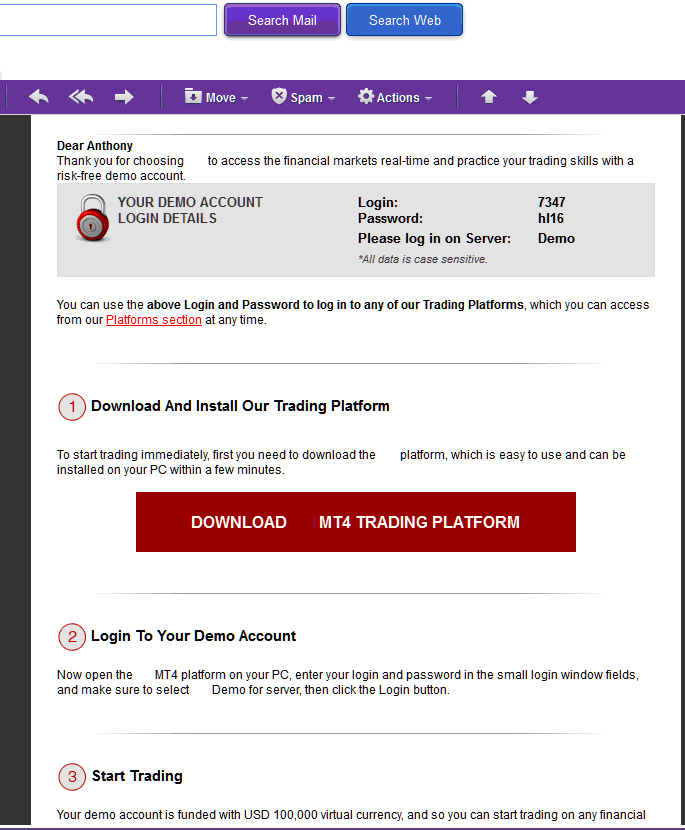
Commodity Trading Opening a Demo Account - Commodities Trading Demo Registration Details Sent to E-Mail Address - Commodity Trading Practice Account For Beginner Commodity Traders
Once you receive the commodity login details of the Commodity Trading demo account that you have opened, you can now then login into the MT4 commodities platform & begin to access commodities trading market & practice trading on this practice commodities trading account.
The link to download the MT4 commodities trading platform is also provided along with the commodity login & password commodity trading register account details upon registration so that you can download the MetaTrader 4 Commodity Software, if you have not downloaded it.
The Commodity practice trading account opening trading account procedure for installing the MT4 platform, is covered in our previous lesson before this one: How to install MT4 commodities platform for beginners tutorial.




