MT4 Login PC Commodity Trading Demo Account Login
Commodities Trading Sign in to Account
Once you start your MT4 commodities trading platform you'll have to log in to your MT4 demo commodity trading account before beginning to practice on this MT4 practice commodities trading account.
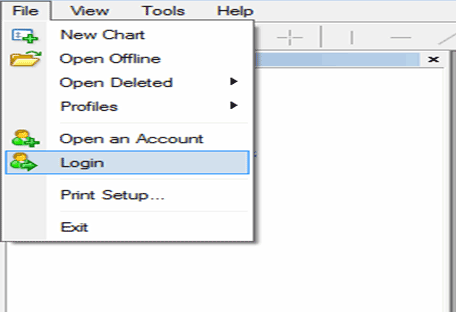
To Login to MT4 practice commodities trading account, click on the File Menu then click Login as shown on MT4 software example shown below:
The following pop up appears
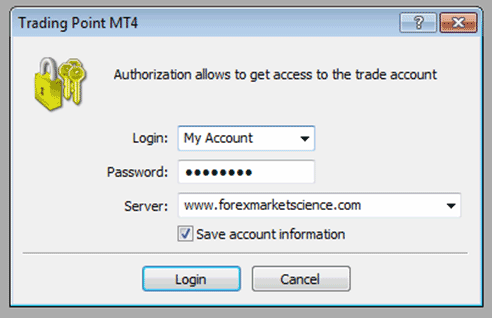
Log in to Account - MT4 Login Authorization for Commodity Demo Trading Account
Specify your commodity trading practice account log in number & password, the trading server you can choose using the down arrow - for demo commodity trading account select - Demo Server. Tick the 'save log in information' & click login - Commodity Trading MetaTrader 4 Login. This is referred to as authorization - MetaTrader 4 Login Authorization, every time before trading you will have to perform authorization by login in to your demo commodities account - typing the demo commodities account details - and the platform check if the commodity login account details are correct through this process of MT4 Login Authorization.




