How to Install EA on your MetaTrader 4 Commodity Trading Platform
Before beginning to trade with an Automated Commodity Expert-Advisor you must first attach a commodities EA on MT4 commodities trading chart.
To attach a commodities EA on MT4 commodity chart - go to the MetaTrader 4 Navigator Window, then select the commodities trading Expert Advisor that you want to place on the commodity chart - and then right click on it and specify the option "Attach to Chart", once the Expert Advisor is attached to the MetaTrader 4 commodity chart it will appear as is illustrated below - Then Right Click on the Expert Advisor, choose properties and then choose the option by Checking "Allow Live Trading" and the Automated Commodity Expert-Advisor can now start executing trades in MetaTrader 4 Commodity Trading platform.
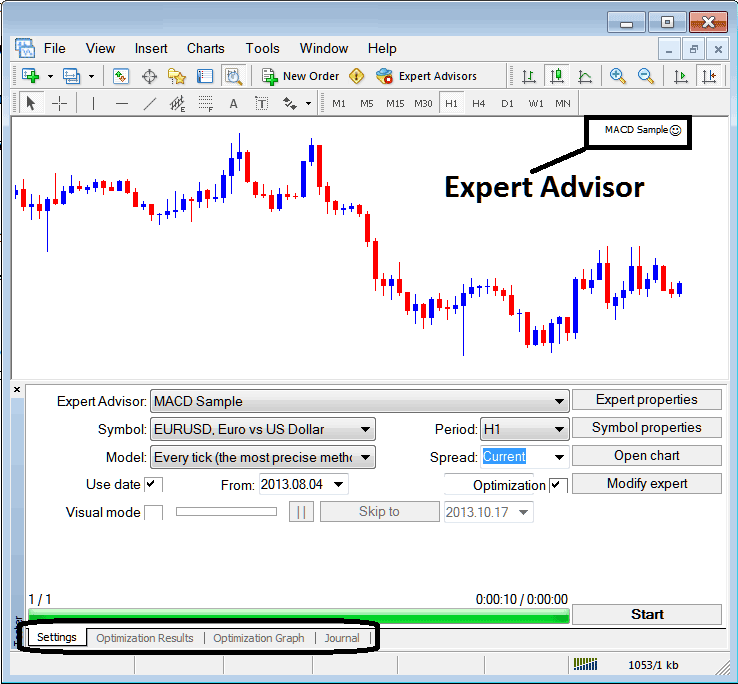
Selecting Expert Advisor you want to Add Among those Installed on your MetaTrader 4 Commodity Trading Platform
For an Expert-Advisor to Mobile Appear on the Navigator Panel you must first download & install the Expert Advisor on your commodity trading platform. To learn how to add a download commodities Expert Advisor before Activating The Commodity Expert-Advisor follow the MetaTrader 4 Commodity Trading Expert Advisor install guide below.
If you are a Commodity Trader Looking for Commodity Trading Expert-Advisor Bots, then you can find them on the MT4 Commodity Expert Advisors Library.
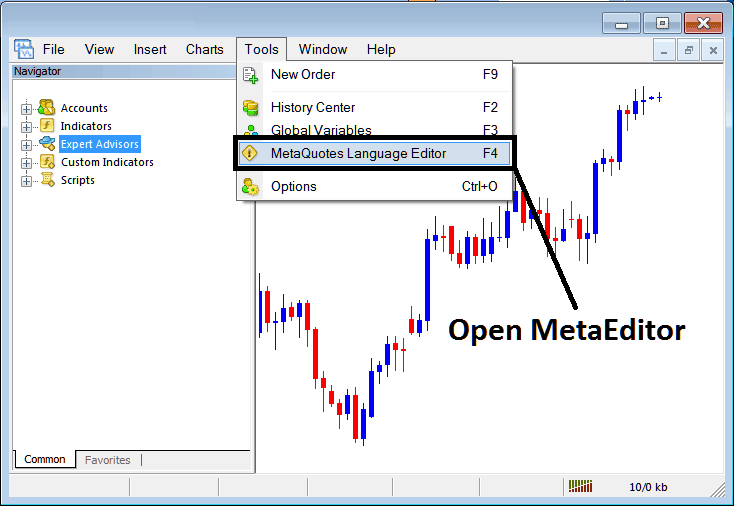
Open MetaEditor on MT4
MetaEditor

After Adding a new MT4 Commodity Expert-Advisor, a trader will be required to compile this newly added item so that it can now be recognized by the MetaTrader 4 commodities trading platform & for this new item to start to appear on the list of available MetaTrader 4 Commodity Trading Expert-Advisors.
Adding a New MT4 Commodity Trading Expert Advisor
Once you have opened the MetaTrader 4 MetaEditor Work Space as shown above, Short Cut Keys - Press F4, then follow the steps below to add your new MetaTrader 4 Commodity Trading Expert Advisor.
Step1: Go To File Menu, Choose "New"
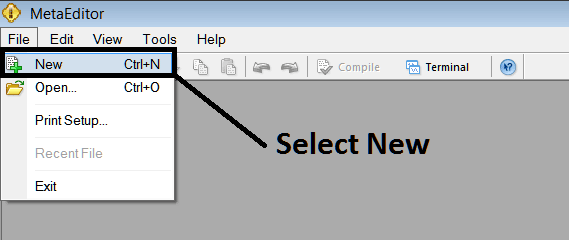
Adding a New Custom Expert-Advisor in MT4
Step2: On the Popup window that appears choose "Expert Advisor"and click next as illustrated and shown below
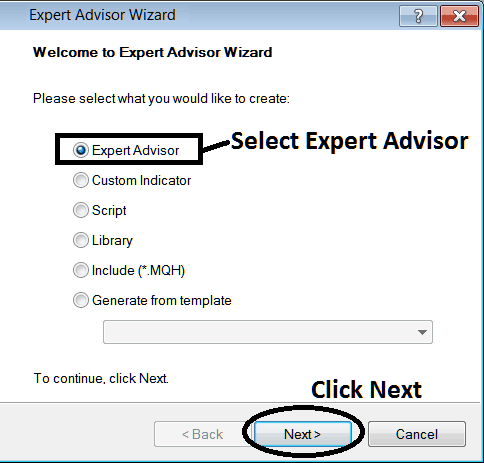
Adding MetaTrader 4 Commodity Expert-Advisor in MetaTrader 4 MetaEditor
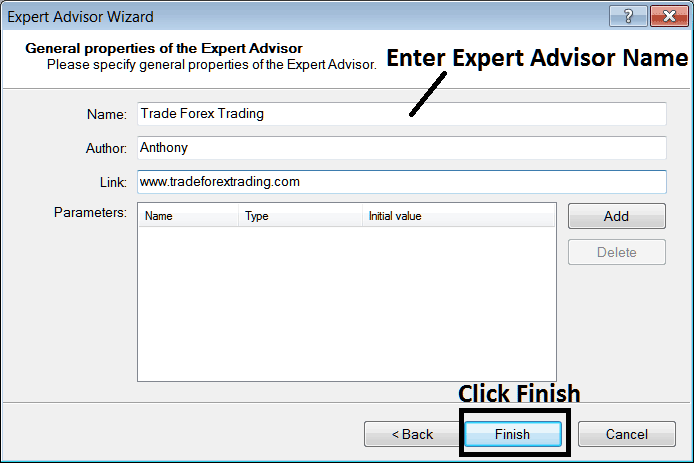
Step3: Enter Name of Expert Advisor as Shown Below & Click Finish