How to Open a Buy or Sell Trade - Indices Trading
This tutorial will explain to traders how to place new orders when trading Stock Indexes. To open a new trading order, first make sure that you have first opened the chart of the Indices that you want to trade. For our example we want to trade the US 100Cash Stock Index which is the NASDAQ 100, to open an order we follow the steps below.
Click anywhere inside the chart & the drop down shown below appears, select the second option which is "Trading" and then choose option marked "New Order" as shown below.
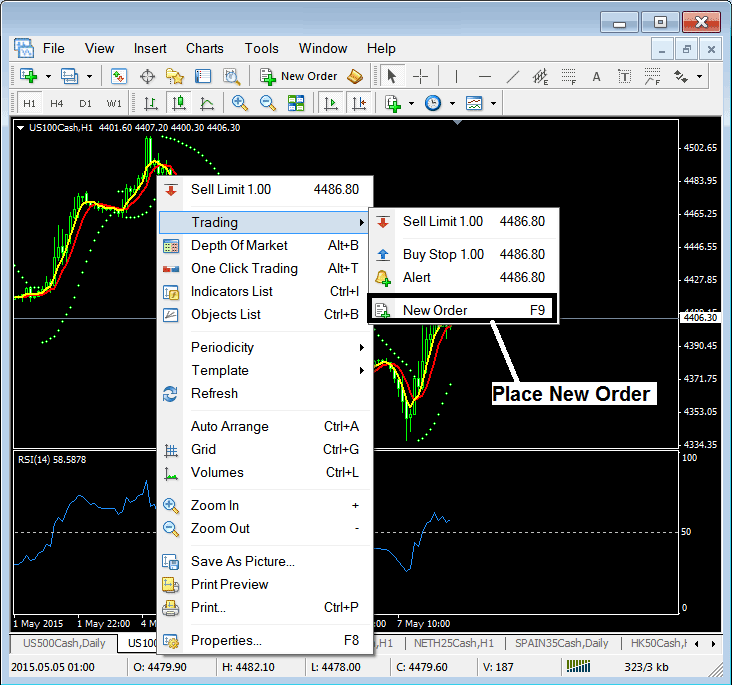
Another Option is to go to "Tools" menu at the top of the platform, next to file, view, charts & then choose the first option on tools drop down menu; the option is "New Order", just like the one above.
A shortcut is to press F9 key on your keyboard.
The following popup order pop up window will popup & a trader can place an order from this new trade window as shown below.
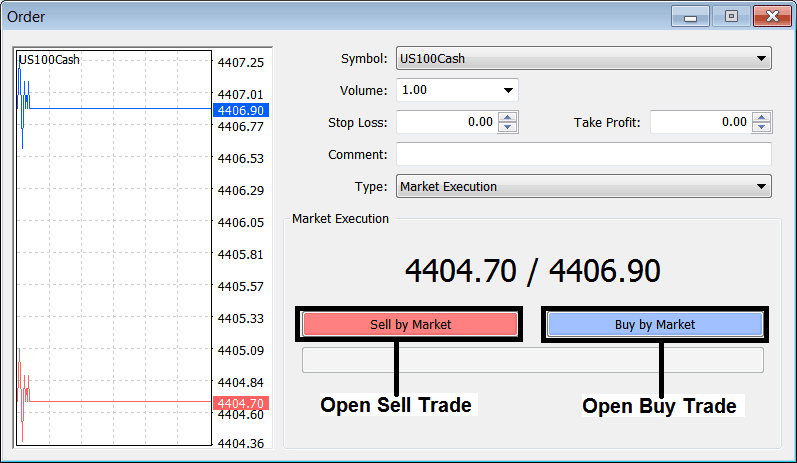
From the above window you can open a buy or sell trade depending on which side of the market you want to trade.
If the market is moving up you open a buy trade
If the market is moving down you open a sell trade
If you want to open another trade & trade another Indices, just open another chart or go to other chart using the "Charts Bar" and then open a new order on the new chart chosen.
The Charts Bar is shown below:
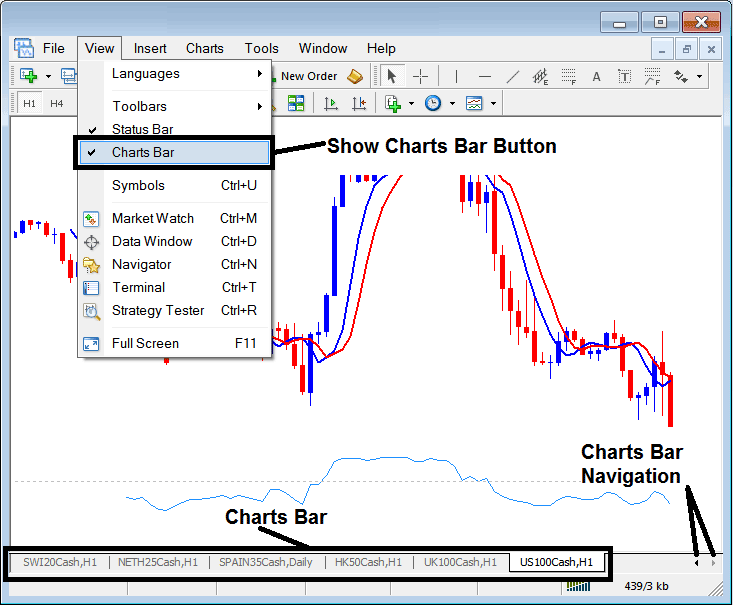
The charts bar that is shown above is used to navigate between two or more open Indices trade charts & a trader can use this bar as a shortcut to access all the open charts on their trading platform.




