How Do You Add a Forex Chart on MT5 Software?
How Do You Add a Forex Chart in MetaTrader 5 Platform?
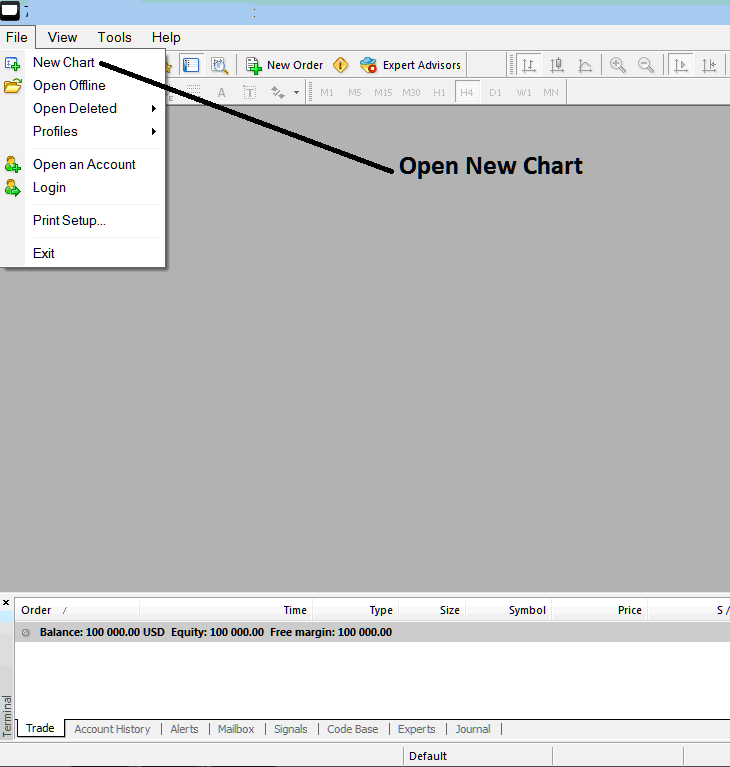
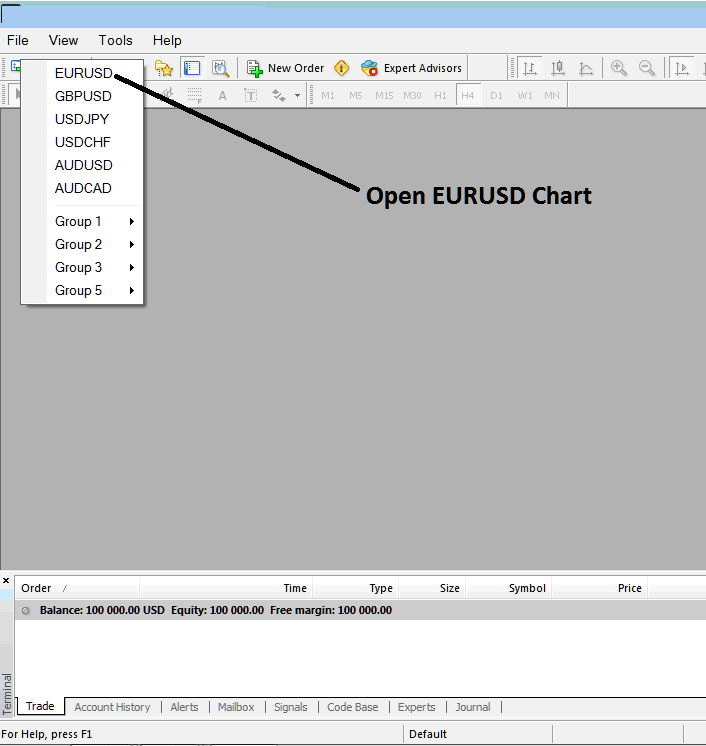
To add a new forex chart on the MT5 platform go to the 'File' menu at the tops left corner of MetaTrader 5 platform, then from the File drop down menu select or click the 'New Chart' button. Then select the forex chart you want to open from the forex list of trading charts that appears in MT5 software.
How Do You Open a Forex Chart on MT5 Software?
To open a forex chart on the MT5 platform follow the procedure explained below:
To open a new forex chart from the example below, click the 'File' tab at the top left corner as shown below, then select the option 'New Chart'.
How Do You Add a Forex Chart in MetaTrader 5 Platform?
After clicking 'New Chart' a drop down menu will appear with a list of forex instruments that as a trader you can select which to open.
How Do You Add a Forex Chart in MetaTrader 5 Software?
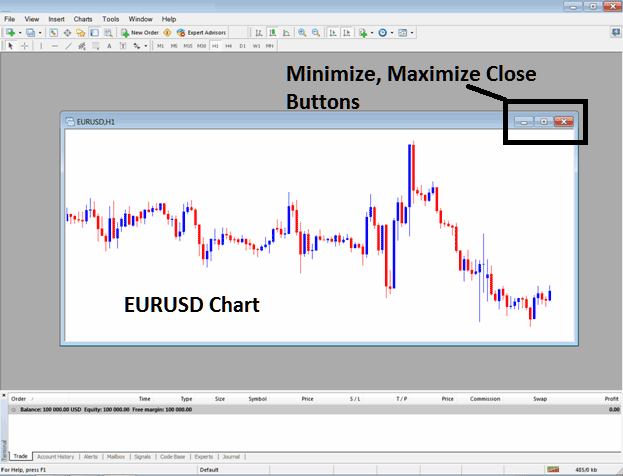
The following MT5 chart will then be opened on the MT5 platform as shown below.
How Do You Add a Forex Chart in MetaTrader 5 Platform?
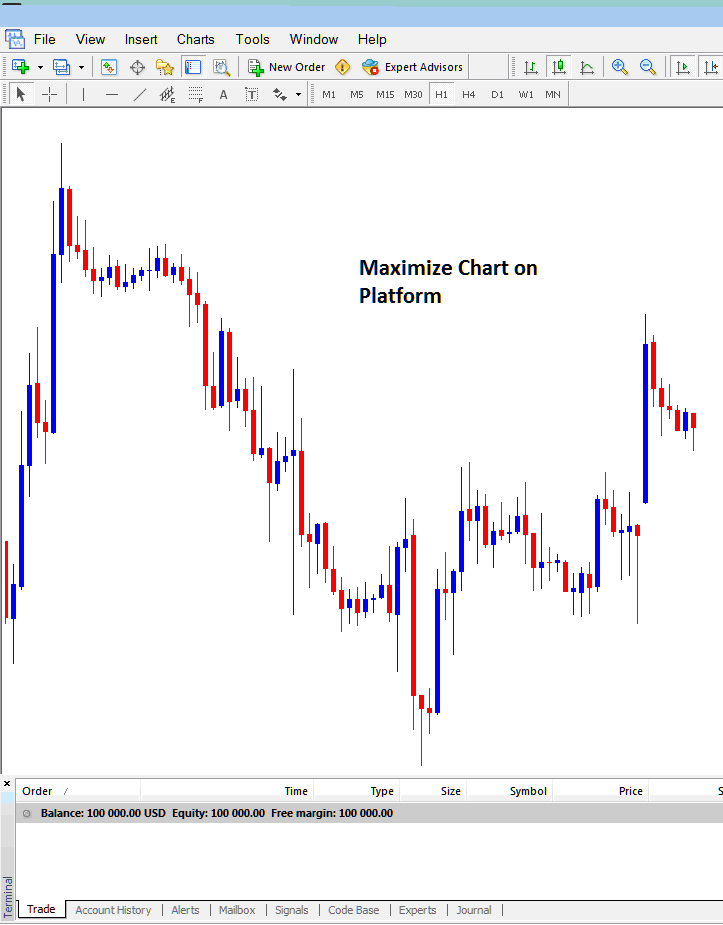
As a trader you can maximize the MT5 chart as shown below and you can then open forex trades from the MT5 charts or you can place technical analysis indicators to analyze the forex price movement on the forex chart.
How Do You Add a Forex Chart in MetaTrader 5 Software?
How Do You Add a Forex Chart in MetaTrader 5 Platform?
