How Do You Set Up MT5 Forex Trading Software Guide?
How Do You Set Up MT5 Forex Platform Tutorial?
The first step before setting up the MT5 platform is to download this forex software from your forex broker.
Once you download the MT5 platform - install this MT5 platform on your computer using the step by step guide explained below:
How Do You Install MT5 Forex Trading Software Platform?
To start Forex trading, a trader will need to first setup the MT5 forex trading software on their PC Desktop computer and this software is forex trading software with which they will be using to place trades in forex market.
To get the MT5 platform a trader requires to first of all download the Forex MT5 software from an online Forex broker.
MT5 Forex Platform is also known as MT5 platform
Once you have downloaded MetaTrader 5 platform you will need to go to the download location of your Firefox browser (first maximize the Firefox window on the desktop): as a Short Cut press both keyboard keys CTRL + J keys on your keyboard to get the MT5 download location. Once on this location double-click to open MT5 software and proceed as follows.
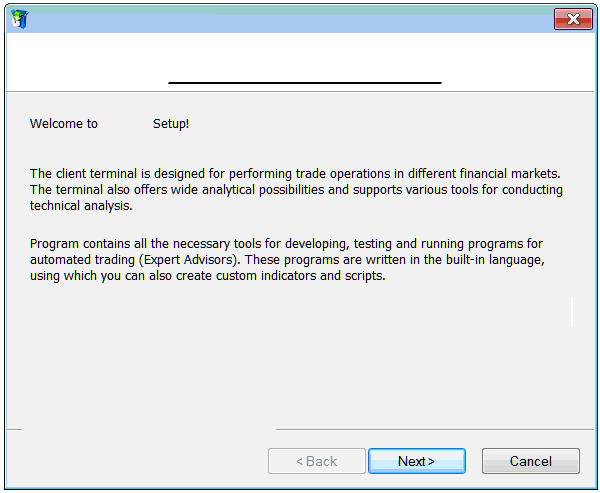
Step 1: The following window pop up will launch the MT5 software application click next to proceed.
How Do You Set Up MT5 Forex Platform Tutorial?
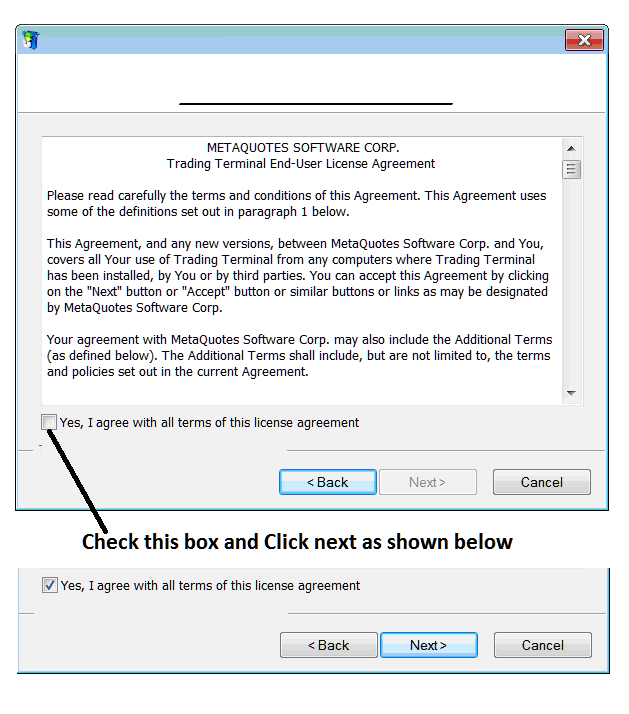
Step 2: Check the box below & click next to proceed with the MT5 platform installation.
How Do You Set Up MT5
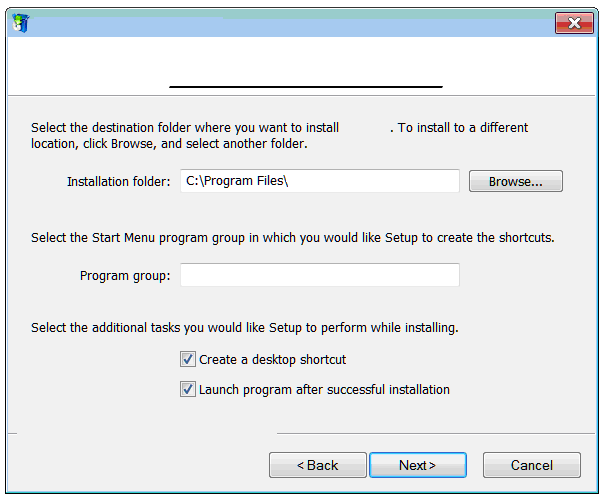
Step3: On the next window you will see the following settings, just click next to proceed without changing any setting - MT5 software Forex.
How Do You Set Up MT5 Forex Trading Software Tutorial?
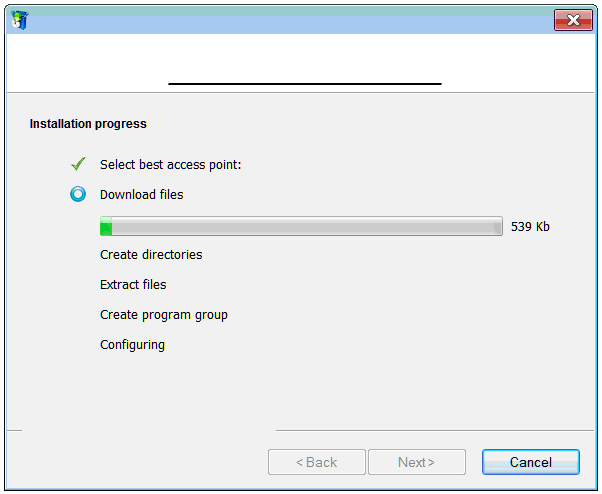
The following progress window will pop-up showing the progress of Forex MetaTrader 5 platform installation, this might take a few minutes to complete, at this point you'll have to wait for progress bar to complete.
How Do You Set Up MT5 Forex Platform Tutorial?
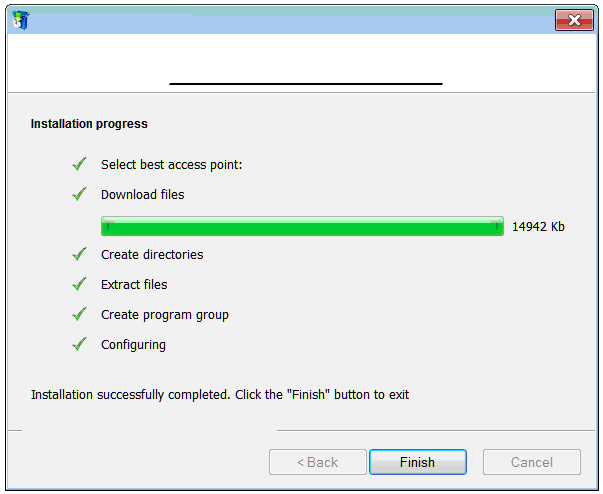
Once MetaTrader 5 setup progress is complete the following window will appear, click on the 'Finish' button to complete the setup of MetaTrader 5 software.
How Do You Set Up MT5 Forex Trading Software Tutorial?
The installation of MT5 platform for Forex trading is now complete & you as a trader can use access it from the desktop, as a desktop icon marked 'MetaTrader 5' or clicking start menu on your PC computer Desktop PC>>> then select all programs>>> then choose MetaTrader 5.
Once you open the MetaTrader 5 software, then you can now begin to practice forex trading using a practice account. Next Forex Lesson: How Do You Open a Forex Practice Account.
How Do You Set Up MT5 Forex Platform Tutorial?




