Forex Chart Types: Line, Candlestick and Bar - MT4 Candlestick, Bar Chart and Line Chart
A Forex chart is a graphical representation of price movement of a currency pair over a given period of time.
Drawn on a grid and the user is at liberty to select which forex chart time frame they want to trade with. The trader might select to use hourly charts, daily charts or even 1 minutes chart time frames.
To draw forex charts, three techniques are used. The techniques used to draw the forex charts defines the type of forex chart.
The three types of forex MT4 charts are: - Candles - Bar Charts - Line Charts
- Line charts
- Bar charts
- Candles forex charts - Most popular
MT4 Line Chart - MT4 Line Chart Indicator
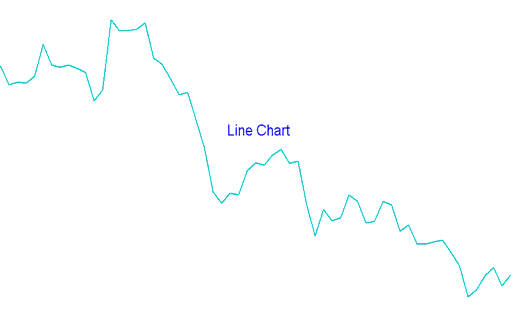
A single line is plotted from one closing price to the next, forming a continuous line.
This type of chart provides very little data on the chart & is therefore not very popular among forex traders. In fact this type of forex chart is rarely used by traders.
MT4 Line Chart in Forex Trading - This type of chart leaves out important data about forex price movement. Information such as opening, high & low point of the forex price that are not represented on the graph.
This makes this type of forex line chart to be considered sketchy by forex trading technical analysts.
The forex chart below shows example of a forex line chart.
MT4 Bar Chart - MT4 Bar Chart Indicator
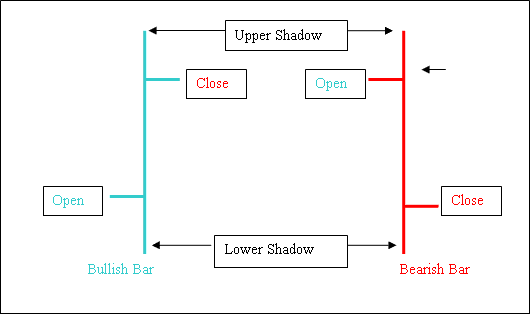
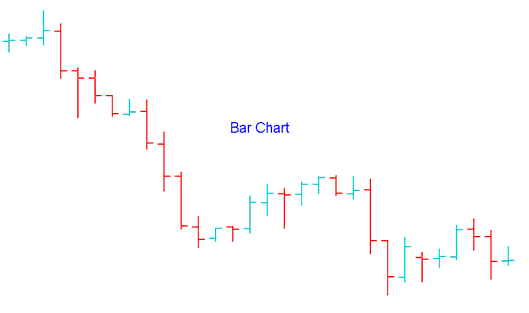
MT4 Bar Charts - This type of chart shows the opening, closing, the high and the low, for a particular forex price interval and is represented by bars that look like the ones drawn below - hence its name bar charts
- MT4 Bar Charts - bar chart has a vertical bar showing the total forex price movement.
- Left horizontal bar the opening
- Right horizontal bar the closing
- High and low denoted by the highest & lowest point
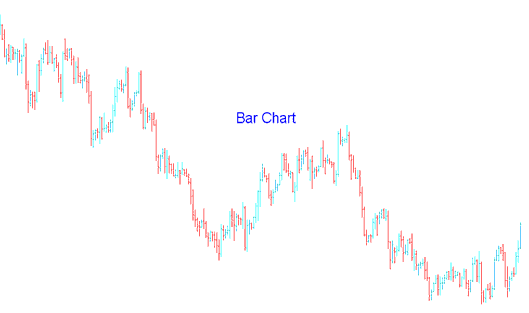
However, these forex MT4 bar charts are not very easy to work with, especially when they are not magnified. It becomes very hard to interpret the bar charts with ease when trading the forex market thus making them not very popular among forex traders.
A MT4 Bar chart that is not magnified makes it hard to view the opening and closing forex price as illustrated by this example:
MT4 Candlestick Chart - MT4 Candlestick Indicator
MT4 Forex Candles Charts - This is the most widely used type of forex MT4 charts, they resemble candles, thus their name - candlesticks MT4 charts.
MT4 Candlesticks charts shows the opening, closing, the high and the low of a particular forex price interval.
The range between the open price & the close price is called the body of the candle-stick.
MT4 Forex candlesticks MT4 charts is the most popular type of forex charts among online traders because it is easiest to interpret when trading the FX trading market. Forex candlestick charts also gives a lot of information about the forex price movement. This makes candlesticks MT4 charts the most widely used type of charting in FX.
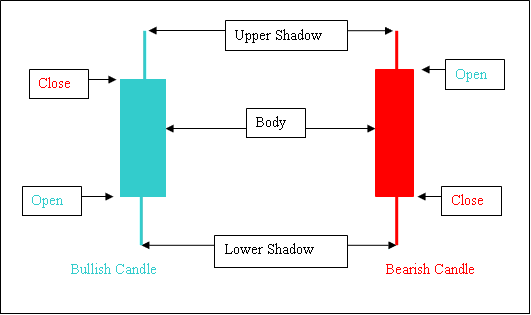
Forex Candles Charts
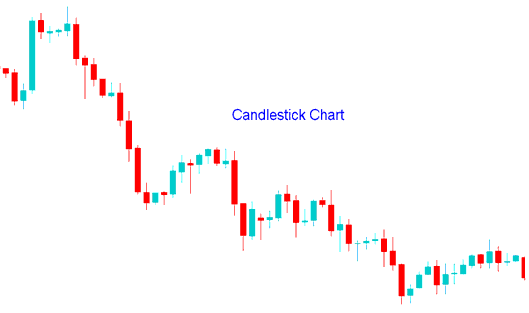
Shown Below is example of candles charts. To learn more about forex candlesticks MT4 charts, read this topic: Technical Analysis of Japanese Candles Patterns in Forex Trading.
How to Select These Forex Chart Types on MT4 Software
To draw any of these types of forex charts on the MT4 Software a trader can use the Chart Indicators below found on this MetaTrader 4 platform.
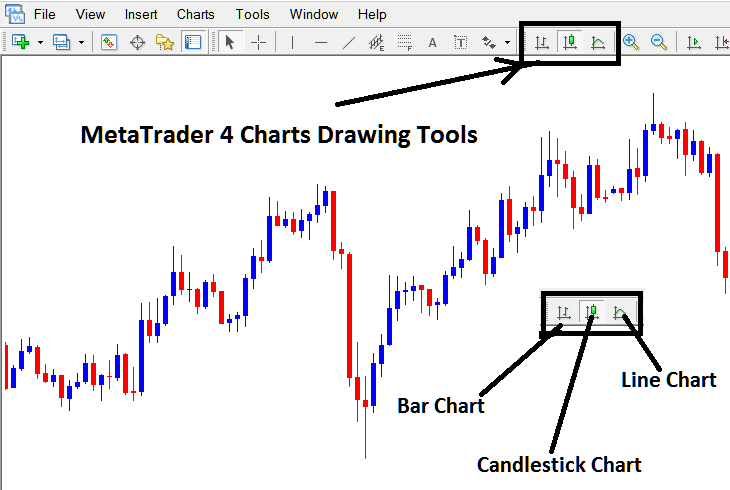
Drawing Forex Charts in MT4
- To Choose a Bar Chart Click the MetaTrader 4 Bar Chart Indicator
- To Choose a Candles Chart Click the MetaTrader 4 Candlestick Chart Indicator
- To Select a Line Charts - Click the MetaTrader 4 Line Chart Indicator




