Placing Channels on Commodities Trading Charts on the MT5 Software
The third option on the insert menu on the MetaTrader 5 platform is the channels button key. Channels button is used to insert various types of channels on Commodity charts in the MetaTrader 5 platform. Channels button is shown below.
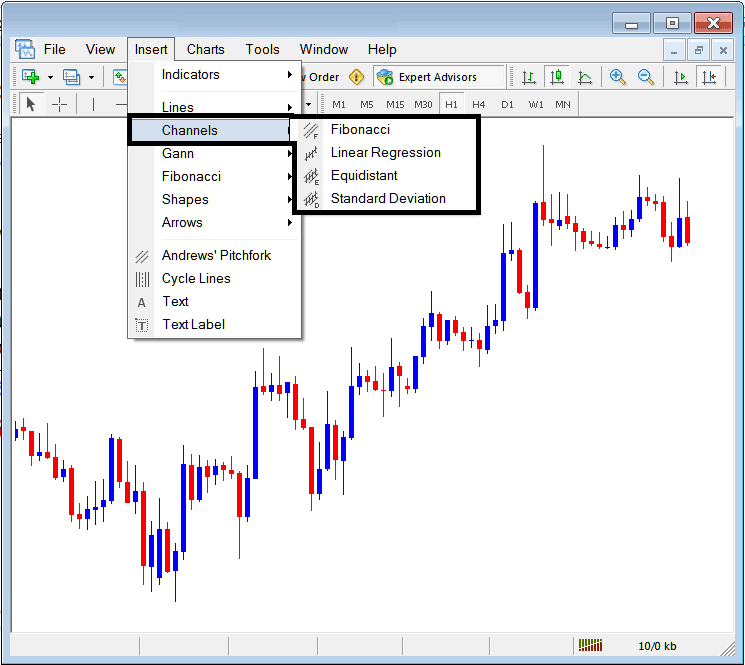
Menu Button For Placing Various Channel Tools on The MT5 Commodity Software
The channels that can be placed on commodities charts are shown on the channels button key menu are:
- Commodities Trading Fib Channels
- Linear Regression Channels
- Equidistant Channels
- Standard Deviation Channels
All these channels have different technical analysis & are drawn differently on the MT5 Commodity Trading charts.
Commodities Trading Fib Channels
Fibo Channels is a type of channel that is automatically drawn by this Fibonacci Channels button key, To draw these Fib channels, a trader selects two points where to draw the same way a commodity trend line is drawn on the MT5 Platform, once this commodity trend points are joined, the Fibonacci channels drawing tool uses these points to draw the first commodity trend line & then automatically draws another 5 lines that form channels - these channels are used as profit taking levels to book profits once the commodity price reaches these points.
Fibo areas used to draw these channels are: 0.618, 1.000, 1.618, 2.618, 4.236: The most commonly used channels are the first 2 channels as illustrated & shown below:
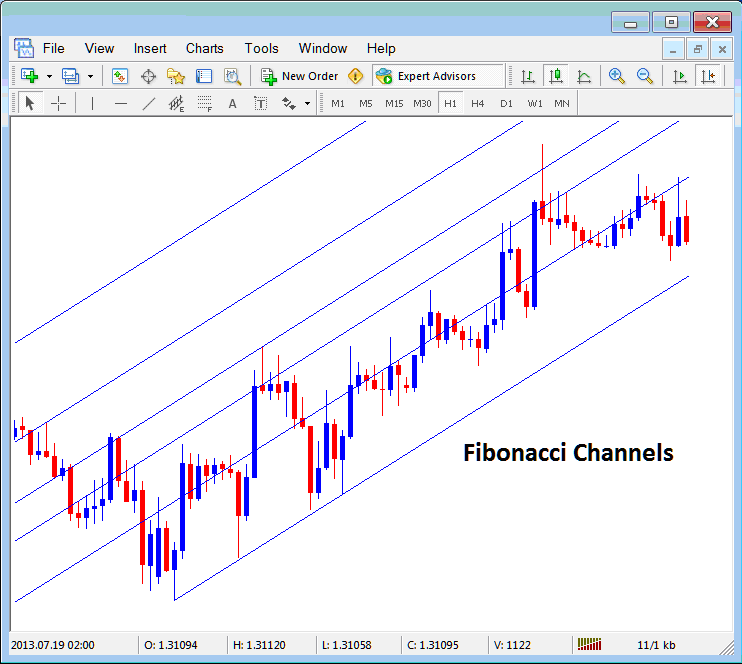
Placing Fibonacci Channels on MT5 Commodity Trading Charts
Linear Regression Channels
Linear regression channels are self adjusting channels, which adjusts as the channel is plotted from point 1 to point 2, linear regression channels then form what is similar to a commodity price boundary, this commodity trading price boundary shows upper & lower commodity trading price boundary and the center point which is the mean for the commodity trading price.
These upper and lower channels are used to open commodities trades & close commodities trades and also determine the levels to take profits or set stops for commodities trades. Linear regression channels are illustrated below:
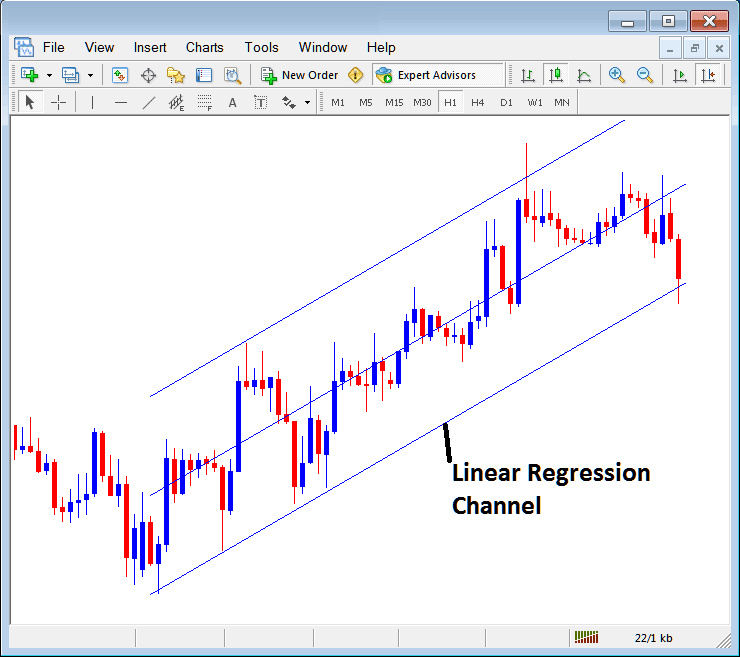
Placing Linear Regression Lines in MT5
Equidistant Channels
The equidistant channels is the most commonly used channel in commodity trading. On MT5 platform, a trader can draw an upward channel or downward channel, the commodities trading example shown below shows an upward Commodity Trading channel, once the lower channel is drawn ( commodity trend line), the top channel is automatically drawn, a trader can then double click the upper channel to adjust it so that it touches the highest high of commodity trading price as shown below - the next time commodity trading price touches this line the buy commodity trade will then be closed and profit taken. As shown below this was the best commodity trading price to take profit when price in the upward trend touched the upper channel.
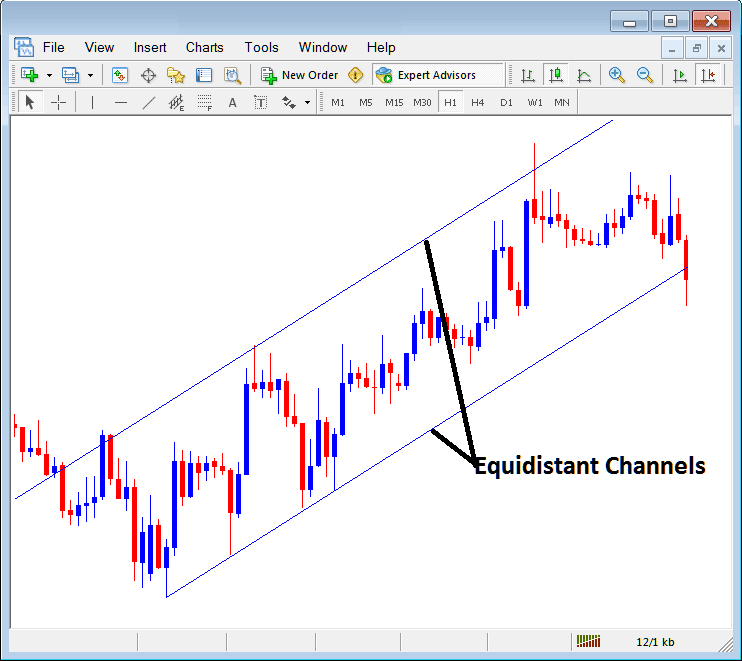
Placing Equidistant Channels on MetaTrader 5
Standard Deviation Channels
Standard Deviation channel is similar to Linear Regression channel & it is also used to set the upper and lower boundaries within which commodities price should move within. The Standard Deviation channel is displayed and shown below.
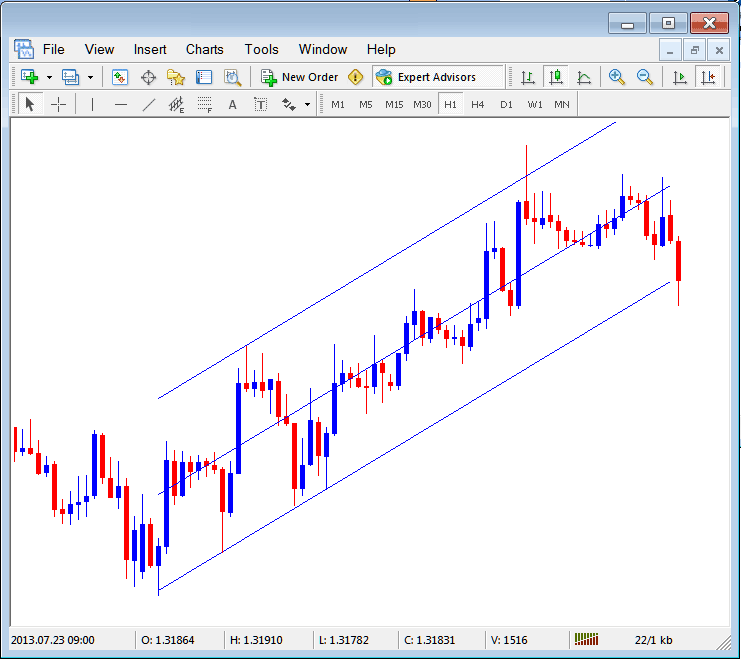
Placing Standard Deviation Channels in MT5




