Charts Toolbar Menu and Customizing it on MT5
The Charts MT5 toolbar on the MT5 is shown below.
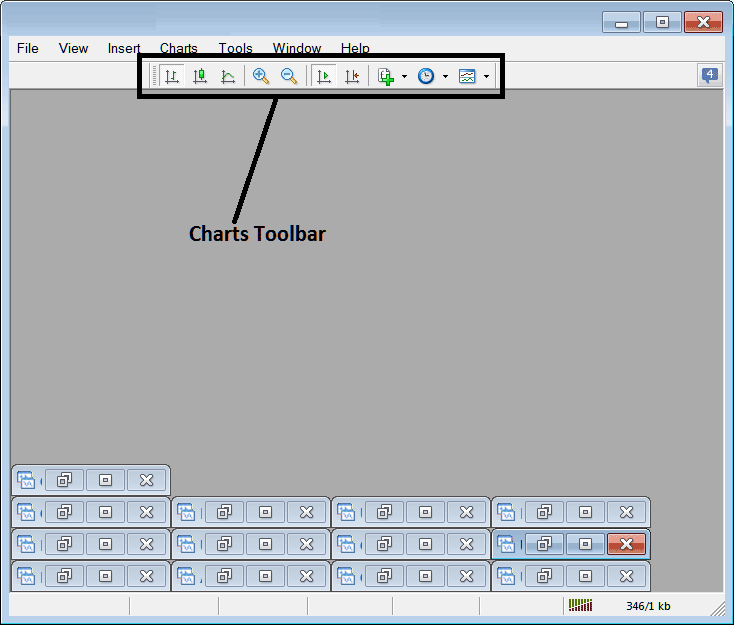
Before explaining how to use each item listed on this charts toolbar, let's make sure that all the available tools are added to it by customizing it:
- Right Click at the customize button key to the left of this MetaTrader 5 toolbar (Looks like a stack of coins) as displayed below.
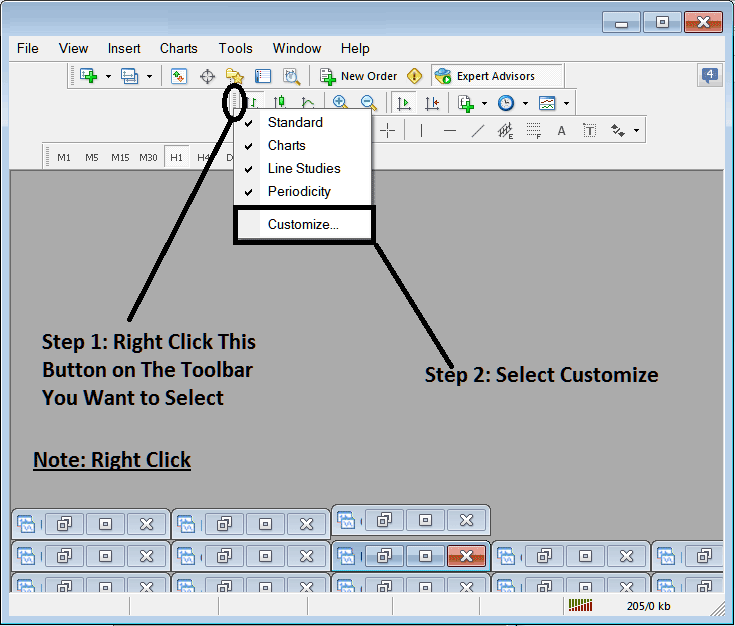
2. Click customize 3. Add all Tools
How to Customize
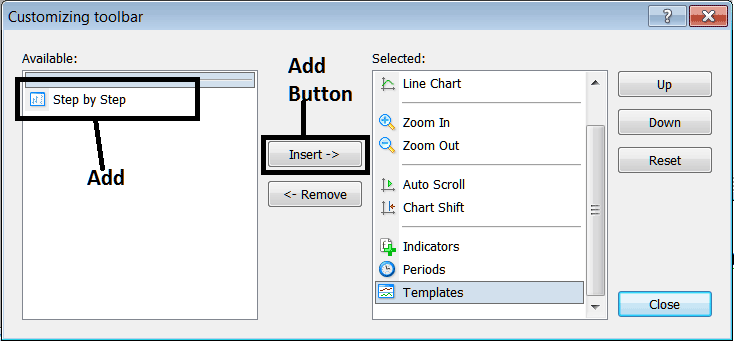
After adding the customize window panel will look like:
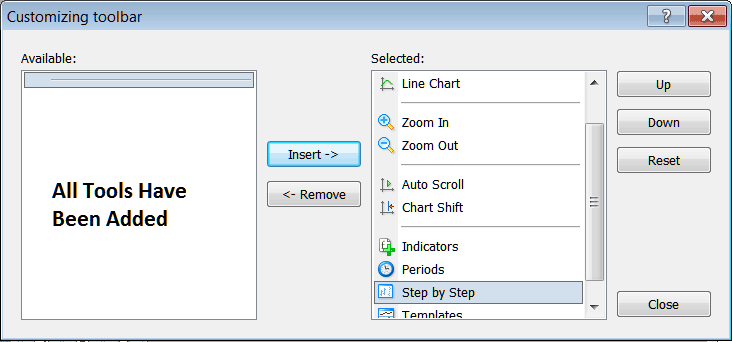
The MetaTrader 5 tool-bar will now look like:
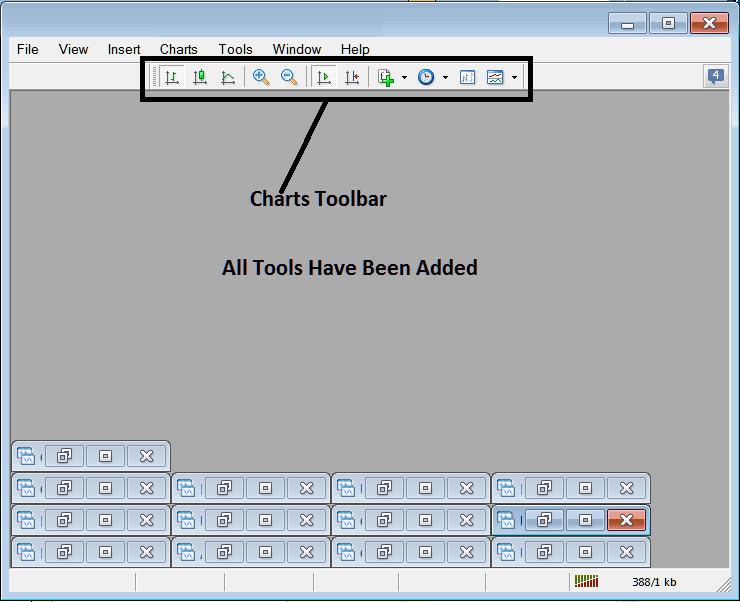
Explanations of Commodities Trading Tools Listed
The following guide explains how to trade with each of the buttons numbered below:

1: Bar button key, sets the chart drawing technique to Bars
2: commodity candles button key, sets the chart drawing technique to Candles
3: Line button, sets the chart drawing technique to Line plot
4: Zoom In, zooms in
5: Zooms Out, zooms out
6: Auto Zoom, automatically zooms the chart to highlight the most recent commodity trading price commodity candlesticks automatically once it has been clicked. That way the workspace of the commodity prices shows the real time candle that is being quoted in that moment.
7: Chart Shift, shifts the recent commodity trading price candlestick towards the center, therefore leaving space between the most recent candlestick and the extreme right side of the MT5 Commodity Trading Platform, making it easier for commodity technical analysis.
8: Indicators menu shows a list of all indicators & from this list a trader can select a particular indicator, double-click on it to place it on the trading panel.
9: Periodicity displays all the chart timeframes and a trader can change to a different timeframe for the from the one they are using by clicking this periodicity shortcut button key.
10: Commodity Step by Step is used to backtest manual commodity systems where a trader places their trading system on a commodities chart, moves it back for about 2 months, then begins to move it commodity trading step by step while at same time recording where their strategy would have given a buy signal or a sell signal or an exit trading signal, just the same way a trader would have traded real-time while the commodity prices update.
11: Templates Button Key used to save new templates & load templates which have been saved on the platform.
All the buttons provide short-cuts instead of traders looking for these option the long way using the main navigation menu, a trader just clicks a tool and gains quick access to it. The MT5 toolbar will mainly contain the tools that are frequently used by a trader within the MT5 Commodity Trading Platform.




