Analyze and Set a Pending Commodities Order in MetaTrader 4
How Do You Trade Commodities Trading and Set a Pending Commodities Order in MT4 Platform?
Setting Pending Commodities Orders
To Set a pending commodity order at another commodity price, Change the order panel 'Type' option from 'Market Execution' to 'Pending Commodity Order' as illustrated and shown below.
A menu list of commodities pending trade orders will pop up and show these following options.
- Buy Limit Commodity Trading Order
- Sell Limit Commodity Trading Order
- Buy Stop Commodities Trading Order
- Sell Stop Commodity Trading Order
These options for pending commodity orders are shown below:
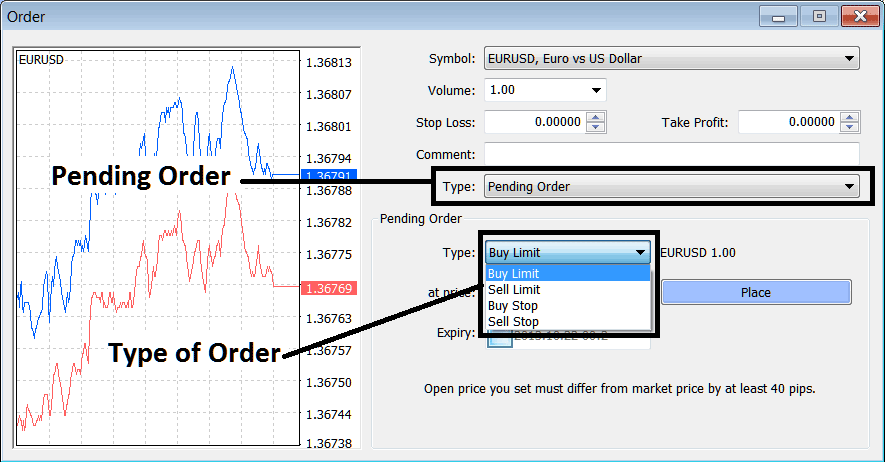
How to Set a Pending Commodities Order in MetaTrader 4 Software?
To learn how to set up these commodity pending orders read lessons:
Once you select the type of commodities pending trading order to set: then tap and click 'Place' button key as shown on above screenshot to complete pending commodity order trade setup.
To get the above trade order window on the MT4 Software:
The New commodity order button for placing a new commodities trade is displayed below. (MetaTrader 4 ShortCut 'F9')
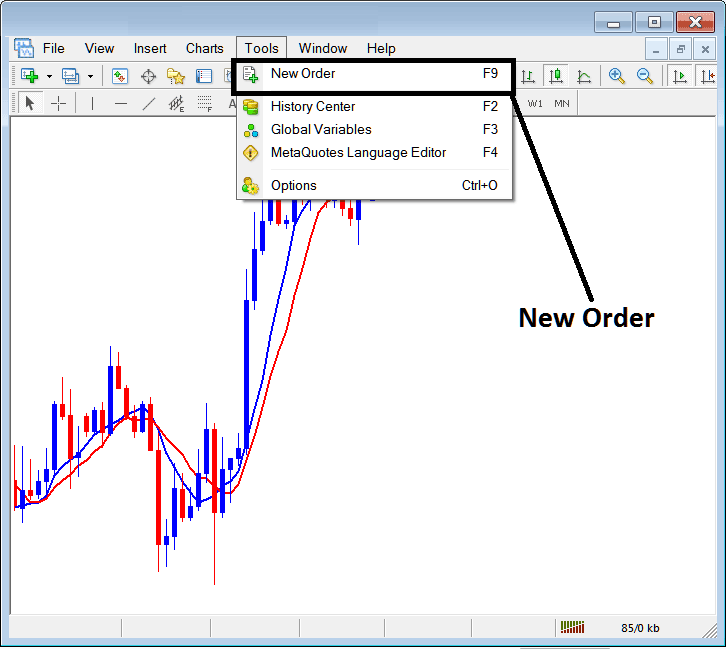
Commodity Trading Read and Set a Pending Commodities Order in MetaTrader 4 Software - How Do I Set a Pending Commodities Order in MetaTrader 4 Software?
Once you select the new commodity order button key as illustrated above the following commodity trade order window popup will appear & you as a trader can use this trade order popup to change order execution type from 'Market Execution' to 'Pending Commodity Trading Order".
This pop-up includes settings for placing a new commodity trade order as well as settings for setting Stop Loss Commodity Trading Order Level.
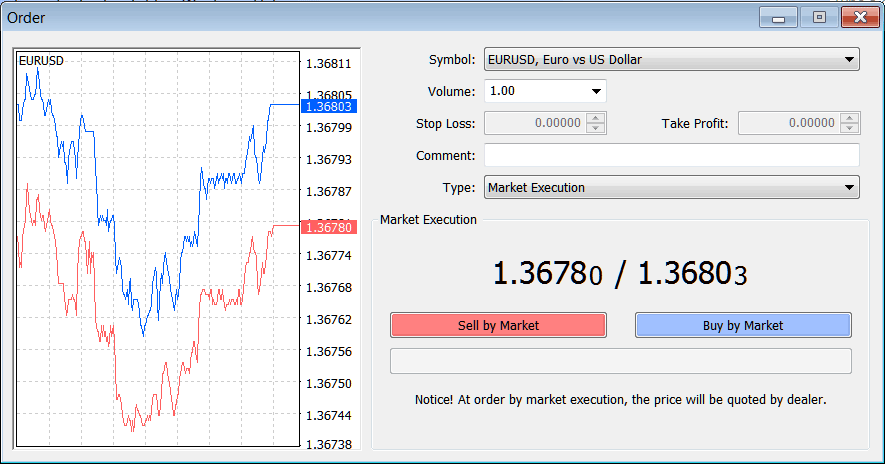
How Do I Trade Commodities Trading and Set a Pending Commodities Order in MetaTrader 4 Software?
Set a Pending Commodities Order in MetaTrader 4 Software?




