Trading Stocks Read and Save a Stocks Template on MT4 Platform
How Do I Save a Stocks Template on MT4 Platform?
MT4 Stocks Platform Tutorial - Trading Stocks Save Stock Chart Templates
Open the stocks charts you wish to trade. Once you set-up your stocks system on the stocks chart and as a trader you are ready to save these charts.
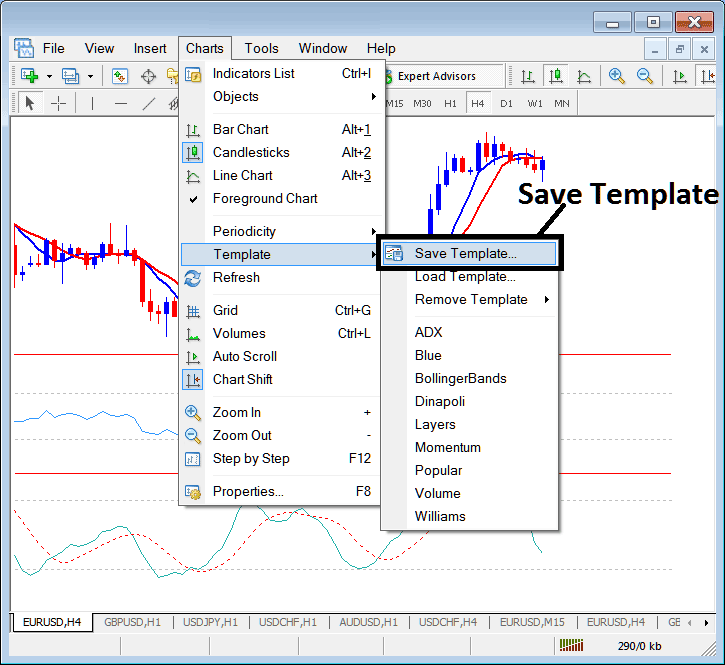
- Click 'Charts' Menu.
- Select "Templates".
- Select "Save Template".
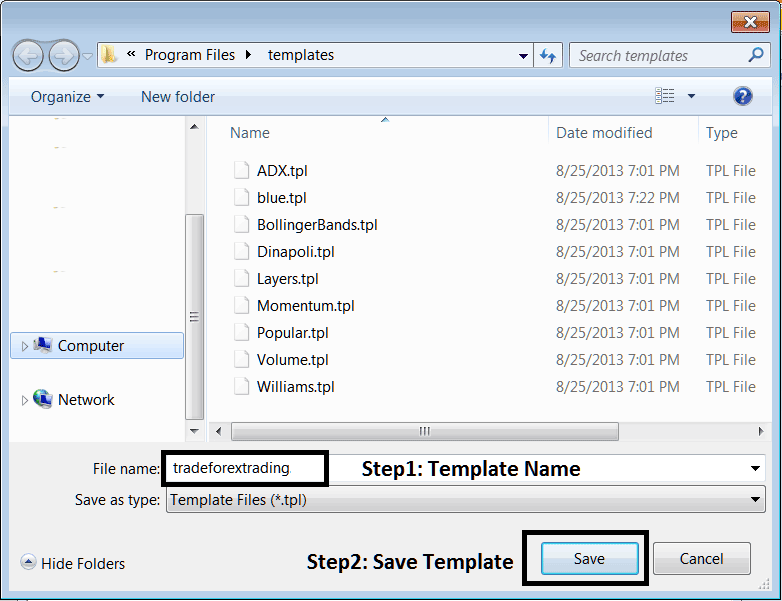
- Enter the name of "New Template".
Save Chart Templates on the Stock Charts Menu in The MT4 Stocks Platform
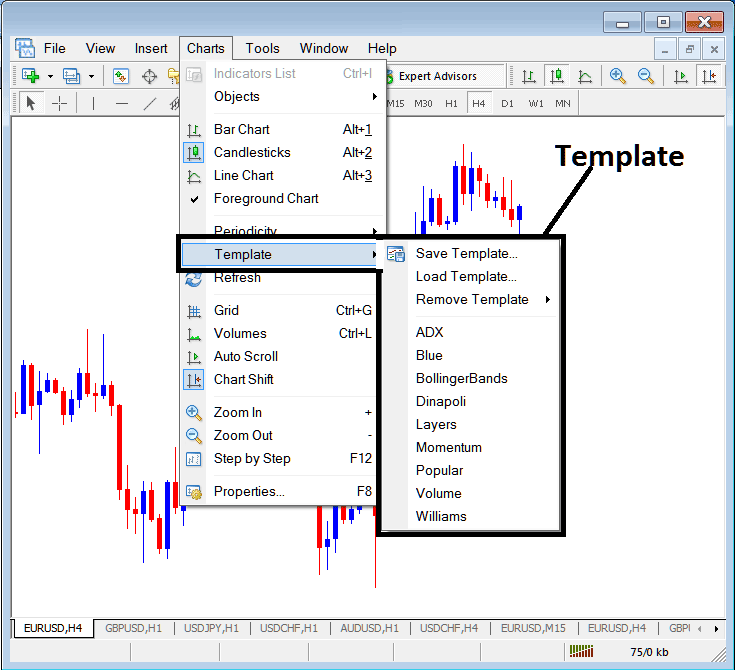
The MT4 chart templates option is provided within the charts menu on the MT4 stocks platform. The MT4 chart template is used by many traders to save their stocks systems, this way they can load the stocks system on a new stocks chart directly from this MetaTrader 4 stocks charts template option without having to put the stocks indicators one by one every time they open a new stocks chart.
The Chart Templates Option on MetaTrader 4 Software is Shown Below:
Read and Save a Stocks Template on MT4 Platform? - MetaTrader 4 Chart Templates
Save a Stocks System as a Template on Stock Trading Software
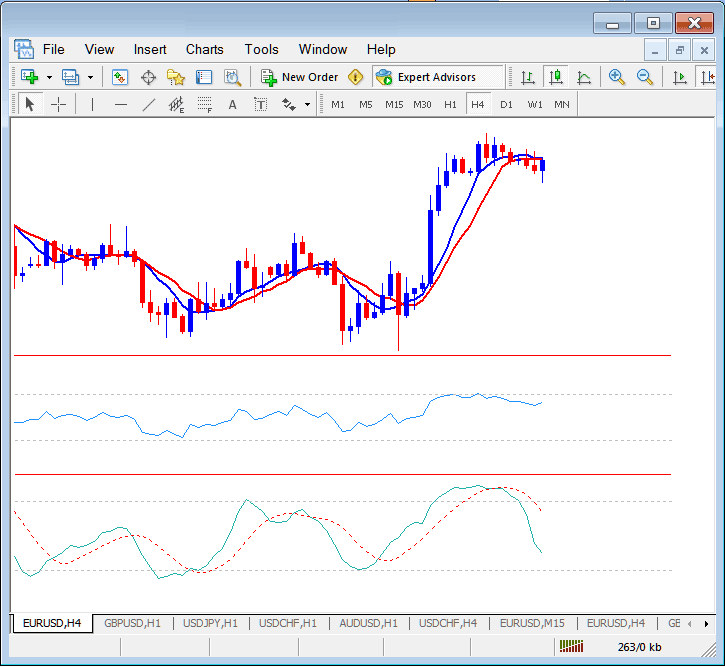
For example as a trader you might come up with a trading system shown below.
Read and Save a Stocks Template on MT4 Platform? - MetaTrader 4 Chart Templates
This system takes 5 minute to set up, It would take you 5 min to set it on every stocks chart you open. But the MT4 chart template will save you this time by saving this trading setup as template on MT4 Platform - and to place this template on another stocks chart you only need to load the template on the new stock trading chart.
To save the above stocks system as a MT4 template you will open the templates button within the charts menu on MT4 platform and use the save template option.
How Do You Save Stocks Template on MT4 Platform?
After choosing the save template button the following popup will appear and you as a trader can use save MetaTrader 4 chart template & give it a name as shown below.
How Do You Save Stocks Template on MT4 Platform?
The first step is to give MetaTrader 4 chart template a name, we name ours as tradeforextrading & click the save button.
Read and Save a Stocks Template on MT4 Platform? - MetaTrader 4 Chart Templates




