Chart Time Frames
MT4 Crude Oil Trading Chart Time Frames; Multiple Time Frame Indicator
Periodicity is commonly referred to as Crude Oil Trading Chart Time Frames by many crude oil traders. On the MT4 crude oil platform.
The button key below is used to choose the periodicity or oil chart timeframe to trade with. This button can be accessed on the MT4 platform as illustrated below.
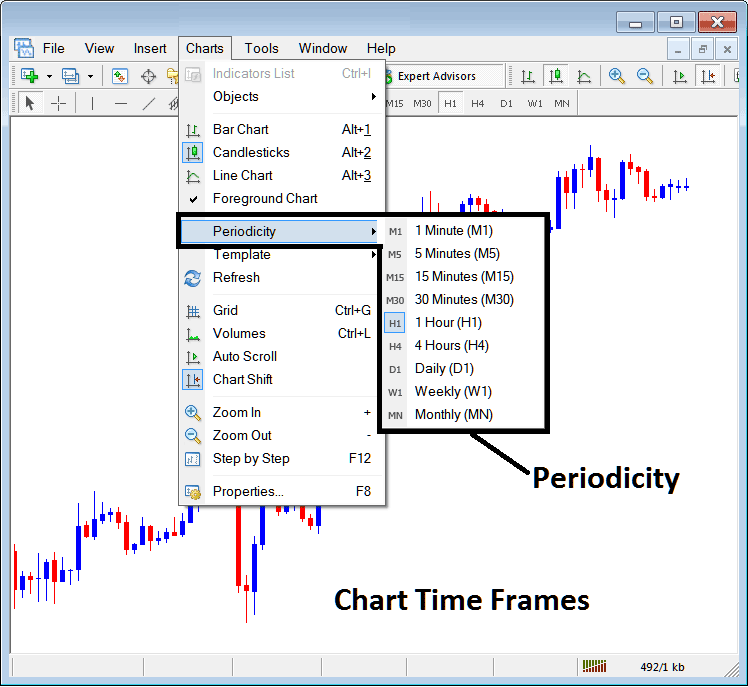
MT4 Crude Oil Chart Time Frames
On the MetaTrader 4 crude oil platform these oil chart timeframes are:
- 1 Minute Crude Oil Trading Chart Timeframe - M1
- 5 Min Crude Oil Trading Chart Timeframe - M5
- 15 Minute Crude Oil Chart Time-frame - M15
- 30 Min Crude Oil Trading Chart Time-frame - M30
- 1 Hour Crude Oil Trading Chart Timeframe - H1
- 4 Hours Crude Oil Chart Time-frame - H4
- Daily Crude Oil Trading Chart Time-frame - D1
- Weekly Crude Oil Chart Time-frame - W1
- Monthly Crude Oil Trading Chart Time-frame - MN
How to Know Which Crude Oil Trading Chart Time Frame You are Using
A common question especially if you're new to oil trading would be how to identify which oil chart timeframe you are using on your MT4 crude oil trading software:
There are various methods of knowing which MT4 oil chart timeframe you are using as Shown below:
Use the above Menu as Shown above
In the above crude oil trading example once you select the periodicity button under the charts menu, then the list of oil MT4 chart timeframes is shown and the crude oil chart timeframe that is currently selected, the one that you are using will be highlighted with a different color, on our above example this is the 1 Hour(H1) oil chart timeframe, whose Icon on the left is highlighted in light blue.
How to Use Periodicity Toolbar - MT4 Multiple Timeframes On One Chart
This MetaTrader 4 periodicity toolbar is by default located at the top of the MT4 crude oil trading platform & has all the crude oil chart timeframes marked as shown below. The chart timeframe that a trader is using will be marked differently from other oil chart timeframes, the selected oil chart timeframe will be "indented" as shown below:
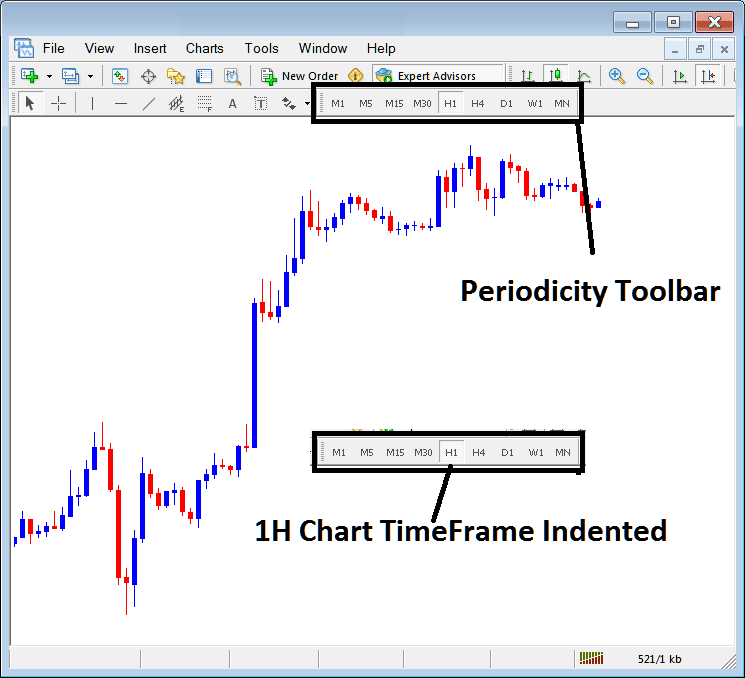
Use the data displayed at the top left corner to get MetaTrader 4 Crude Oil Chart Time-frame
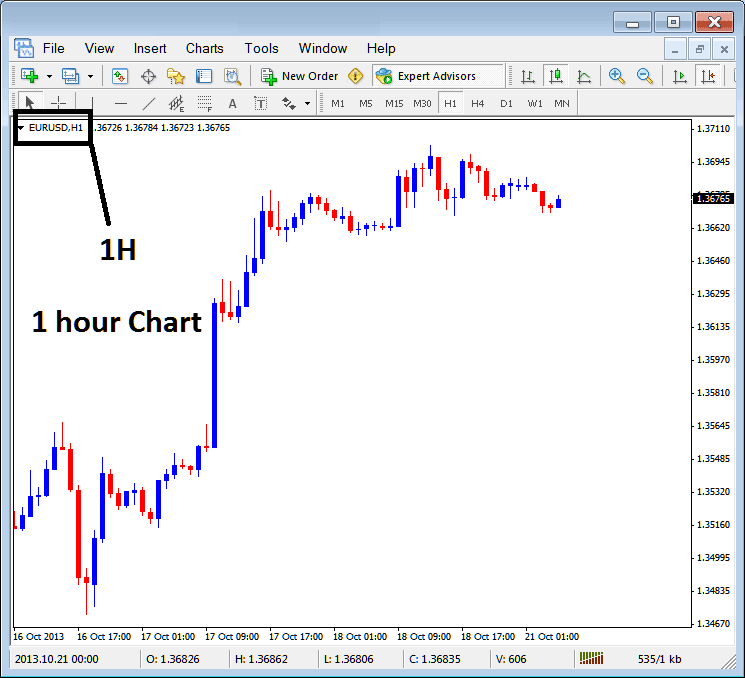
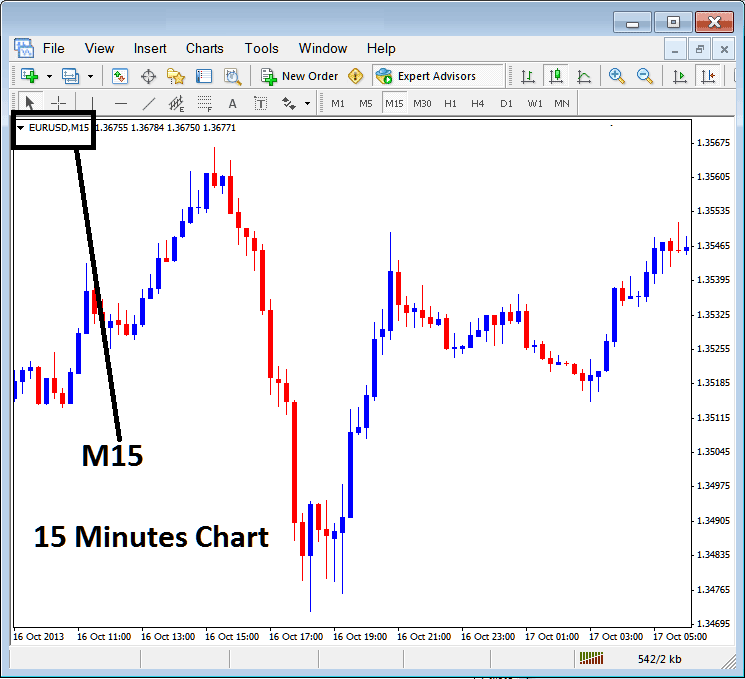
At the top left corner of MetaTrader 4 crude oil chart, MetaTrader 4 oil chart time-frame is displayed as shown below:
1 H MT4 Crude Oil Trading Chart Time-Frame
15 Min MT4 Crude Oil Trading Chart Time-Frame
When you open a oil chart you can then use the above three methods to know which periodicity - oil chart time frame you're trading with.
You can also use the tabs, if you are trading many oil charts. To view this tab, Go to "View Menu" then Select "Charts Bar". The following MT4 bar will appear that you can use to navigate and it indicates the crude oil as well as the crude oil chart timeframe.
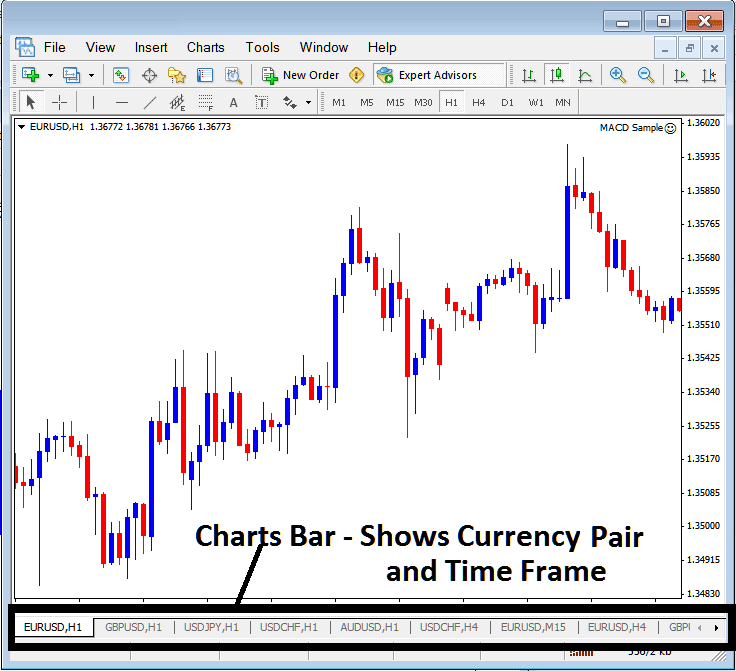
Navigation tabs in MetaTrader 4 software workspace.




