How Does MT4 Platform Calculate Lot Size for Mini Account?
How Do I Calculate Forex Lot Size for Mini Account on MetaTrader 4?
To calculate the lot size to open a forex trade with a trader will need to specify the Mini lot by choosing the trade order size a 0.1 lots before opening a forex trade transaction.
A trader will specify this using the trade order window on MT4 and select 0.1 trading volume as described on the example below:
To set these Mini lot forex orders in MetaTrader 4 Platform: open MT4, open a "forex chart", right-click on "forex chart', choose 'New Order', then choose order either sell or buy as shown below. (Short Cut Keys - Press F9). Select The Currency Symbol you want to trade for example EURUSD and then below the currency Quote, Choose trade 'Volume' as 0.1 to specify Mini Lot.
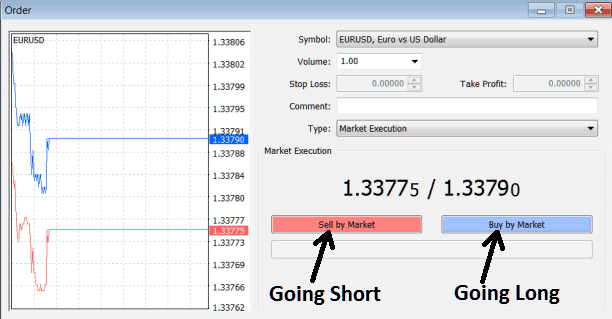
How to Open a Forex Mini Lot on MT4
How to Calculate Forex Lot Size for Mini Account in MT4.




