Inserting Line Studies Tools on the MT5 Platform
The next option on the Insert menu within the MT5 cfds software is the Line Studies Button. These tools are used to insert and draw cfd trend lines or to place various cfd technical analysis tools on CFD charts. This button is shown below:
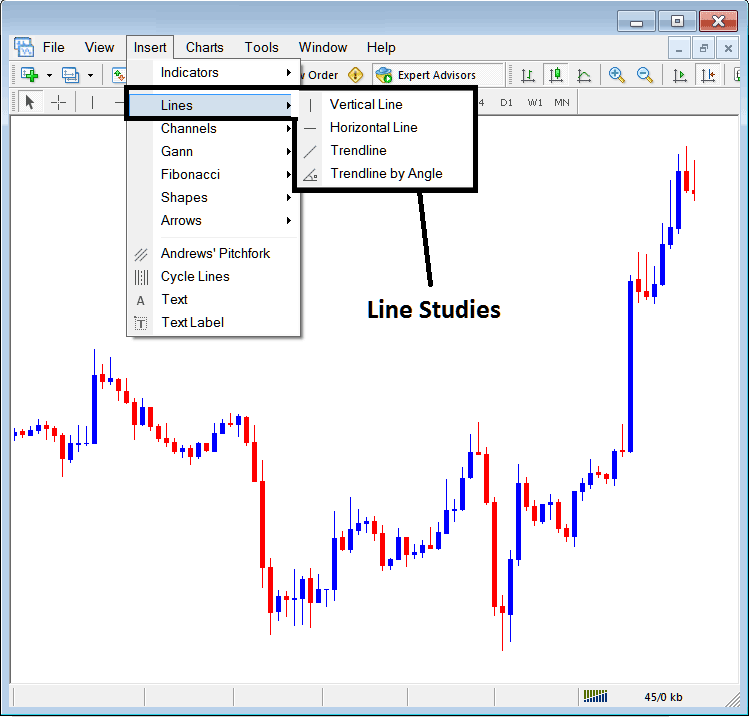
Line Studies on MetaTrader 5
The button can be used to insert the following on the CFD charts:
- Vertical Line
- Horizontal Line
- cfd trend Line
- cfd trend by Angle
A trader may need to draw any of these line studies on CFD charts for different purposes: each line study will be placed on the chart depending on the type of analysis that a trader want to achieve.
Vertical Line
This is placed on a CFD chart when a trader wants to mark a particular point in a cfd chart, maybe to mark the time they bought cfd trading instrument or sold cfd. To insert this vertical line on a CFDs chart, a trader will open the insert menu, as shown above, then click on 'Vertical Line' option - to select this, the cursor will also change to show vertical line icon, then select the point on the CFD chart where you want to draw this line.
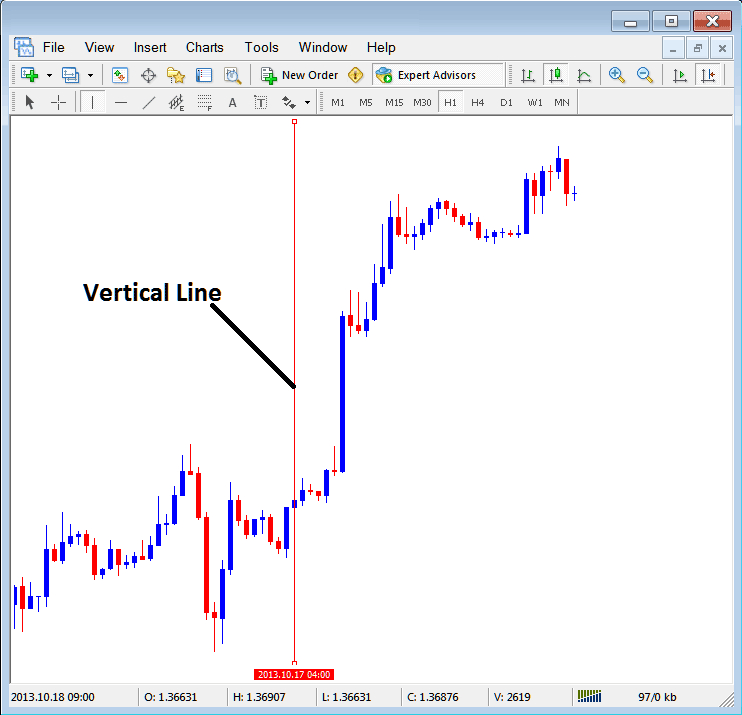
Insert a Vertical To a CFDs Chart on MT5
Horizontal Line
On MT5 CFD trade platform, this line is placed on a CFD chart so as to mark a resistance level or a support level on the cfds chart. The horizontal line can be drawn by selecting its button key within the insert menu & then clicking on the level where you want to place it.
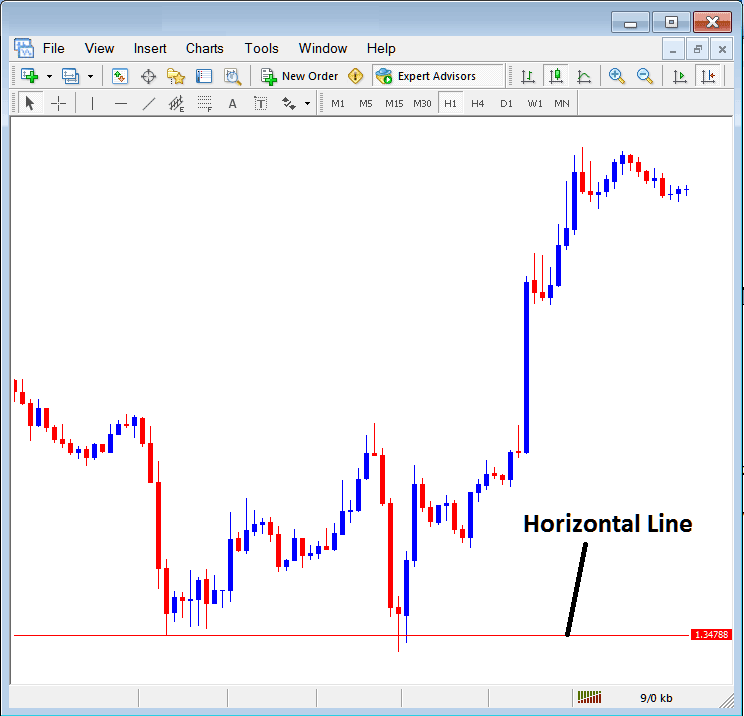
Drawing a Horizontal Line on MetaTrader 5
On the cfd example above this horizontal line is drawn at cfd price support point, the cfd price bounces up the second time that it gets to this point. The cfd trend then changes to upward cfd trend direction.
cfd trend Line
This is one of the most commonly used cfd technical analysis tool in cfds trading. To draw this cfd trend line a trader can access this button from the insert menu. An upwards cfd trend line in MetaTrader 5 software is shown below.
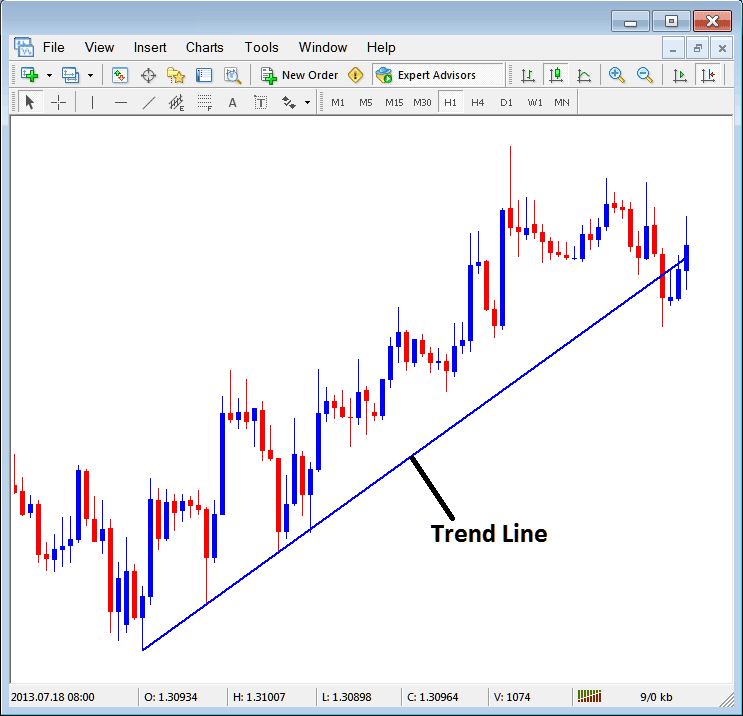
cfd trend Line Drawn on MT5
To draw a cfd trend line a trader has to have 2 points & join these points with the trend line & then extend it as displayed above.
A trader can draw this cfd trend line for either an upward cfd trend direction or downward cfd trend direction
cfd trend Line by Angle
The next option is to draw a cfd trend by angle, this one looks exactly like the ordinary cfd trend-line displayed above, only that in addition it'll show the angle at which the trend line is slanting which many cfds trades may use as a signal and specify to only trade if the angle is more than 30 degrees.
Customizing
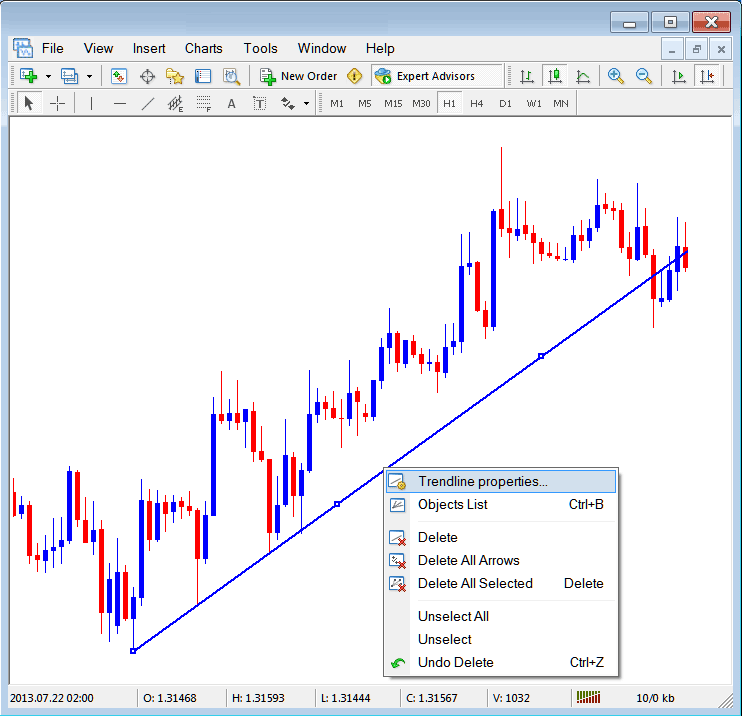
As a trader you may want to change the formatting of a particular item for examples let use " cfd trend Line" study, if you want to edit its properties then you can choose it by double-clicking on it, then right click on it & the following menu will show.
Changing
Common Properties
After the above menu appears (Note the trend line has three square points that you can click and drag with your mouse to adjust it to another point using these three squares), select the first option only " cfd trend line Properties", the following popup panel will appear.
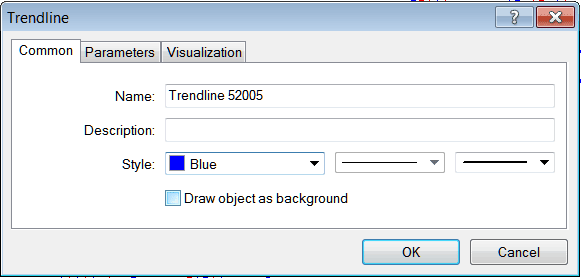
From this menu a trader can rename the trend line, give it a description, change the style color to another color using the down arrow next to the color named "Blue" above or change the width property by selecting a different style from the 2 drop down arrow MT5 buttons next to the color button, and then select okay.
The other options are marked 'Parameters' & 'Visualization'
Parameters
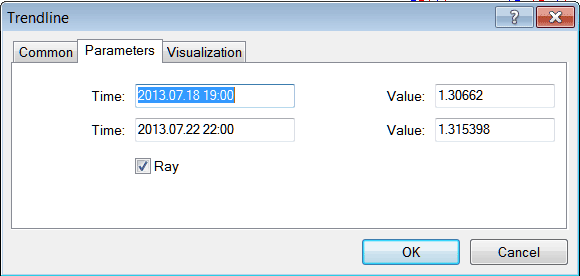
On the parameter, tick/untick the option marked as 'Ray', this will extend/unextend the trend-line up to the point where you have selected. Download the MetaTrader software to learn what this we are talking about.
Visualization
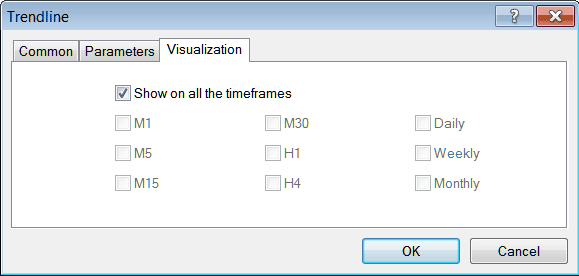
Visualization is used to choose whether the line is shown on all time-frames or only shown on a choose few time-frames that a trader can choose and select from This MT5 option as shown below.
Customizing Tools MT5 Studies




