CFD Trend Line Break out Indicator on MetaTrader 4
Examples of CFD Trendline Indicators on CFD Charts:
Guide: How to Draw Upwards Trendline Breakout Indicator
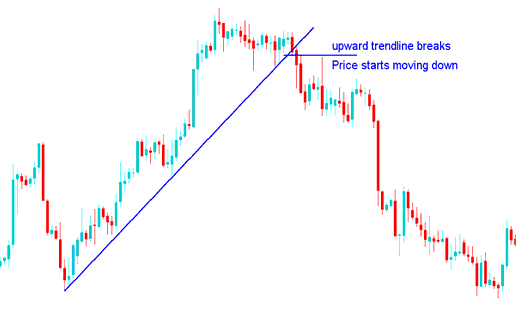
CFD Trend Line Indicator Free Download on MT4
Tutorial: How to Draw Downwards Trendline Breakout Indicator
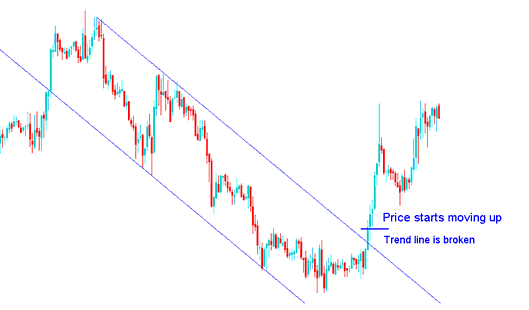
CFD Trend Line Indicator Free Download on MT4
Drawing MT4 Trendline Breakout Indicator MetaTrader 4
The tools to draw Trendline Breakout Indicator MT4 setups on the MT4 are located on the MT4 drawing toolbar within the MetaTrader 4, To access this MT4 CFDs Charts toolbar to setup the Trendline Breakout Indicator MT4 if it is not activated on your MetaTrader 4 software, Click in "View" Next to "File" menu at the tops left corner of the MT4 and click View, Then Click on Tool-bars, Then Check the "Lines Toolbar" by clicking on it.
CFDs MT4 Trendline Break out Indicator MetaTrader 4
Below is an example of the MT4 Trendline Breakout Indicator MT4. To draw a CFD Trendline on a cfd chart just click this Trendline Breakout Indicator MT4 drawing tool and select the point where you want to plot the CFD Trend Line on the MT4 CFDs Chart.
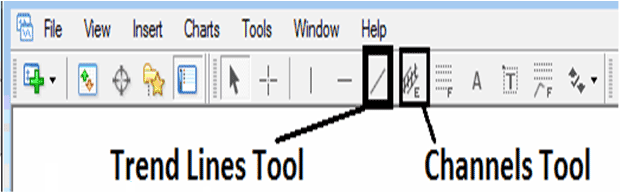
CFD Trend Line Indicator Free Download on MT4




