Trading Bitcoin Register and Bitcoin Sign in to Bitcoin Trading Account
How to Login to Bitcoin Trading Account
To sign in to your MetaTrader 4 bitcoin trading account: Open the MetaTrader 4 platform and at the tops left corner of MT4 click "File" button key then click Login as shown below:
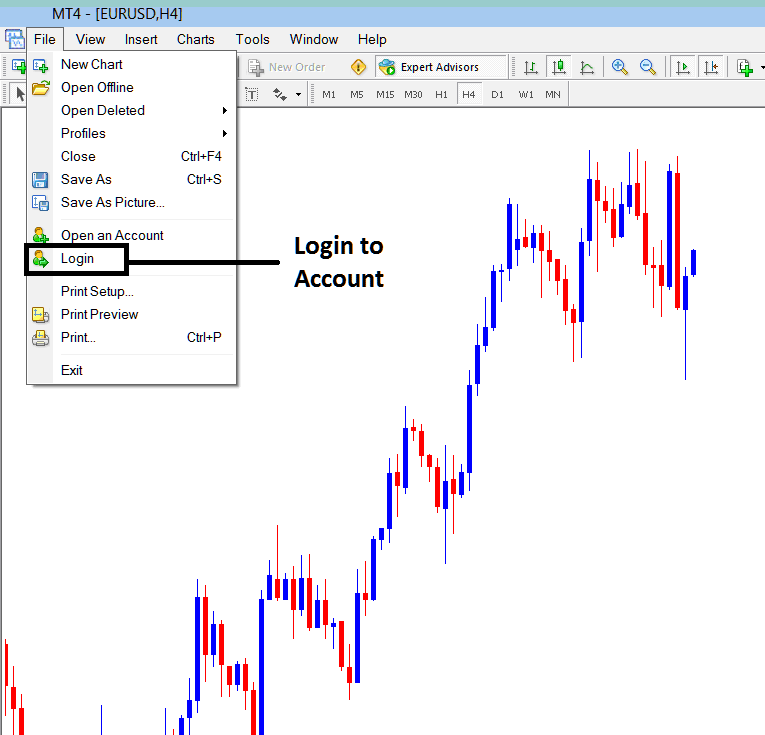
Login to Bitcoin Practice Account on MetaTrader 4 Software
The following MetaTrader 4 popup widow will popup prompting you to enter your crypto login details and bitcoin trading password. Enter the crypto login and bitcoin trading password details as shown below and save the crypto login information by checking the "save account information" button so that there is no need to retype the next time you want to crypto login to your MT4 software.
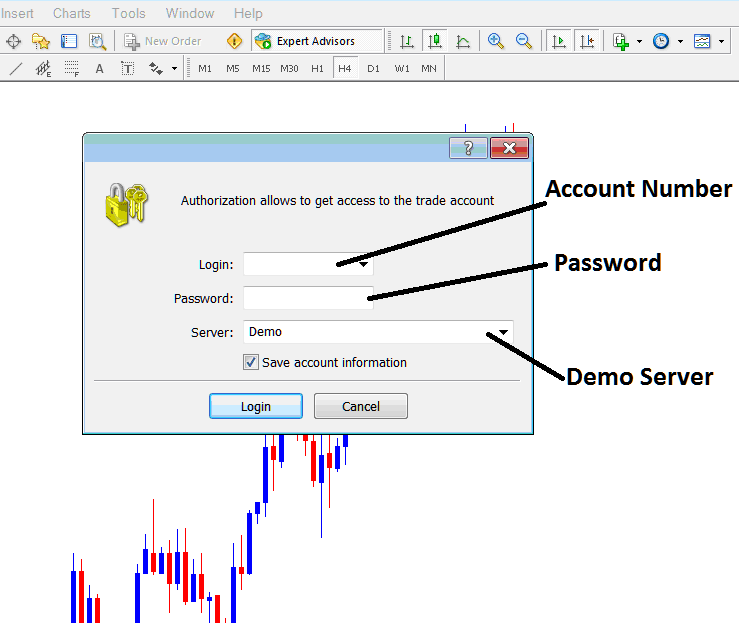
Bitcoin Sign in to Bitcoin Account in MT4
Enter crypto log in details as below and login
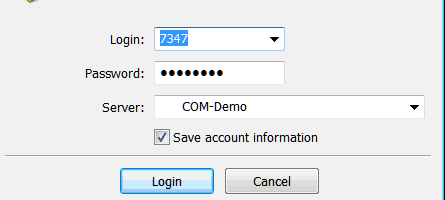
Crypto Trading Log in to Practice Crypto Trading Demo Account