How to Add Relative Vigor Index Indicator on MetaTrader 4 Charts - Adding MT4 RVI Indicator
Step 1: Open Navigator Window Panel on FX Trading Platform
Open Navigator window as shown & illustrated below: Go to "View" menu (click on it), then select "Navigator" window (click), or From Standard Tool Bar click the "Navigator" button or press keyboard short cut keys "Ctrl+N"
On Navigator window, select 'Technical Indicators', (DoubleClick)
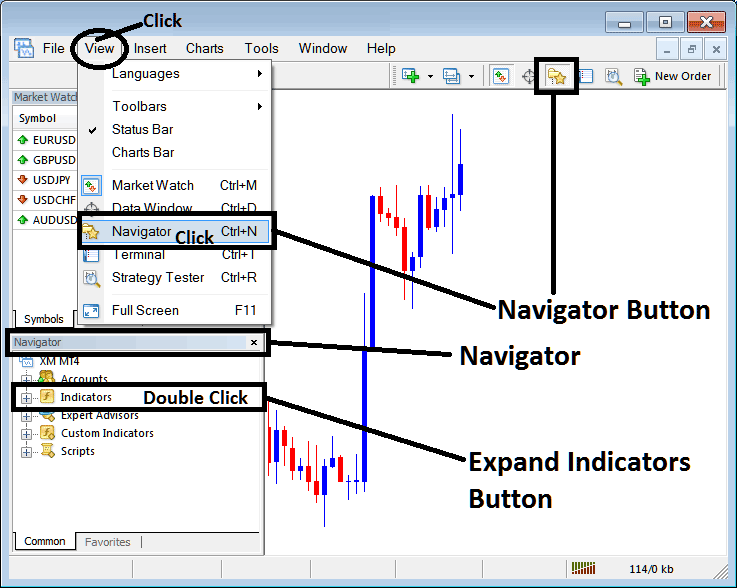
How to Add Relative Vigor Index RVI Indicator on MetaTrader 4 - MT4 Relative Vigor Index RVI Technical Indicator
Step 2: Expand the Indicators Menu on the Navigator - Adding Relative Vigor Index RVI MT4 Indicator
Expand the menu by clicking the expand button marker (+) or double click the "indicators" menu, after this the button will appear as (-) and will now display a list as shown below - select the Relative Vigor Index RVI forex chart indicator from this list of forex indicators so as to add the Relative Vigor Index RVI forex indicator on the forex chart.
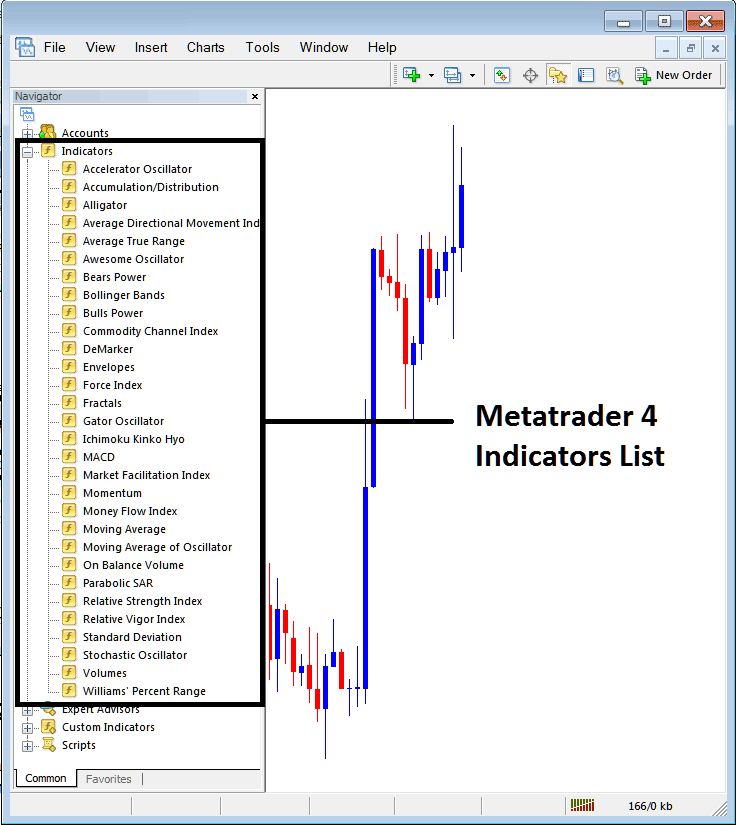
How to Add Relative Vigor Index RVI Indicator - From the Above window you can then place Relative Vigor Index RVI indicator that you want on the Forex chart
How to Add Custom Relative Vigor Index RVI Indicator to MT4
If the technical indicator you want to add is a custom indicator - for example if the Relative Vigor Index RVI technical indicator you want to add is a custom indicator you will need to first add this custom Relative Vigor Index RVI indicator on the MetaTrader 4 platform & then compile custom Relative Vigor Index RVI indicator so that the newly added Relative Vigor Index RVI custom indicator pops up on the list of custom indicators in MetaTrader 4 software.
To learn how to install Relative Vigor Index RVI indicators on MT4, how to add Relative Vigor Index RVI indicator window to MT4 and how to add Relative Vigor Index RVI custom indicator in MT4 - How to add a custom Relative Vigor Index RVI forex indicator in MetaTrader 4.
About Relative Vigor Index RVI Technical Indicator Tutorial PDF
RVI Technical Analysis & Relative Vigor Index Signals
Developed by John Ehlers
The Relative Vigor Index combines the older concepts of technical analysis with modern digital signal processing theories and filters to create a practical and useful indicator.
The basic principle behind it's simple -
- Prices tend to close higher than they open in up-trending markets and
- Prices close lower than they open in down-trending markets.
The momentum (vigor) of the move will therefore established by where the prices end up at the close of the candle. The Relative Vigor Index plots 2 lines the RVI Line and the signal Line.
The RVI index is essentially based on measuring of the average difference between the closing and opening price, & this value is then averaged to the mean daily trading range and then plotted.
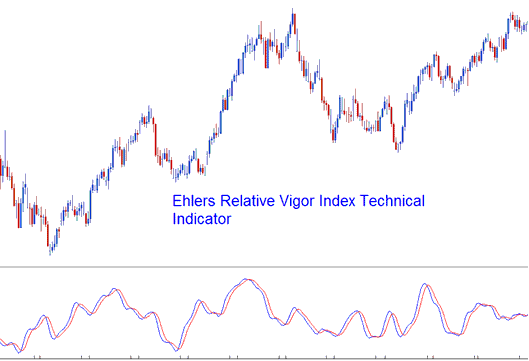
This makes the index a responsive oscillator that has quick turning points which are in phase with the market cycles of prices.
FX Technical Analysis & Generating Signals
The Relative Vigor Index is an oscillator. The basic technique of interpreting the index is to use the crossovers of the RVI and the SignalLine. Signals are generated when there is a cross-over of the 2 lines.
Bullish Signals - a buy signal occurs when the RVI crosses above the Signal-Line.
Bearish Signals - a sell signal occurs when the RVI crosses below the Signal-Line.
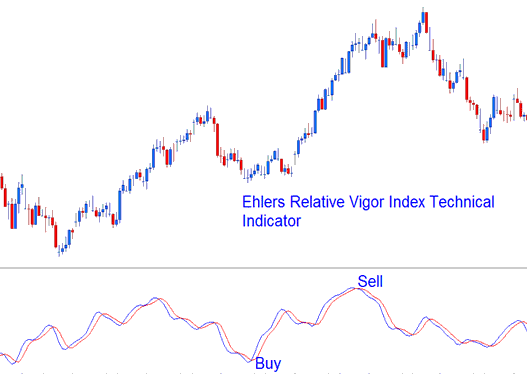
Buy and sell signals generated using the cross over technique




