How to Add Keltner Bands Indicator on MetaTrader 4 Charts
Step 1: Open Navigator Window Panel on FX Trading Platform
Open Navigator window as shown & illustrated below: Go to "View" menu (click on it), then select "Navigator" window (click), or From Standard Tool Bar click the "Navigator" button or press keyboard short cut keys "Ctrl+N"
On Navigator window, select 'Technical Indicators', (DoubleClick)
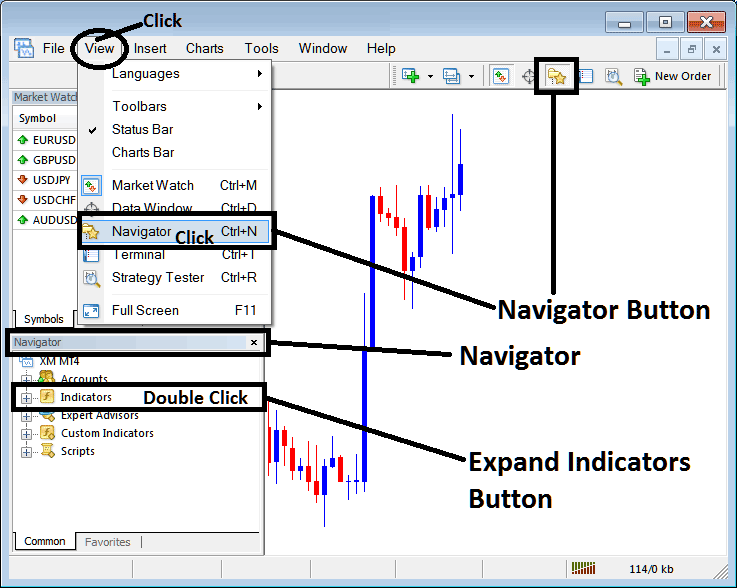
How to Add Keltner Bands Indicator on MetaTrader 4 - MT4 Keltner Bands Technical Indicator
Step 2: Expand the Indicators Menu on the Navigator - Adding Keltner Bands MT4 Indicator
Expand the menu by clicking the expand button marker (+) or double click the "indicators" menu, after this the button will appear as (-) and will now display a list as shown below - select the Keltner Bands forex chart indicator from this list of forex indicators so as to add the Keltner Bands indicator on the forex chart.
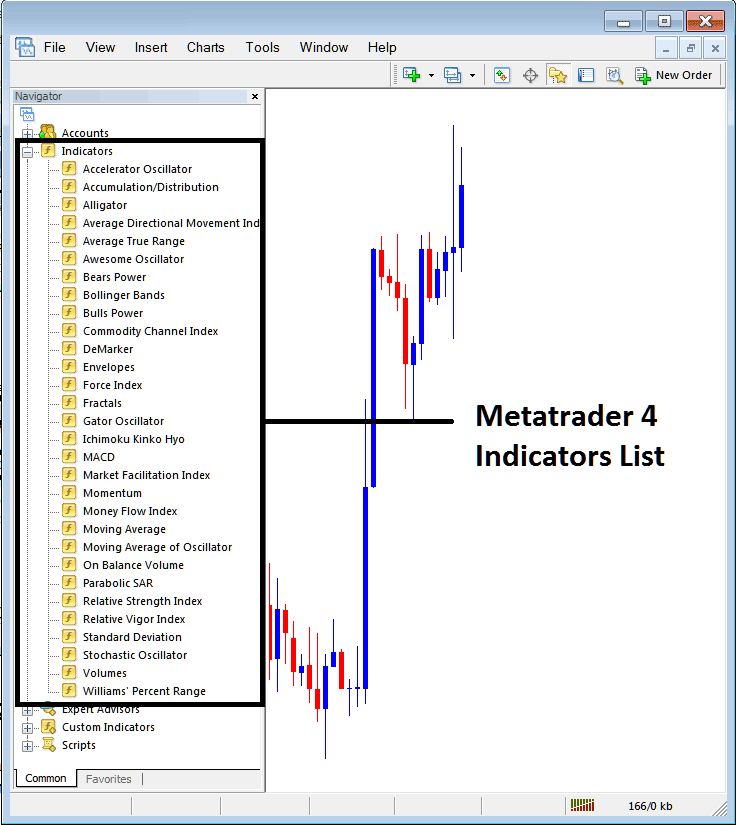
How to Add Keltner Bands Indicator - From the Above window you can then place Keltner Bands indicator that you want on the Forex chart
How to Add Custom Keltner Bands Indicator to MT4
If the technical indicator you want to add is a custom indicator - for example if the Keltner Bands technical indicator you want to add is a custom indicator you will need to first add this custom Keltner Bands indicator on the MetaTrader 4 platform & then compile custom Keltner Bands indicator so that the newly added Keltner Bands custom indicator pops up on the list of custom indicators in MetaTrader 4 software.
To learn how to install Keltner Bands indicators on MT4, how to add Keltner Bands indicator window to MT4 and how to add Keltner Bands custom indicator in MT4 - How to add a custom Keltner Bands indicator on MetaTrader 4.
About Keltner Bands Technical Indicator Tutorial Explained
Keltner Bands Technical Analysis & Keltner Bands Signals
Created by Chester Keltner. Described in his book "How to Make Money in Commodities"
Keltner Bands are based on ATR technical indicator, the bands use ATR values to plot the bands lines.
These Bands form Channels which help to spot the forex market trends using this simple volatility channel.
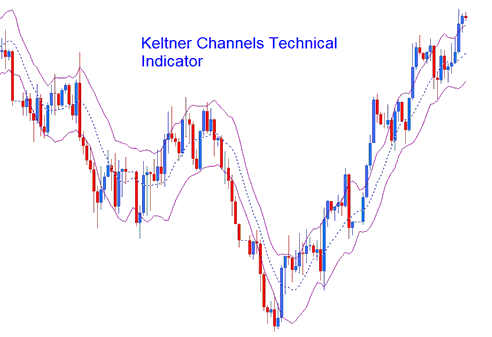
Keltner Bands
Construction
Keltner Channels are similar to Bollinger Bands except for the fact that Bollinger Bands use standard deviation method to determine volatility and to plot the bands.
For the keltner bands instead of using the standard deviation the average true range (ATR) measure of volatility is used.
This indicator is an n number of periods exponential moving average of the closing price. These bands are created by
Adding (for the upper line) and
Subtracting (for the lower line)
An (n-period simple moving average of an n-period ATR) * an ATR multiplier.
FX Technical Analysis & Generating Signals
This indicator can be traded in much the same way as a Bollinger Bands.
Continuation FX Signals
When price moves outside the bands then a continuation of the current Forex trend is implied. A buy signal is when the channels are moving upwards and sell signal is when the channels are moving downwards
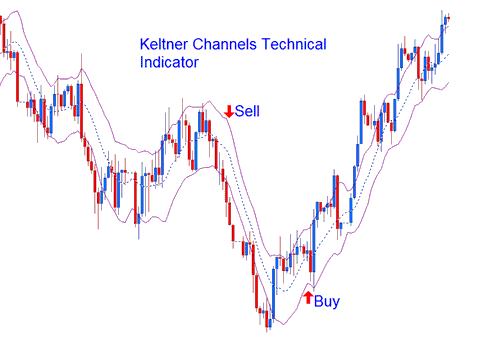
Continuation Buy Sell Signals
Reversal Forex Trading Signals - Double Top and Double Bottoms Trading Patterns
Tops and Bottoms made outside the bands followed by tops and bottoms made inside the Keltner channels indicate signal for reversals in the market trend.
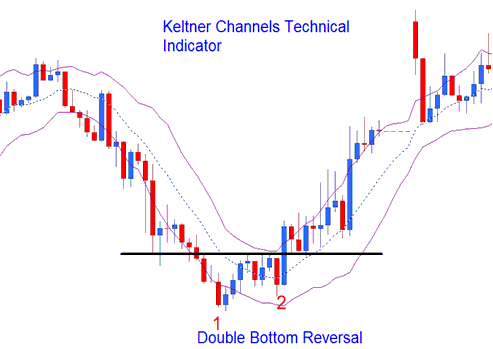
Reversal Signals
Ranging Currency Markets
In ranging markets a move that originates from one Keltner channel tends to go all the way to the other channel.




