How to Add Chande Trendscore Indicator on MetaTrader 4 Charts
Step 1: Open Navigator Window Panel on Forex Trading Platform
Open Navigator window as shown & illustrated below: Go to "View" menu (click on it), then select "Navigator" window (click), or From Standard Tool Bar click the "Navigator" button or press keyboard short cut keys "Ctrl+N"
On Navigator window, select 'Technical Indicators', (DoubleClick)
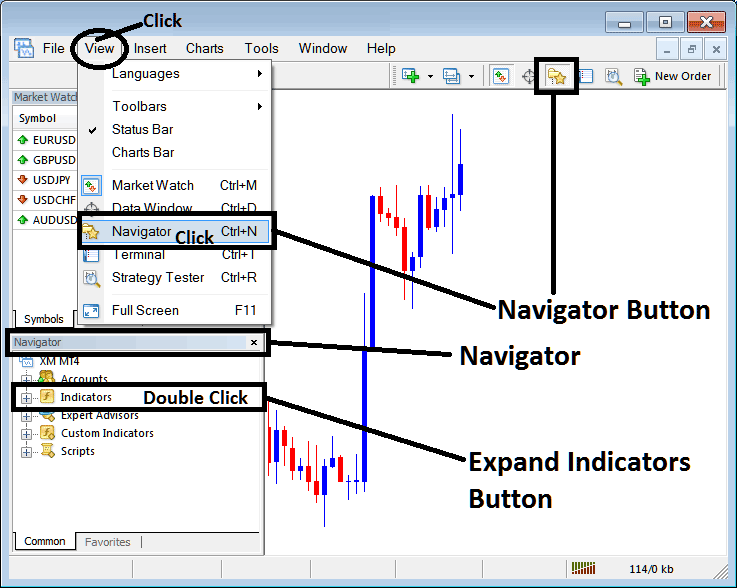
How to Add Chande Trendscore Indicator on MetaTrader 4 - MT4 Chande Trendscore Technical Indicator
Step 2: Expand the Indicators Menu on the Navigator - Adding Chande Trendscore MT4 Indicator
Expand the menu by clicking the expand button marker (+) or double click the "indicators" menu, after this the button will appear as (-) and will now display a list as shown below - select the Chande Trendscore forex chart indicator from this list of forex indicators so as to add the Chande Trendscore forex indicator on the forex chart.
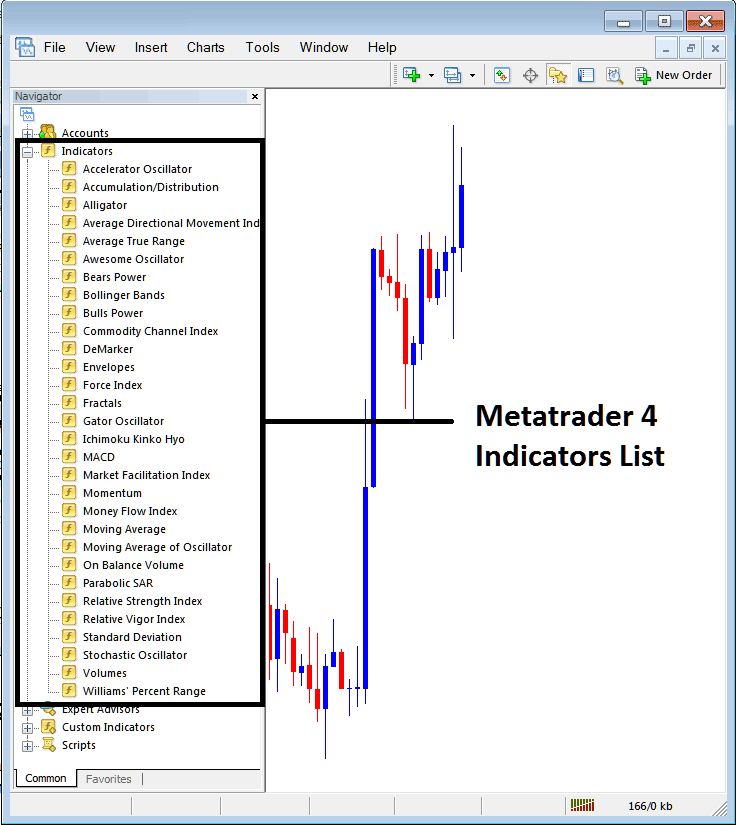
How to Add Chande Trendscore Indicator - From the Above window you can then place Chande Trendscore indicator that you want on the Forex chart
How to Add Custom Chande Trendscore Indicator to MT4
If the technical indicator you want to add is a custom indicator - for example if the Chande Trendscore technical indicator you want to add is a custom indicator you will need to first add this custom Chande Trendscore indicator on the MetaTrader 4 platform & then compile custom Chande Trendscore indicator so that the newly added Chande Trendscore custom indicator pops up on the list of custom indicators in MetaTrader 4 software.
To learn how to install Chande Trendscore indicators on MT4, how to add Chande Trendscore indicator window to MT4 and how to add Chande Trendscore custom indicator in MT4 - How to add a custom Chande Trendscore forex indicator in MetaTrader 4.
About Chande Trendscore Technical Indicator Described
Chande Trendscore Technical Analysis and Chandes Trendscore Signals
Developed by Tushar Chande
This indicator attempts to make a quantitative and qualitative determination of the direction and strength of a market trend by comparing the current close price to previous closing prices over the last 20 periods.
Chandes Trendscore is an oscillator, oscillating between +10 and -10 with Zero being the mid point.
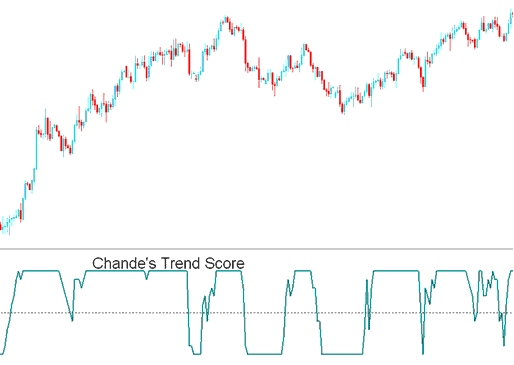
Chande's Trendscore
Forex Technical Analysis & How to Generate Signals
Buy Forex Signal
A value of above Zero signify and show an upward trend of varying strength
A value of +10 indicates a strong trending upward market
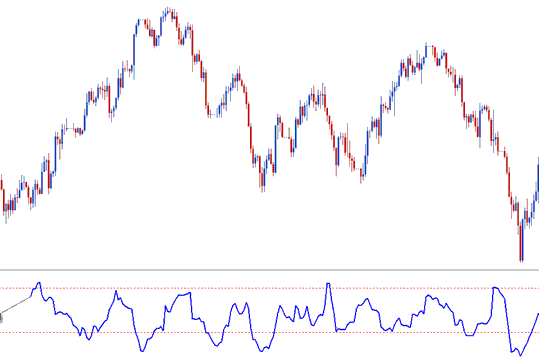
Buy Trading Signal
Sell Forex Signal
A value of below Zero indicates a downwards trend of varying strength
A value of -10 indicates a strong trending downwards market
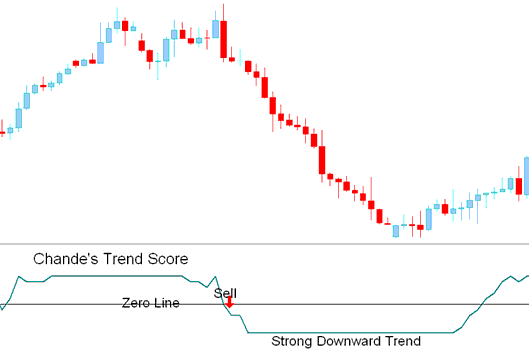
Sell Trading Signal




