How to Add Trailing Stop Loss Levels Indicator in MT4 Charts
Step 1: Open Navigator Window on CFD Trading Software
Open Navigator panel as shown and illustrated below: Navigate to "View" menu (click on it), then select "Navigator" window (click), or From Standard Toolbar click the "Navigator" button or press key-board short-cut keys "Ctrl+N"
On Navigator window, select 'Technical Indicators', (Double-Click)
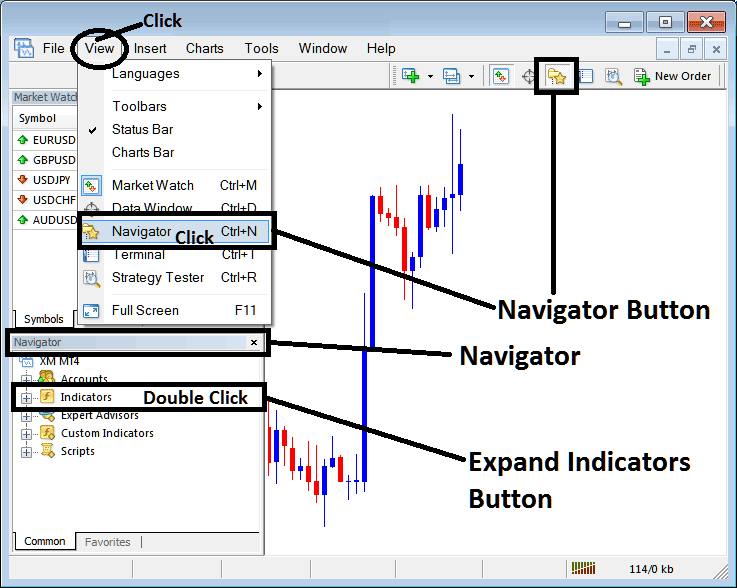
How to Add Trailing Stop Loss Levels Indicator in MT4 - MT4 Trailing Stop Loss Levels Technical Indicator
Step 2: Expand the Indicators Menu on the Navigator - Adding Trailing Stop Loss Levels MT4 Indicator
Expand the menu by clicking the expand button marker (+) or double click the "indicators" menu, after this the button will appear as (-) and will now display a list as shown below - select the Trailing Stop Loss Levels cfds chart indicator from this list of cfds indicators so as to add the Trailing Stop Loss Levels indicator on the cfd trading chart.
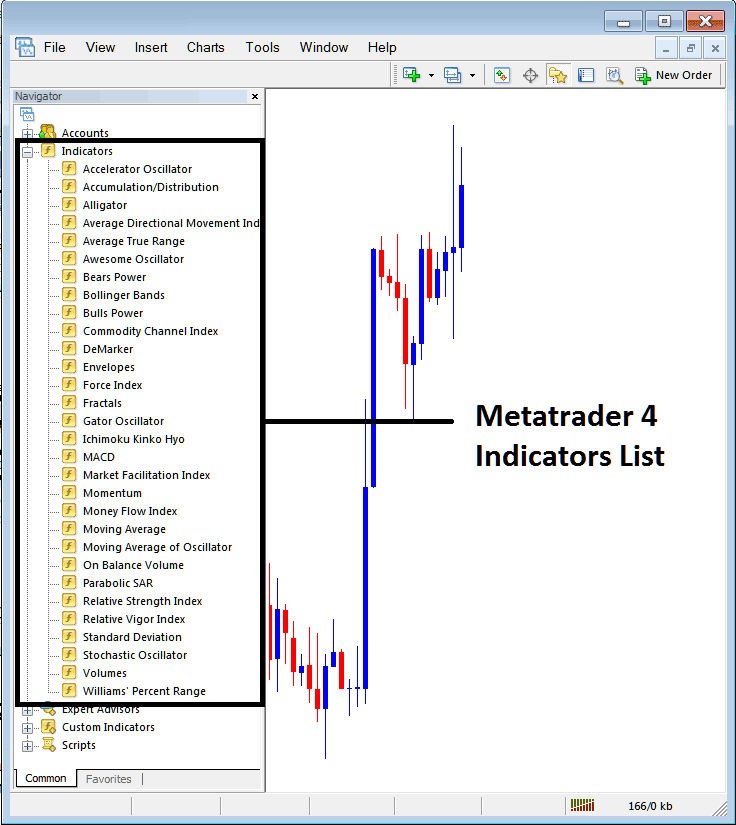
How to Add Trailing Stop Loss Levels Indicator - From the Above window you can then place Trailing Stop Loss Levels indicator that you want on the CFDs chart
How to Add Custom Trailing Stop Loss Levels Indicator to MT4
If the technical indicator you want to add is a custom indicator - for example if the Trailing Stop Loss Levels technical indicator you want to add is a custom indicator you will need to first add this custom Trailing Stop Loss Levels indicator on the MT4 software & then compile the custom Trailing Stop Loss Levels indicator so that the newly added Trailing Stop Loss Levels custom indicator appears on the list of custom indicators on the MT4 platform.
To learn how to install Trailing Stop Loss Levels indicators on MT4, how to add Trailing Stop Loss Levels indicator window to MT4 and how to add Trailing Stop Loss Levels custom indicator on MetaTrader 4 - How to add a custom Trailing Stop Loss Levels cfd indicator in MT4.
About Trailing Stop Loss Levels Technical Indicator Tutorial PDF
Trailing Stop Loss Levels CFDs Technical Analysis Trading Signals
Developed by Tushar Chande.
This is a volatility based indicator that is used to estimate levels to set stop loss levels. The distance at which it estimates the trailing stop level is determined based on market volatility.
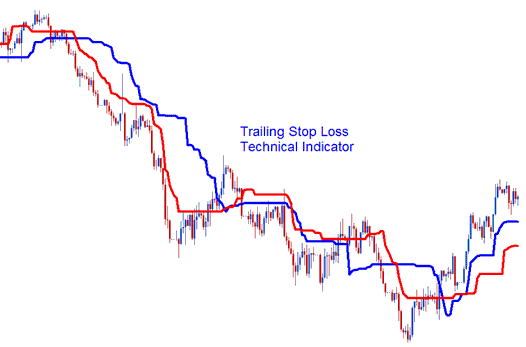
The Levels of the two lines, these 2 lines represent:
- Long Stop Level - Blue Line
- Short Stop Level - Red Line
Long stop level line has a much wider range in terms of where it trails stop-loss as compared to the short stop level that implements a tight stop-loss.
This indicator is volatility based when it comes to trailing and following the price action. Trailing Stop Levels will trail the above the price in a downward market trend and trails below the price in an upward market trend.
CFD Technical Analysis & Generating Trading Signals
These will be calculated using volatility to calculate where to plot the indicator - this is used to determine what levels to set stop losses.
Upwards CFDs Trading Trend
In an upward trend these levels will follow below the cfd price. The trader can use either the short stop level line to set up a tight stop or the long stop level to set a stop loss that is not very tight. As the price goes higher the trailing level also goes higher. An exit signal is generated when price crosses below these levels.
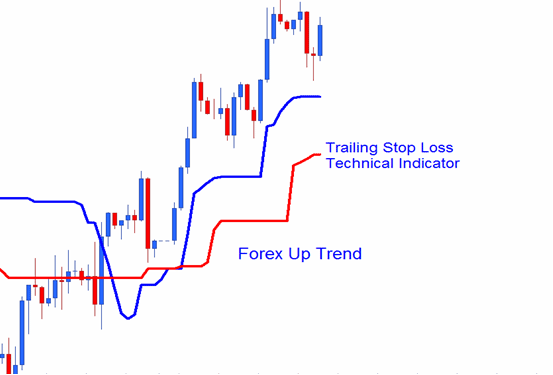
CFDs Uptrend
Downwards CFD Trading Trend
In a downwards trend the stop loss levels will trail above the cfd price this two levels can be used to set these levels. As the price drops further these levels will continue to drop lower and follow the price lower. An exit signal is generated when price crosses above these levels.
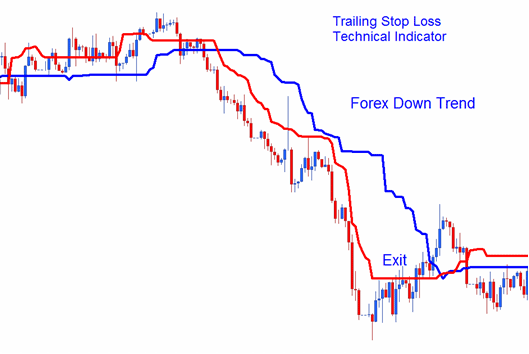
CFDs Downtrend
When price starts to retrace these levels will not retrace but will remain at their levels, this will mean at some point the trade will be closed by the trailing stop loss.




