How to Add T3 Moving Average Technical Indicator in MT4 Charts
Step 1: Open Navigator Window Panel on CFDs Trading Software
Open Navigator window panel as illustrated below: Navigate to 'View' menu (click on it), then select 'Navigator' window panel (click), or From Standard Toolbar click the 'Navigator' button key or press keyboard shortcut key 'Ctrl+N'
On Navigator window, choose 'Technical Indicators', (Double-Click)
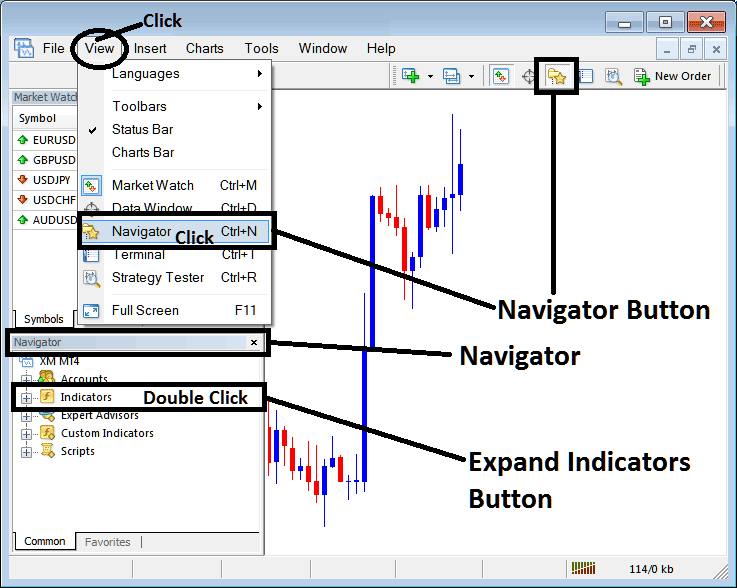
How to Add T3 Moving Average Technical Indicator in MT4 - MT4 T3 Moving Average Technical Indicator
Step 2: Expand the Indicators Menu on the Navigator - Adding T3 Moving Average MT4 Indicator
Expand the menu by clicking the expand button marker (+) or double click the 'indicators' menu, after this the button will appear as (-) and will now display a list as shown below - select the T3 Moving Average cfds chart indicator from this list of cfds indicators so as to add the T3 Moving Average indicator on the cfd chart.
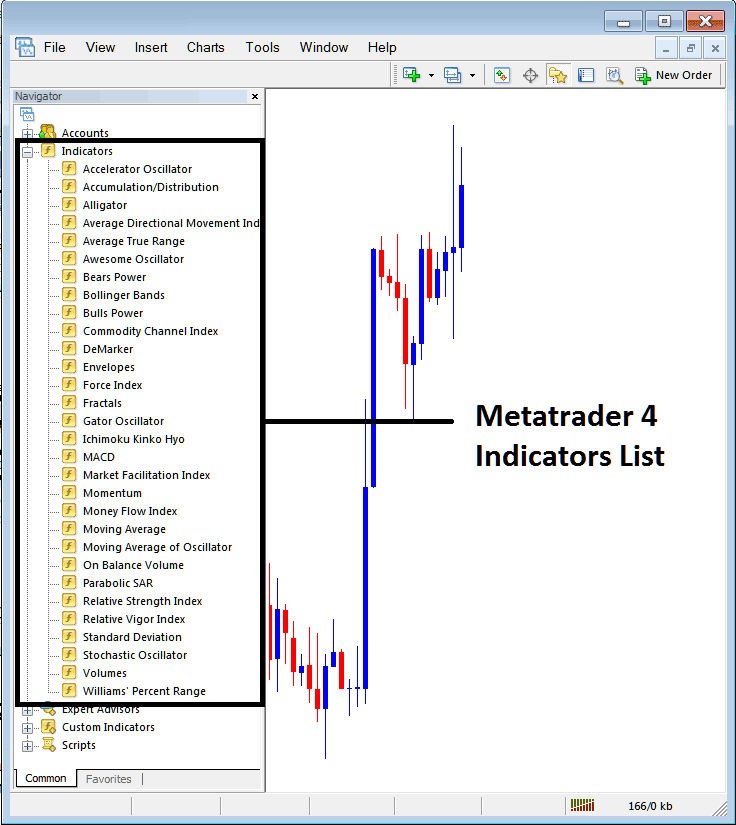
How to Add T3 Moving Average Technical Indicator - From the Above window you can then place T3 Moving Average indicator that you want on the CFDs chart
How to Add Custom T3 Moving Average Technical Indicator to MT4
If the technical indicator you want to add is a custom indicator - for example if the T3 Moving Average technical indicator you want to add is a custom indicator you will need to first add this custom T3 Moving Average indicator on the MetaTrader 4 software & then compile the custom T3 Moving Average indicator so that the newly added T3 Moving Average custom indicator pops up on the list of custom indicators in MetaTrader 4 software.
To learn how to install T3 Moving Average indicators on MT4, how to add T3 Moving Average indicator window to MT4 and how to add T3 Moving Average custom indicator in MT4 - How to add a custom T3 Moving Average indicator in MT4.
About T3 Moving Average Technical Indicator Tutorial
T3 Moving Average Technical Analysis and T3 Moving Average Trading Signals
T3 uses a Smoothing factor/technique to produce trading signals that are similar to those of the moving averages, but are more accurate than those of the MA. The T3 is a modification of method used to calculate the original MA and it has a smoother curve and it does not lag the market as much as the MA. This Indicator follows price action and adjusts itself to the direction of the market.
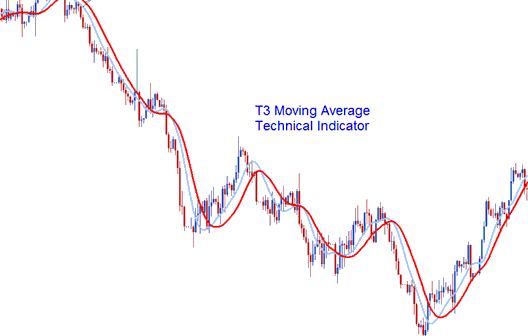
CFD Trading Technical Analysis & How to Generate Trading Signals
The T3 moving average is similar to the original MA, and it can be traded in the same way as the original MA indicator.
Moving Average CFD Trading Crossover Trading Signal
This Method involves using two T3 MA and generating trading signals when the 2 cross each either upward generating an upwards CFDs trend signal or cross downward generating a downwards CFDs trend Signal.
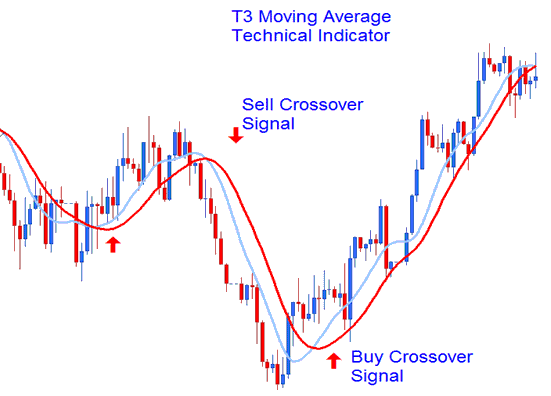 Crossover Signal
Bullish Trend - Prices are bullish as long as price action remains above the indicator. When this move happens it implies that prices are bound to continue moving upwards.
Bearish Trend - Prices are bearish as long as price action remains below the T3 Average. When the price is below the indicator it implies that price is bound to continue moving downwards.
Whipsaws - This is a smoothed indicator which isn't prone to giving out whipsaws, since it is smoothed it's less responsive to price spikes, therefore a price spike will not skew the data used to calculate and plot it.




