How to Add Alligator Indicator in MT4 Charts - Adding MT4 Alligator Indicator
Step 1: Open Navigator Window on CFDs Trading Software
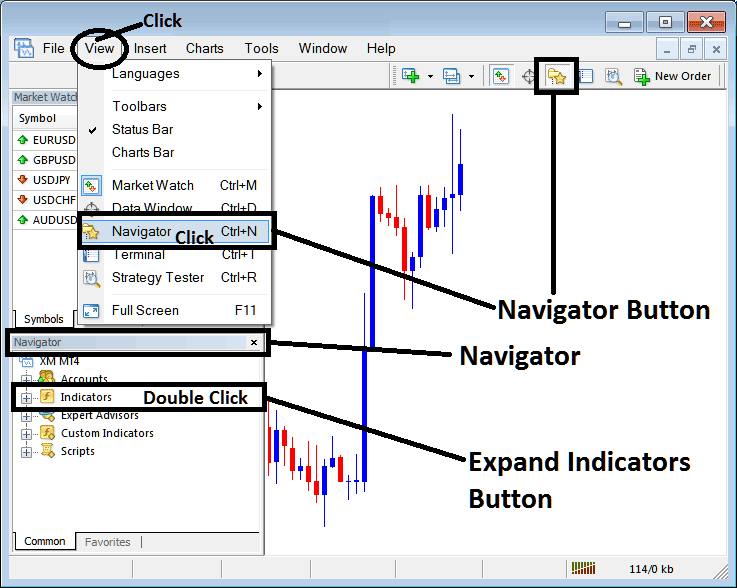
Open Navigator panel as shown and illustrated below: Navigate to "View" menu (click on it), then select "Navigator" window (click), or From Standard Toolbar click the "Navigator" button or press key-board short-cut keys "Ctrl+N"
On Navigator window, select 'Technical Indicators', (Double-Click)
How to Add Alligator Indicator in MT4 - MT4 Alligator Technical Indicator
Step 2: Expand the Indicators Menu on the Navigator - Adding Alligator MT4 Chart Indicator
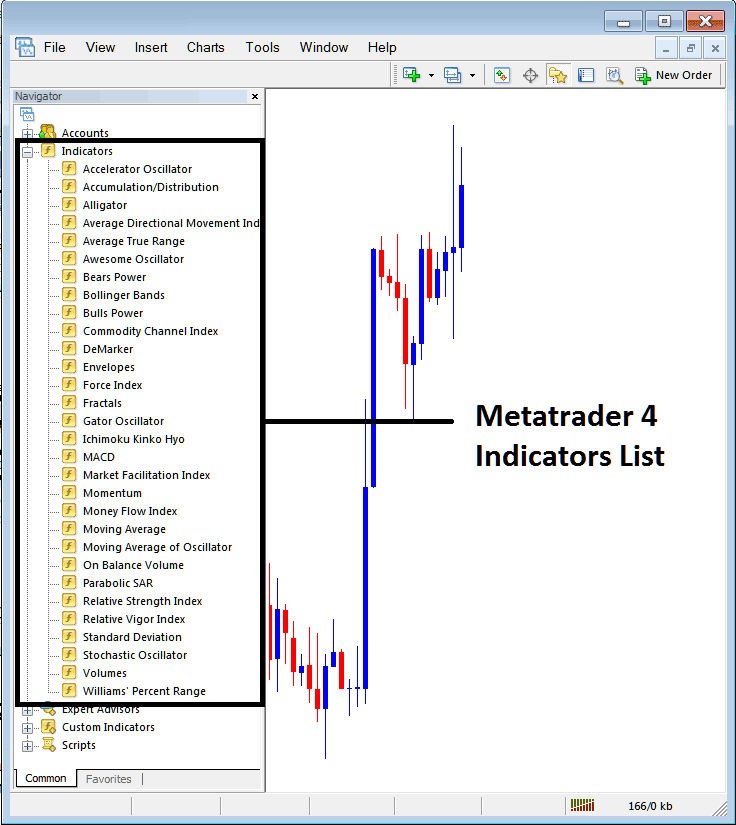
Expand the menu by clicking the expand button marker (+) or double click the "indicators" menu, after this the button will appear as (-) and will now display a list as shown below - select the Alligator cfds chart indicator from this list of cfds indicators so as to add the Alligator indicator on the cfd trading chart.
How to Add Alligator Indicator - From the Above window you can then place Alligator indicator that you want on the CFDs chart
How to Add Custom Alligator Indicator to MT4
If the technical indicator you want to add is a custom indicator - for example if the Alligator technical indicator you want to add is a custom indicator you will need to first add this custom Alligator indicator on the MT4 software & then compile the custom Alligator indicator so that the newly added Alligator custom indicator appears on the list of custom indicators on the MT4 platform.
To learn how to install Alligator indicators on MT4, how to add Alligator indicator window to MT4 and how to add Alligator custom indicator on MetaTrader 4 - How to add a custom Alligator indicator in MT4.
About Alligator Technical Indicator Tutorial Explained
Alligator Indicator Technical Analysis and Alligator Indicator Trading Signals
Created by Bill Williams
Alligator indicator is a combination of 3 moving average lines that use fractal geometry and nonlinear calculation.
The three smoothed moving averages are:
- The green line (Lips) 5-period Smoothed Moving Average, with a shift of Three bars into the future.
- The red line (Teeth) 8-period Smoothed Moving Average, with a shift of 5 bars into the future.
- The blueline (Jaw) 13-period Smoothed Moving Average, with a shift of 8 bars into the future.
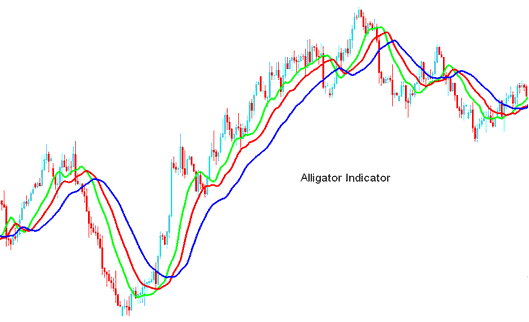
Lips, Teeth & Jaw show the interaction of different time periods.
CFD Technical Analysis and How to Generate Trading Signals
When the Jaw, the Teeth and the Lips are closed or intertwined, it means the Alligator is going to sleep or is asleep already. As it sleeps, it gets hungrier and hungrier - the longer it will sleep, the hungrier it will wake up. The first thing it does after it wakes up is to open its mouth and yawn. Then the smell of food comes to its nostrils: flesh of a bull or flesh of a bear, and the Alligator starts to hunt it. Having eaten enough to feel quite full, the Alligator starts to lose the interest to the food/price (Balance Lines join together) - this is the time to take the profit.
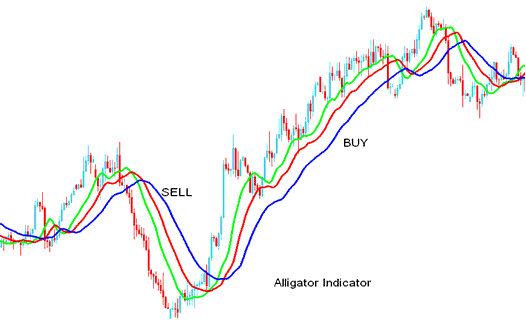
Alligator Indicator Buy and Sell Signals - Alligator Indicator Buy Sell Signals




