Awesome Oscillator Bitcoin Trading Analysis & Awesome Oscillator Trading Signals
Awesome Oscillator (AO) is a 34-period simple moving average that is drawn through the middle points of the bars (H+L)/2, and then this is subtracted from the 5-period simple moving average.
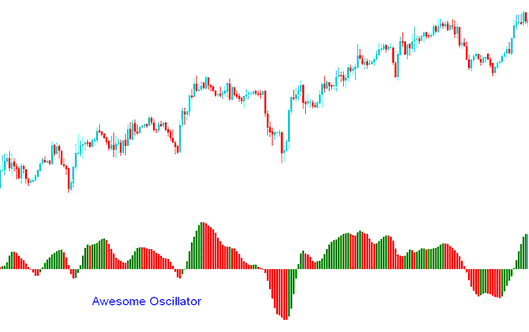
Awesome Oscillator
BTCUSD Analysis & Generating Trading Signals
Buy Trading Signal
A buy cryptocurrency signal generated once the oscillator moves above the Zero line.
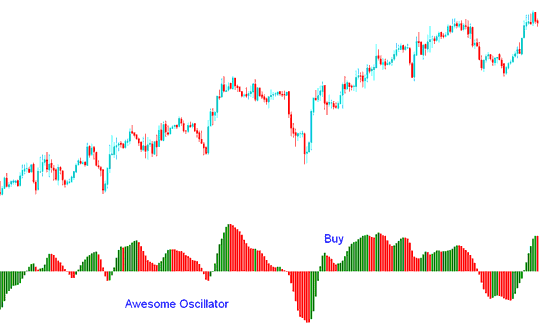
Buy Crypto Trading Signal
Another buy cryptocurrency signal generated when indicator is above the Zero mark and the color of the bars change from red to green and the green bar is higher than the red bar forming a V or U shape. The signal is confirmed after three green bars are formed.
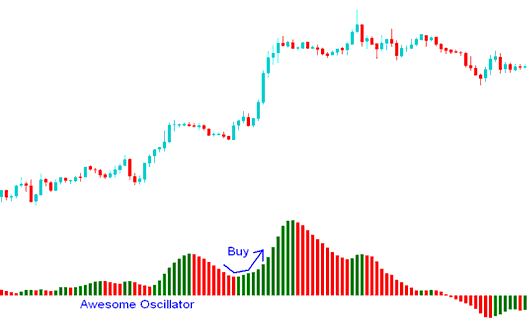
Buy Trading Signal
Sell Trading Signal
A sell cryptocurrency signal is generated once the oscillator moves below the Zero line.
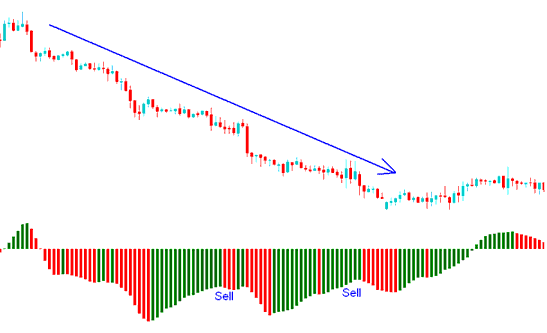
Sell Crypto Trading Signal